Product picks on Joybuy
This selection includes wired and wireless personal headsets, as well as earbuds for calls. For each version, check that the listed microphone features, connection and controls work with your meeting app.
 No image available
JBL Quantum 300 wired over-ear gaming headset, black
The product information lists a directional microphone and a flip-up mute function; check that the connection and controls work with your meeting app.
The description mentions a USB audio adapter and compatibility via an audio cable connection.
Joybuy
 No image available
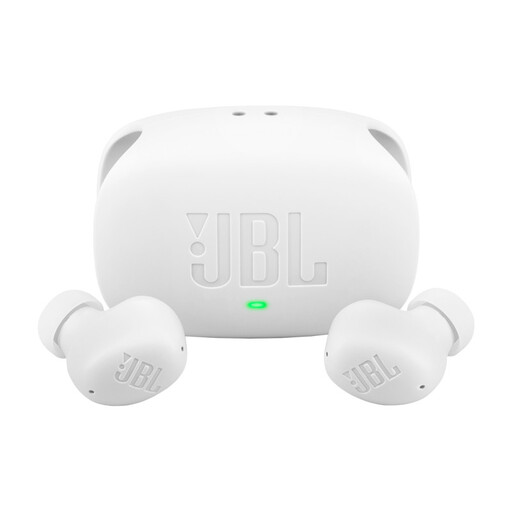
JBL Wave Buds 2, white
The product information lists hands-free calls and touch controls; check that the microphone and controls suit the way you hold meetings.
Multipoint for two Bluetooth devices is listed; check which devices you want to connect at the same time.
Joybuy
 No image available
Sennheiser MOMENTUM 4 Wireless, black
The product description lists beamforming microphones and noise cancellation during calls; check that the headset works with your meeting app and connection.
Bluetooth and an included audio cable are listed. The description also mentions a padded headband and deep ear cushions.
Joybuy
 No image available
Samsung Galaxy Buds4 Pro, black
The product information lists microphones for calls and touch controls; check how well they work with the meeting app you use.
Bluetooth and active noise cancellation are listed.
Joybuy
 No image available
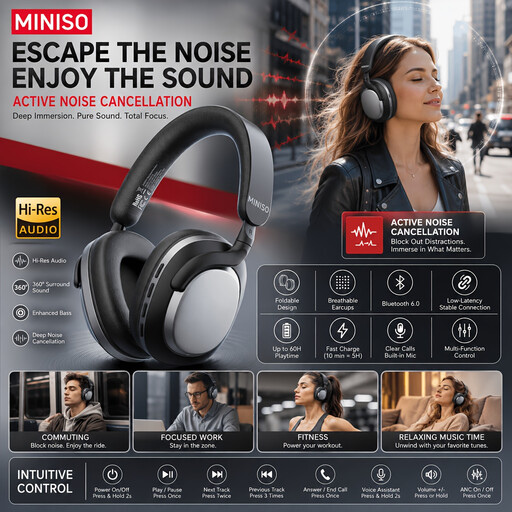
MINISO MG210 wireless over-ear headphones
This model may be worth considering if you’re looking for wireless over-ear headphones. Before buying, check that the microphone features and controls are suitable for meeting calls.
The product name lists noise cancellation and a 24-hour battery life.
Joybuy
Frequently asked questions
Can one personal headset make everyone at the meeting table easy to hear?
Don’t assume so: a personal headset is designed for the wearer. If several people in the room will be speaking, assess the microphone setup for the whole room and the seating positions.
What should you do about echo when several devices are in the same Teams meeting?
Check which microphones and speakers are active. Microsoft Learn warns that more than one active microphone in coordinated Teams Rooms can cause echo and feedback; make sure the devices are set up to work together.
Which connection should you check before the meeting?
Check your laptop’s ports and the exact headset version. HP Netherlands lists USB-C with a USB-A adapter for the Blackwire 5200 version described; Logitech specifies USB-C or USB-A with an adapter for the H570e Teams stereo variant.
Is the statutory warranty on a headset in the Netherlands always exactly two years?
No. ACM ConsuWijzer explains that the statutory guarantee depends on what you could reasonably expect from the product; a manufacturer’s or seller’s guarantee doesn’t limit your statutory rights. The seller is your point of contact if a product develops a fault too soon under normal use.
Can you record a discussion about a design brief without taking any further steps?
First check the privacy rules if the recording contains personal data. The Dutch Data Protection Authority states that processing personal data requires an applicable GDPR legal basis; consent is one possible basis, but it isn’t automatically the right one. Consider how the recording will be processed for the specific meeting.


