What should you consider when choosing?
Wired for one quiz host
Best if: you present from one computer and use the headset in the same place throughout the quiz.
Bear in mind: the cable limits how far you can move from the computer, and a boom microphone won’t automatically pick up the whole table.
Wireless for a quiz host on the move
Best if: you move around while presenting or keeping score.
Bear in mind: you’ll need to manage pairing and charging, and check which dongle comes with that version.
Room audio for a table joining in
Best if: several people in the room need to speak directly to remote participants.
Bear in mind: microphone placement, acoustics and echo. Test the setup from the seats people will use.
| What to consider |
What to check before buying |
Who should pay particular attention? |
| Quiz host’s voice |
Check the boom microphone and mute controls, and test it from the position you’ll speak in. |
If I’m reading out the questions, I want to be easy to understand and able to mute the microphone quickly; around 36% of consumers prioritise the quiz host’s voice. |
| Voices at the table |
Test whether speech is picked up from the seats people will use and whether the setup causes echo. |
When players answer from their seats, I want their voices to come through clearly to remote participants; around 29% of consumers prioritise audibility around the table. |
| Connection and audio settings |
Check that the connection is compatible with your computer, and select the right microphone and speaker before the quiz. |
If the quiz mustn’t be interrupted by the wrong connection or audio settings, it helps to test everything beforehand; around 21% of consumers prioritise a reliable connection. |
| Comfort and freedom to move |
Check the fit. For wireless versions, also check the pairing process and stated talk time. |
If I’m wearing the headset for a long time or moving around while presenting, comfort and freedom of movement matter; around 14% of consumers prioritise these needs. |
When buying, also check that the specific product carries the CE mark. The Dutch Authority for Digital Infrastructure states that equipment sold in Europe must comply with the relevant European directives and carry a CE mark.
Headsets for the quiz host
These Joybuy products are headsets for quiz hosts who speak themselves, with wired and wireless options for use with a computer. They aren’t complete room-audio setups for a table joining in.
 No image available
Jabra Evolve2 30 SE
A wired option for a quiz host presenting from a fixed computer. Check that the connection on the version you choose is compatible with your computer.
View at Joybuy
 No image available
Jabra Evolve2 75 USB-A MS Teams Black
A wireless option for a quiz host who moves around while presenting.
Version: USB-A, MS Teams, Black.
View at Joybuy
 No image available
Jabra Evolve2 65 USB-A Black MS Mono
A wireless option for a quiz host who moves around while presenting.
Version: USB-A, Black, MS Mono.
View at Joybuy
 No image available
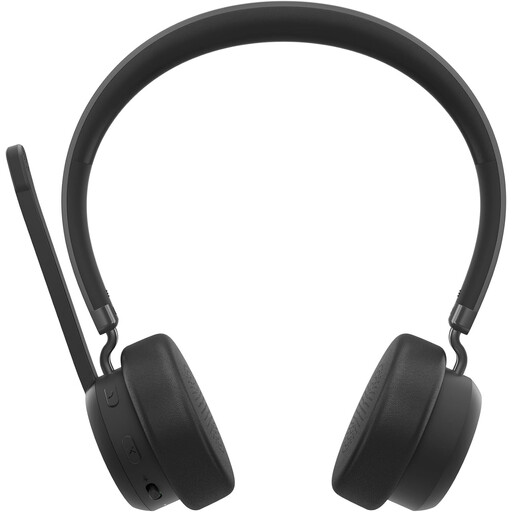
Lenovo 4XD1Q30302 Wireless Headset
A wireless option for a quiz host who moves around while presenting. Check which connection and accessories are included with the version you choose.
Version as named in the product title: Wireless Headset.
View at Joybuy
 No image available
Edifier G2II Wired USB Gaming Headset for PC and PS4
A wired USB option for use with a computer; the cable limits how far you can move from it.
Connection and compatibility as stated in the product title: USB, PC and PS4.
View at Joybuy
Frequently asked questions
Can one headset make everyone at the table easy to hear?
Don’t assume so. If several people need to be heard remotely, consider room audio and test voices from the seats people will use. Microphone distance, room noise and reverberation all play a part.
How do I set up the audio for the quiz?
In the meeting platform you’re using, select the microphone and speaker you want, then run a test beforehand. Zoom Support warns that echo can occur when several computers in the same room are using meeting audio at the same time.
Will a wireless headset work with my computer without any extra accessories?
That depends on the version and the connections available on your computer. Jabra says that accessories for the Evolve2 65 Flex, including the wireless charging stand, may vary by SKU. So check the exact product variant and box contents.
Am I always entitled to exactly two years’ statutory guarantee in the Netherlands?
No. ACM ConsuWijzer explains that Dutch law doesn’t set a fixed duration for the statutory guarantee; what you can expect depends, among other things, on the product and normal use. The retailer is your point of contact for a statutory guarantee claim if a consumer product is faulty.
What product requirement should I check when buying in the Netherlands?
Check that the specific product carries the CE mark. The Dutch Authority for Digital Infrastructure states that electrical, electronic and radio equipment sold in Europe must comply with the relevant European directives and carry a CE mark.


