What should you look for when choosing?
First decide whether you’ll mainly be listening back to short recordings on a computer or rehearsing on the move with a sound system. Then choose a connection and recording input to suit.
| What to consider |
What should you check? |
Who is this most important for? |
| Clarity in both language versions |
Check the microphone position and recording level with a test recording at your normal and loud speaking volumes. |
If I want to compare my pronunciation and pace in both languages, I need to make sure the recording isn’t affected by changes in microphone position or distortion. Around 40% of consumers say clarity in both language versions is their top priority. |
| Recording several short takes |
Check that you can select the headset as the recording input and the headphones as the output. |
If I want to listen back straight after each short attempt and record again, an easy connection to my computer is important. Around 30% of consumers prioritise being able to record again quickly. |
| Rehearsing on the move |
Check that the microphone, transmitter, receiver and sound system work together. For wireless use, also check which frequencies are permitted at your location. |
If I want to practise while walking around using a sound system, freedom of movement matters more than having a cable-free computer setup. Around 20% of consumers choose freedom of movement as their main consideration. |
| Connection to the recording device |
Check the exact USB or 3.5 mm version and make sure the device and recording app support microphone audio. |
If I use different devices, I want to know before rehearsing whether each one recognises the microphone as an input. Around 10% of consumers prioritise device compatibility. |
Joybuy headsets for short takes
These product picks focus on wired headsets for short computer recordings and listening back to takes. Check that each model’s connection is compatible with your device.
 No image available
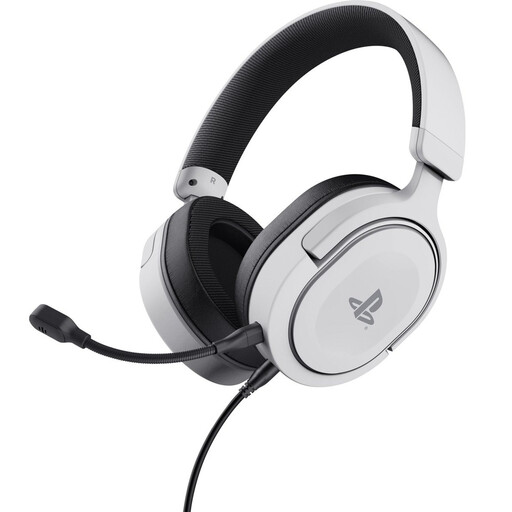
Trust GXT 498W Forta wired gaming headset, white
The 3.5 mm connection is suitable for a device with a compatible socket if you want to record and listen back.
The headset has a detachable, flexible microphone and volume and mute controls. The product name specifies 50 mm drivers, an over-ear design and a PS5 licence.
Check that your computer’s 3.5 mm connection supports microphone recording.
View at Joybuy
 No image available
Jabra Evolve2 30 SE
This USB headset is an option for short takes on a device that supports the connection and microphone.
The specified version has USB-A, two built-in microphones and stereo sound.
For a device with USB-C only, the product description specifies a compatible adapter.
View at Joybuy
 No image available
Logitech PC 960 USB headset
The wired USB connection is designed for computer use. Check that your recording device supports USB audio.
The description specifies an adjustable microphone boom, stereo sound, and volume and mute controls.
View at Joybuy
 No image available
Logitech H650e wired stereo headset
This wired USB headset is described as suitable for computer use and listening back in stereo.
The description specifies a microphone and in-line controls. Check that the USB audio connection works with your recording device.
View at Joybuy
 No image available
Logitech H340 black USB headset
This USB headset is described as suitable for short computer recordings and listening back in stereo.
The description specifies an adjustable microphone boom and volume and mute controls. Check that your device supports USB audio.
View at Joybuy
Frequently asked questions
How can you stop the loudest words in a take from distorting?
Select the intended microphone as the input in your recording software, and speak the loudest part of both language versions. Adjust the recording level if the meter reaches its upper limit. According to Audacity, clipping can’t be fully corrected afterwards.
Can you use a standalone presenter microphone directly as a USB headset?
Not with the microphone alone. Shure describes the PGA31 as designed for compatible wireless bodypacks with a TA4F connection. Check the entire signal path to your recording device and how you’ll listen back to your takes.
Do you need a licence for a wireless headset microphone in the Netherlands?
According to the Dutch Authority for Digital Infrastructure, a licence is generally not needed for wireless microphones when you use the appropriate frequency space, although some frequency bands do require one. Check the exact frequency band and location with the RDI before using the system.
What should you check when buying, and what if the product is faulty?
Before buying, check the exact version, included components and returns policy. According to the Dutch government, many online consumer purchases come with a 14-day cooling-off period, although there are exceptions. If a product doesn’t meet the terms of the agreement, contact the seller about your statutory guarantee.


