
Speakers who listen back to their recordings
If you’re practising clarity, pace and pronunciation, a microphone setup you can check and a test recording can help.


For long recordings at a computer, a wired headset with a boom microphone is a sensible starting point, provided it connects to your device; if you practise while walking around, try a wireless model too. Before recording a long take, make a test recording and listen back: manufacturers’ specifications can’t tell you exactly how your voice will sound in your room. Microsoft Support says that Windows Sound Recorder supports recordings of up to three hours per file.
If you’re practising clarity, pace and pronunciation, a microphone setup you can check and a test recording can help.
If you regularly record longer passages, both wearing comfort and the maximum recording length supported by your chosen app matter.
If you want to walk around and gesture while practising, consider how much freedom of movement you need and test that the wireless microphone connection works well.
Choose this if: you usually practise sitting at a computer and have the right USB port available.
Bear in mind: the cable limits how far you can move around during your presentation.
Choose this if: your device has a suitable connection for both the headphones and the microphone.
Bear in mind: check the port and make a test recording; having a compatible-looking port doesn’t guarantee that the microphone will work with it.
Choose this if: freedom to move and gesture matters more to you than a wired connection.
Bear in mind: you’ll need to charge and pair it; test the connection and record a full take with your recording device.
| What to consider | What should you check? | Who is this important for? |
|---|---|---|
| Clarity when listening back | Test the selected microphone and listen back to a short recording; adjust the input volume if needed. | If I want to assess my pronunciation and pace, I need to be able to hear my voice clearly when I listen back. Around 36% of consumers prioritise clarity. |
| Comfort during long takes | Consider the fit, headband and ear cushions; if possible, try wearing the headset for an extended period. | If I’m recording several long passages, I want to know whether the headset will stay comfortable. Around 29% of consumers make comfort their top priority. |
| Connection and recording app | Check which USB or microphone connection you need, and the maximum recording length supported by your app. According to Microsoft Support, Windows Sound Recorder supports up to three hours per file. | If I want to record a take without interruption, my headset, computer and app need to work together. Around 21% of consumers prioritise connectivity and their recording workflow. |
| Freedom of movement | Compare the cable length with the space you need, or test the wireless connection while walking around. | If I want to move around during my presentation, the freedom offered by the cable or connection matters. Around 14% of consumers put freedom of movement first. |
A claim about the microphone doesn’t automatically tell you how much background noise you’ll hear or how your own recording will sound in that room.
Check what the claim refers to and listen back to a test recording.
Trust lists separate Ayda USB and Ayda USB-ENC versions. Features of one version don’t automatically apply to the other.
Check the full model name, the connection and which adapter is included with that version.
Sony states that the WH-CH520 offers up to 40 hours of continuous communication. That figure doesn’t tell you how long your recording will last on the device you’ve chosen.
Charge the headset, pair it with your recording device and test a take similar to the practice session you have planned.
The H390 is a wired USB computer headset for anyone looking for a boom microphone and in-line controls.
The Ayda USB is a wired PC headset with an adjustable headband; there’s also a separate Ayda USB-ENC version.
The Blackwire 3320 version 8X220AA is a wired on-ear stereo headset with USB-C and a USB-C/A adapter.
The WH-CH520 is a wireless headphone with a built-in microphone for anyone who doesn’t want a headset cable while practising.
The Evolve2 30 SE is available in wired on-ear versions; the technical datasheet distinguishes between mono, stereo and USB variants.
These products include wired and wireless headsets for practising at a computer or with more freedom to move around. Before choosing, check that the connection, microphone and fit suit your recording setup.
 No image available
A wired USB headset for practising at a computer; check that your device has a suitable USB port.
 No image available
A wired headset for a fixed practice setup; before buying, check which type of connection your computer needs.
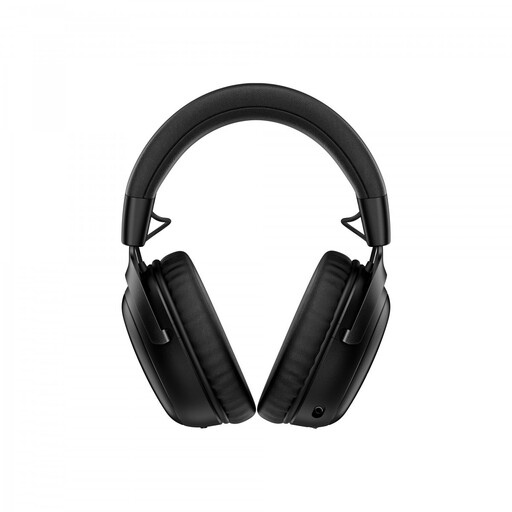 No image available
The wireless version with a detachable boom microphone may suit practice sessions where you need room to move; test the connection with your recording device.
Charge the headset and check that the microphone is selected as the input in your recording app.
 No image available
A wired headset for computer use with USB-A; the product listing also mentions a USB-C adapter.
Check which connection your computer has and whether the headset stays comfortable during a longer take.
 No image available
A wired headset for practising at your computer; check that the 3.5 mm connection is compatible with your device.
Some PCs with separate audio and microphone ports may need a splitter.
In Windows, select the connected headset as your input device, start a microphone test, speak normally and play back the sample. Then check which input is selected in the app you’re using to record your take.
According to Microsoft Support, Windows Sound Recorder allows a maximum of three hours per recording file. If you need to record a longer take without interruption, check another recording workflow in advance; using a different headset won’t change this app limit.
No. According to the Dutch government, statutory warranty in the Netherlands doesn’t have a fixed duration: what you can expect from a product depends, among other things, on the product itself and normal use. A separate manufacturer’s warranty doesn’t replace those statutory rights.
According to ACM ConsuWijzer, online purchases often come with a cooling-off period of up to 14 days after delivery, but exceptions may apply. Check the terms and conditions that apply to your purchase.
A practice recording of only your own voice is not the same as recording or sharing other people’s voices. The Dutch Data Protection Authority describes an exception for exclusively personal or household use; this doesn’t mean you have general permission to record classmates or share recordings.