
Taking part in a busy kitchen
You want to read aloud and respond while other people at home are making noise. A suitable microphone is important, and testing it beforehand helps you check that your voice comes through clearly.


Start by considering the sounds around you and the connection on the device you’ll be using. If other people at home are talking, a headset with a positionable microphone and noise reduction is worth considering, but it won’t necessarily block out kitchen noise. Think about the fit and controls too. Check the exact model and test the microphone and speakers in your meeting app before the workshop.
You want to read aloud and respond while other people at home are making noise. A suitable microphone is important, and testing it beforehand helps you check that your voice comes through clearly.
You listen to text and feedback as you write at the table. Whether you choose a headset that covers one ear or both will partly depend on how much of the room’s noise you want to hear.
You want to join without connection problems and be able to adjust the volume or mute yourself during the conversation. Check that the headset plug matches the port on your device.
First, decide whether being clearly understood in a noisy room is your main concern. Then consider the fit, connection and controls.
| What to consider | What to look for | Who is this important for? |
|---|---|---|
| Speaking clearly over background noise | Compare the microphone on the exact model and test your voice in your meeting app, ideally with typical kitchen noise in the background. | If I’m reading aloud while other people at home are talking, I want to know that my voice comes through clearly; around 40% of consumers give speaking clearly over background noise top priority. |
| Comfortable listening while writing | Check whether the specific model is mono or stereo and whether it will be comfortable to wear for the expected length of the workshop. | When listening to text and feedback, I want a comfortable fit that suits how much background noise I want to hear; around 30% of consumers prioritise listening comfort. |
| Connection and working audio | Check your device’s ports, the full model name, and which microphone and speakers are selected in your meeting app. | I want to know before the workshop whether my headset connects to my device and works in the app; around 20% of consumers make connection and working audio their top priority. |
| Quick muting and volume adjustment | Check where the controls are and test beforehand that muting works as expected in the app you’ll be using. | At a shared table, I want to be able to mute myself or adjust the volume without taking my attention away from the conversation for long; around 10% of consumers name call controls as their top priority. |
A noise-cancelling microphone is designed to reduce the noise your conversation partners hear. The ear cushions affect what you hear from the room; these are two different functions.
Compare the microphone features and fit separately, and test your voice with the usual kitchen noise in the background.
Trust distinguishes between the Ayda USB and the Ayda USB-ENC. HP also lists different fits and connection options within the Blackwire 3200 series.
Check the full model name, connection, fit and included accessories on the product page. If you choose the wrong plug, you may still need a suitable adapter.
The Dutch government states that the Netherlands has no fixed statutory guarantee period. A manufacturer’s warranty is separate from your legal right to a product that is fit for purpose.
When buying, check what manufacturer’s warranty is offered and keep that information separate from your legal rights.
The H390 is a wired headset for use at a fixed workstation. Logitech lists USB-A and USB-C versions, so the right connection depends on the model.
The Evolve2 30 SE may be worth considering if both background speech and listening comfort matter to you. Jabra lists separate UC and Teams versions.
The Blackwire 3200 series includes wired headsets in different fits, including mono and stereo models.
The Ayda USB is designed for easy connection and control during calls. According to Trust, the separate Ayda USB-ENC is designed to reduce background noise picked up by the microphone.
This selection includes headsets with a microphone for speaking and listening at the table. Check the connection, fit and controls on each model to make sure they suit your workshop.
 No image available
An option if you’ll be taking part from a fixed computer workstation and want to position the microphone close to your mouth.
The product description lists an adjustable microphone boom, stereo audio, and in-line volume and mute controls.
 No image available
A good fit if you’re looking for a USB headset to listen and speak through from a computer.
The product description lists an adjustable microphone, stereo audio and a USB connection.
 No image available
The mono version may suit you if you want to keep one ear free to hear what’s happening in the room during the workshop.
The product description lists a three-microphone system, Bluetooth and a USB-A adapter included in the box. With a mono headset, one ear stays free.
 No image available
An option if you want to be able to mute the microphone and adjust the volume on the headset during the workshop.
The product description lists a microphone designed to reduce background noise during calls, a flip-up mute microphone and volume controls on the earcup. Includes a USB-C adapter for the USB-A connection.
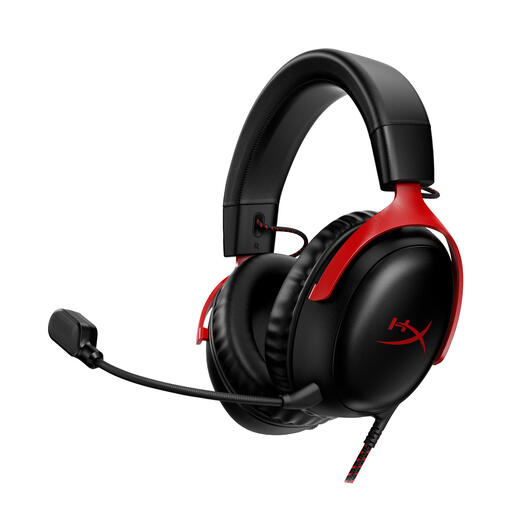 No image available
An option if you’re looking for a headset with several listed connection options for your devices.
The product description lists a detachable microphone and 3.5 mm, USB-A and USB-C connections. It also mentions memory foam ear cushions.
Select your headset’s microphone and speakers in the meeting app, then run the sound test. Google Meet offers a microphone indicator and speaker test before you join; Zoom offers a microphone and speaker test.
First, check that the headset itself isn’t muted and that the meeting app is using the microphone you want. When using Google Meet in a browser, the app, browser and device all need permission to access the microphone.
According to the Dutch government, online purchases from a business often come with a 14-day cooling-off period. The same rules don’t apply when buying from a private individual; check the terms and conditions for your order.
No. According to the Dutch government, the Netherlands has no fixed statutory guarantee period: you’re entitled to a product that is fit for purpose, and its expected lifespan depends on the product and how it’s used. Any manufacturer’s warranty offered is separate.