What should you look for when choosing?
Start with what your pupils hear, then check the connection and decide whether you’ll stay in one place or want to move around while teaching.
| What to consider |
What to look for when buying |
Who is this important for? |
| How clearly pupils can hear you |
Check whether the microphone is adjustable and how to mute it; test the outgoing audio in your lesson app. |
If my housemates talk during lessons, I want pupils to follow my explanations clearly. Around 33% of consumers prioritise speech clarity in noisy surroundings. |
| Your own concentration |
Check whether it’s mono or stereo and whether the exact version has ANC; microphone noise reduction is a different feature. |
When conversations at home distract me, I want to know how much noise I’ll still hear. Around 27% of consumers prioritise fewer distractions. |
| Connection and getting started |
Check whether your device has USB-A, USB-C or 3.5 mm, and which adapter comes with the version; select the microphone and speaker in your lesson app. |
I want to be sure my headset works with my device and lesson app before the lesson. Around 20% of consumers prioritise a hassle-free connection. |
| Freedom to move and comfort |
Check the fit and cable length, whether the wireless connection suits your workspace, and the talk time of the exact version. |
If I move around or teach for longer periods, I want a headset that suits my workspace and wearing preferences. Around 20% of consumers prioritise freedom to move and fit. |
Headsets at Joybuy
This selection of Joybuy products includes wired USB headsets and wireless headsets with microphones, including a mono version. For each model, check that the connection and controls suit your teaching device and style.
 No image available
Jabra Evolve2 30 SE
An option for lessons on a computer with USB-A; check that this connection is right for your device.
The product name specifies the Evolve2 30 SE version.
View at Joybuy
 No image available
Logitech PC 960 USB
A wired USB option for a fixed teaching workspace; check that your device has the right USB connection.
The product information lists a 240 cm cable and volume and mute controls.
View at Joybuy
 No image available
Logitech H340 USB
A wired USB headset to consider if you teach from a computer; check the connection on your device.
The product name specifies a wired USB headset.
View at Joybuy
 No image available
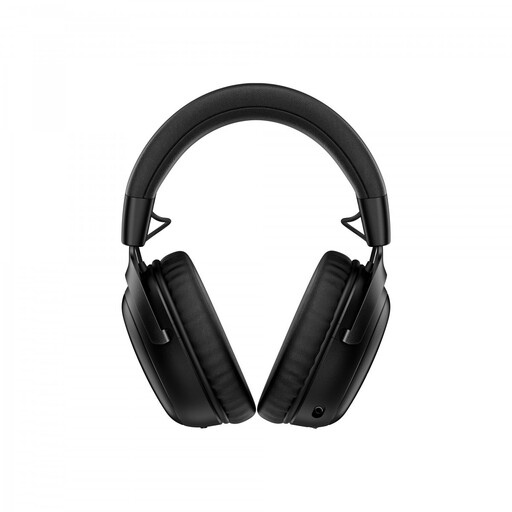
HyperX Cloud III S wireless gaming headset
A wireless option with a detachable microphone boom to compare if you want to move around while teaching.
The product name lists 2.4 GHz, Bluetooth and a detachable boom microphone. Check that it works with your teaching device.
View at Joybuy
 No image available
Jabra Evolve2 65 USB-A Mono, black
A wireless mono version for anyone who wants to keep one ear free; check that the USB-A adapter suits your device.
For wireless use, charge the headset beforehand and connect it using the USB-A adapter.
View at Joybuy
Frequently asked questions
Do I need ANC to stop pupils hearing my housemates?
No. ANC in the earcups affects what you hear; check the microphone and make a test recording or call to hear what your pupils will hear. Jabra says the Evolve2 65 has passive isolation but no ANC.
How do I check my headset before a Teams lesson?
In Teams, select both the connected microphone and speaker, and check the mute setting. Microsoft describes adjustable noise suppression in Teams; test how well it works with the type of noise you’re likely to encounter during your lesson.
What are my rights if I’m unhappy with an online headset purchase or it breaks?
For online consumer purchases in the Netherlands, there is generally a 14-day cooling-off period from delivery, subject to legal exceptions; ACM ConsuWijzer explains how this period works. There is no fixed statutory warranty period for faulty products: according to the Dutch government, the retailer must provide a solution if there is a problem with a product. Before buying, check the returns policy that applies to your order.
Can I record an online lesson?
Owning a headset doesn’t in itself give you permission to record a lesson. For schools and universities, the Dutch Data Protection Authority sets out considerations around showing pupils or students on screen, recordings and retention periods. These considerations don’t provide a general yes-or-no answer for an independent private tutor.


