What should you consider when choosing?
First, decide what matters most during your training: hearing the speaker clearly, listening in comfort, connecting without hassle or being free to move around.
| What to consider |
What should you look for? |
Who is this most important for? |
| Hearing the speaker and being heard clearly |
Check the microphone position and mute controls. Test the speaker and microphone in your training app; Microsoft Support explains how to select devices in Teams. |
If I want to follow the instructions clearly and speak and mute easily when asking questions, this comes first. Around 36% of consumers are most concerned about being heard clearly and speaking. |
| Concentration and comfort |
Compare mono and stereo, adjustability and fit. Distinguish between passive isolation, ANC for your ears and microphone noise cancellation. |
During a long session, I want to follow the instructions without being distracted by background noise or an uncomfortable fit. Around 29% of consumers prioritise concentration and comfort. |
| Connection and controls |
Compare the connection on the exact version with the ports on your device. Check that the controls you want to use are compatible with your training app. |
If I want to connect without hassle, the plug needs to fit and I need to be able to use the controls. Around 21% of consumers are most concerned about connection and controls. |
| Freedom of movement |
For a wireless version, check the adapter and pairing process, and remember that it will need charging. |
If I want to step away from my desk during training, a cable is less convenient. Around 14% of consumers make freedom of movement their top priority. |
Joybuy products for online training
This selection includes wired earphones and headsets, as well as wireless models with microphones for listening and speaking online. In particular, check the connection, fit and controls on the version you choose.
 No image available
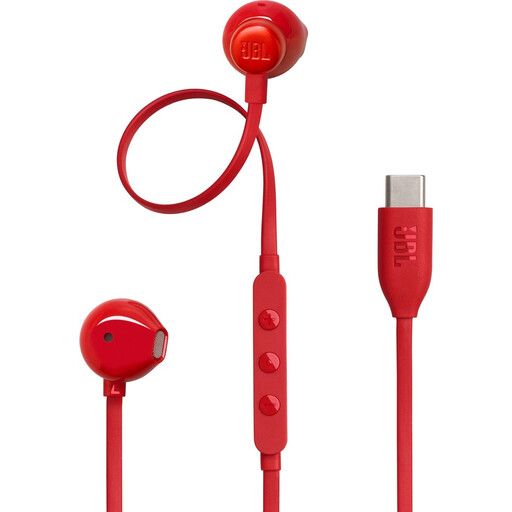
JBL Tune 305C wired USB-C earphones, red
A wired option if you want to listen via USB-C and speak occasionally.
USB-C connection, in-line controls and a built-in microphone. Requires a device with USB-C.
View at Joybuy
 No image available
Sennheiser MOMENTUM 4 Wireless, black
A wireless option if you want to move around during training and are happy to factor in pairing and charging.
Bluetooth, ANC and four beamforming microphones for calls. The stated playback time is up to 60 hours.
View at Joybuy
 No image available
Samsung Galaxy Buds4 Pro True Wireless, black
A wireless in-ear option if you want to listen and speak during training.
True wireless, Bluetooth and ANC. The product description lists six microphones and voice processing for calls; pairing and charging are part of wireless use.
View at Joybuy
 No image available
Jabra Evolve2 30 SE USB-A headset
A wired option for question time if your device has USB-A.
USB-A connection, two integrated microphones and in-line controls for muting and calls. A suitable adapter is required for USB-C.
View at Joybuy
 No image available
Bose QuietComfort Ultra Bluetooth Headphones, black
A wireless option if you want to compare built-in microphones and ANC; remember that wireless use requires charging.
Bluetooth, ANC and built-in microphones for hands-free calls. The stated battery life is up to 24 hours; an audio cable for wired listening is also listed.
View at Joybuy
Frequently asked questions
Will a headset help with screen glare or backlighting from a window?
No, a headset won’t solve that lighting problem. The Arboportaal advises positioning your screen-based workstation parallel to the window and using blinds or other shading if necessary.
How can you check that your headset is being used before training starts?
Select your preferred speaker and microphone in Teams and test the settings. Zoom offers a test that lets you hear the speaker and play back a microphone recording; also check that the microphone isn’t muted.
Does a headset have to be Teams-certified to take part in training?
No, not as a general requirement for taking part. Microsoft describes certification as a way to get tested, integrated call controls; check the specific version if having physical controls matters to you.
What do the cooling-off period and warranty mean when buying online in the Netherlands?
When you buy online from a business, you’ll often have a 14-day cooling-off period, subject to applicable conditions and exceptions. According to the Dutch government, the Netherlands has no fixed statutory warranty period: you’re entitled to a product that works properly, and the seller is your point of contact if something goes wrong. A manufacturer’s warranty is in addition to this.
What product rules apply to a headset sold in the Netherlands?
According to the Dutch Authority for Digital Infrastructure, electrical, electronic and radio equipment sold on the market must comply with the applicable European directives and carry the required CE marking. This alone doesn’t tell you whether a specific offer meets those requirements.


