
Active online group participant
You speak regularly and want to position the microphone accurately and mute it quickly. Logitech describes these features for the H390.


For an online study group, choose a headset that connects to your device, has a microphone you can position easily and is simple to mute. A wired headset suits a fixed study spot, while mono or stereo depends on how much you also want to hear in the room. A headset won’t change backlighting: Zoom Support recommends indirect lighting for video calls, so check your camera preview and position by the window too.
You speak regularly and want to position the microphone accurately and mute it quickly. Logitech describes these features for the H390.
You might use different laptops or a tablet, and want to check the connection is suitable before you buy. Lenovo Netherlands and HP highlight connectivity as something to consider when choosing a headset.
You want to follow the online group, but might also need to hear someone sitting next to you. HP describes mono as a design that leaves one ear free.
Start with the connection and how you want to listen during the call. Then consider the microphone controls, fit and freedom to move that suit your study space.
| What to consider | What to look for | Who this suits |
|---|---|---|
| Clear speech | Check whether you can position and quickly mute the microphone; test the selected microphone input in your meeting app. | If I speak often, I want to be able to position the microphone accurately and mute it quickly. Around 36% of consumers say speech clarity is their main concern. |
| Connection | Compare your device’s port with the connection on the exact model, and check whether any adapter you need is included. | I want to connect my laptop or tablet without finding out after purchase that they’re incompatible. Around 29% of consumers give compatibility top priority. |
| Fit and awareness of your surroundings | Check whether the model is mono or stereo and look at the fit of the exact version; judge the comfort for yourself. | At a shared table, I want to follow the online group but might also need to hear someone next to me. Around 21% of consumers prioritise comfort or awareness of their surroundings. |
| Freedom to move | Consider whether you’ll leave your seat during the call; for wireless models, check the supported connection and battery details. | If I get up regularly during a session, I don’t want to be tethered to my desk by a cable. Around 14% of consumers make freedom of movement their top priority. |
A claim about the microphone relates to the sound it transmits; what you hear yourself also depends on the headset design and ear cushions.
Compare microphone features separately from the choice between mono and stereo, and consider whether the fit suits your study space.
Connections, mono or stereo designs and any meeting-focused features can vary between versions.
Check the full model details and included accessories against the ports and meeting app you use.
An audio device won’t change the light reaching your camera. Zoom Support recommends indirect lighting to prevent the picture on a video call from looking washed out.
Check your video preview and, if needed, adjust your position or the light coming in through the window.
The H390 is a wired USB headset for calls from a computer.
The Ayda USB ENC is an on-ear headset for personal video calls.
The Blackwire 3200 series includes wired UC headsets in mono and stereo versions.
The Evolve2 30 SE is a headset range designed for calls and collaboration.
The wired IMPACT 100 series has mono and stereo versions for calls.
This selection includes wired USB headsets, wireless over-ear models and earbuds with a microphone. Check that each model’s connection and design suit your study space.
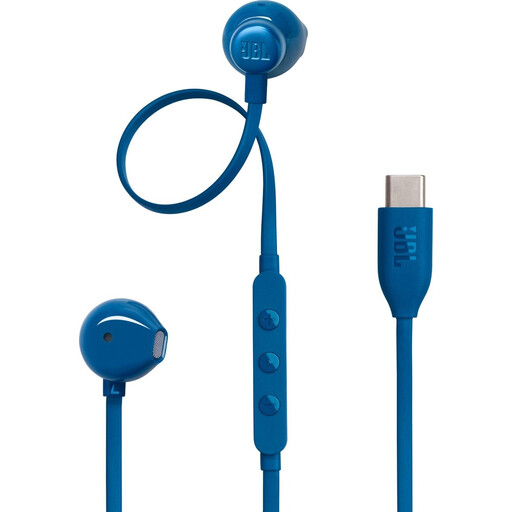 Image unavailable
If you’re looking for earbuds with a microphone for calls on a USB-C device, this could be a suitable option. Check that your device supports audio over USB-C.
The product name specifies a USB-C connection.
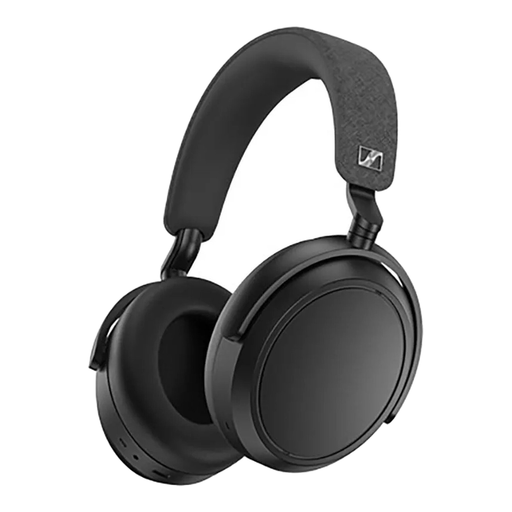 Image unavailable
The wireless design could suit you if you want more freedom to move during a study group. Check that the connection works with your device and remember that it needs charging.
The product name lists an over-ear design, Noise Cancelling, 60-hour battery life, Fast Charging and 4 microphones.
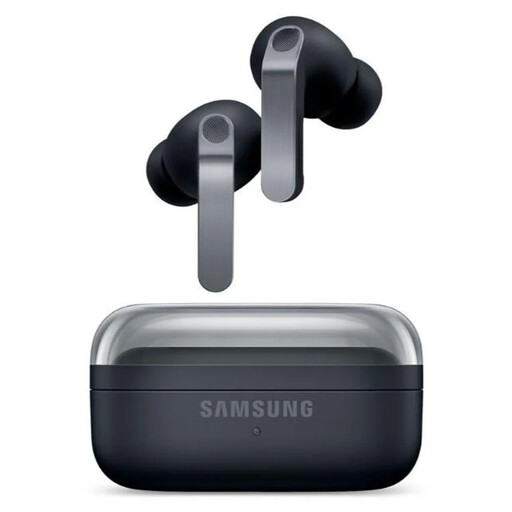 Image unavailable
These in-ear earbuds could suit you if you want to join wirelessly; check the fit and connection with your device. Active Noise Cancelling in the product name doesn’t, by itself, tell you how well the microphone filters background noise.
The product name lists True Wireless, in-ear and Active Noise Cancelling.
 Image unavailable
This wired USB headset could suit a fixed computer setup if you want to adjust the microphone position and mute it quickly. The cable limits your freedom to move.
Check that your computer has a suitable USB port.
 Image unavailable
This wired USB headset could suit online calls on a computer. The adjustable microphone described may be useful if you want to change its position.
Check that your computer has a suitable USB port.
A headset can help with audio, but it won’t change the lighting on your face. Zoom Support recommends indirect lighting for video calls, so check your camera preview and adjust your position or the light coming in if needed.
Select the microphone you want to use in your meeting app and run its built-in test. Zoom Support describes a test where you can listen back to your microphone audio; also check that the physical mute button is off.
Yes, but make sure multiple devices aren’t playing call audio through speakers at the same time, and that unused microphones are muted. The Webex Help Center lists multiple active audio devices in one room as a possible cause of echo and recommends muting the other devices.
When a consumer buys online, they generally have a statutory cooling-off period of up to 14 days after delivery; ACM ConsuWijzer notes that exceptions may apply. The seller is also responsible if a product doesn’t perform as you could reasonably expect under normal use.