
Taking part from a shared kitchen table
You want to be heard clearly during a one-to-one conversation, even when there are people or other sounds nearby. Pay attention to the microphone and your listening environment.


First, choose a headset that’s compatible with your device’s connection and the amount of background noise at the table. A wired headset is practical if you’ll be staying put; a wireless one gives you more freedom to move, but you’ll need to pair and charge it. Also consider the microphone, comfort and noise isolation. Before the session, check that your calling app is using the right microphone and speaker.
You want to be heard clearly during a one-to-one conversation, even when there are people or other sounds nearby. Pay attention to the microphone and your listening environment.
You’ll be staying at the table and want a compatible connection and an easy-to-reach mute control. The available port on your laptop will help you choose the right wired version.
You want to move around during or between conversations, or switch between devices. Compare the convenience of wireless use with the need to pair and charge your headset.
A good fit if: you’ll be staying at the table and your device has the right USB port.
Keep in mind: USB-A and USB-C aren’t automatically interchangeable. Jabra warns that not every USB-C device or app supports audio with the Evolve2 40 SE.
A good fit if: your device has a suitable headset socket for both listening and speaking.
Keep in mind: a socket that supports headphone audio only doesn’t guarantee that the microphone will work. Logitech lists a 3.5 mm connection for the H151; check the connection on your own device.
A good fit if: you want to get up during the session or switch between devices.
Keep in mind: pairing and charging are extra steps. Check the talk time and whether switching between devices is supported for the exact version you’re considering.
| What to consider | What should you look for? | Who is this important for? |
|---|---|---|
| Being heard clearly over background noise | Check the microphone and any mute controls on the exact version you’re considering. Test a call in your own environment. | I want my voice to come across clearly at a shared table, even when there’s background noise. Around 33% of consumers put clear audio first. |
| A compatible connection | Match the USB-A, USB-C or 3.5 mm connection to your device, and check that your calling app recognises the microphone. | When I’m at a permanent laptop set-up, I want to know my headset will work with my device before the session starts. Around 27% of consumers prioritise a compatible connection that works. |
| Comfort and concentration | Consider the fit and whether it’s a mono or stereo version. Passive isolation for your ears is different from microphone noise cancellation. | For a longer session, I want to listen comfortably and choose how much background noise I can hear. Around 20% of consumers put comfort and focus first. |
| Freedom to move | Check how the headset connects, whether switching devices is supported and the battery life for calls. | If I move around during or between conversations, I don’t want to be tied to a cable. Around 20% of consumers make freedom to move or switching between devices their top priority when choosing. |
Microphone noise cancellation and passive isolation from ear cushions serve different purposes. One description doesn’t automatically tell you how much sound you’ll hear yourself or what your mentor will hear.
Check which features the exact version offers and test the headset in the room where you’ll be taking the session.
USB-A, USB-C and 3.5 mm are different connections. Even with USB-C, audio isn’t guaranteed to work on every device or in every app.
Check your device’s port, the exact headset version and whether the microphone is recognised as an input device.
JLab lists more than 45 hours of playback time for the original GO Work. That figure isn’t the same as talk time with the microphone switched on.
Look up the talk time for the exact version and charge your headset in good time.
According to ACM ConsuWijzer, the legal guarantee depends on what you could reasonably expect from the product under normal use. The retailer is responsible for putting a faulty product right.
Keep your proof of purchase and contact the retailer if you think your product is faulty.
The H390 is a USB headset, while the H151 uses a 3.5 mm connection. Logitech describes the Zone Wired as suitable for calls in busy work environments.
The wired Evolve2 40 SE is available in mono and stereo versions, with different USB options. The fit and connection depend on the version.
The Poly Blackwire 3320 Stereo, product number 8X220AA, is a wired USB-C version. A USB-A adapter is listed for this variant.
According to JLab, the original GO Work is a wireless on-ear headset that can also be used wired and features Bluetooth multipoint.
These Joybuy products include wired USB options and wireless models for calls. Check that each model’s connection and features suit your device and how you plan to use it.
 No image available
A wired option for a session using a device with compatible USB-C audio. Check compatibility with your device and calling app.
Connection: USB-C. Colour: blue.
 No image available
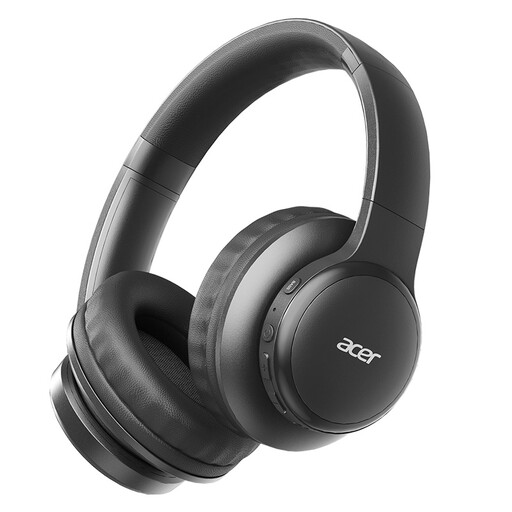
A wireless over-ear option if you want more freedom to move during a session. Check that the microphone and audio settings work with your calling app.
The product name lists 60 hours of battery life and four microphones. Battery life for music doesn’t automatically mean the same talk time.
 No image available
A wireless option for taking part from the table without an audio cable. Check that the headset works with your preferred calling app and device.
The product name lists Bluetooth 5.3, HD voice calls and a USB-C charging port.
 No image available
A wireless in-ear option if you don’t want a cable connecting you to your device. Check beforehand how the earbuds work with your device and calling app.
The product name lists True Wireless and active noise cancellation.
 No image available
A headset option for a permanent computer set-up. Before buying, check that the connection and microphone work with your device and calling app.
If you use Microsoft Teams, select the connected headset as both your microphone and speaker, then make a test call. Also check that the microphone isn’t muted; Jabra recommends keeping the microphone boom close to your mouth. If you use another calling app, check its audio settings.
Not always. Jabra specifically warns that not all USB-C devices or apps support the audio connection for the Evolve2 40 SE. Before buying, check compatibility with your phone, app and exact headset version.
Follow the cleaning instructions for your chosen model and keep the connections and microphone free from dirt. Keep the headset out of reach of food and drink. Charge a wireless model as part of getting ready for your next session, and don’t assume a headset is spill-resistant.
According to ACM ConsuWijzer, a product must meet what you could reasonably expect of it under normal use. If it’s faulty, the retailer is responsible for putting it right under the legal guarantee. According to the Dutch government, online purchases from a business also often come with a 14-day cooling-off period, although there are exceptions. Check the terms that apply to your purchase.