
Computer listener
You’re usually sitting in one place and want to hear the speaker clearly, with a connector that works with your computer. Logitech and HP Poly describe different connectors for different versions.


If you’ll be sitting at a computer in one place during the lecture, choose a wired headset with a connector that suits your device. If you’d like to move around, consider Bluetooth if your device supports it, and make sure you charge and test the headset beforehand. Choose mono or stereo depending on whether you want to stay aware of the room, and test the microphone and speakers before the lecture starts. A headset won’t fix backlighting: check your camera preview separately, as Zoom Support notes that daylight and reflections can affect how you appear on camera.
You’re usually sitting in one place and want to hear the speaker clearly, with a connector that works with your computer. Logitech and HP Poly describe different connectors for different versions.
You’d like to speak occasionally during the lecture and be able to mute your microphone quickly. Check that the right microphone is selected in your meeting app; Zoom Support explains how to test it.
You want to be able to stand up or walk around without a headset cable. Logitech describes a Bluetooth option; check that your device supports Bluetooth audio and test the connection beforehand.
| What to consider | What to check | Who it matters to |
|---|---|---|
| Following the lecture | Check whether you prefer mono or stereo, and whether the fit is comfortable for longer listening sessions. | If my main aim is to follow the speaker, I’ll choose a style that suits my listening preferences. Around 33% of consumers put following the lecture first. |
| Asking questions | Check the microphone’s position and mute function, and test it in your meeting app before the lecture. | If I want to ask a question now and then, I want to know that people can hear me and that I can mute the microphone quickly. Around 25% of consumers prioritise being able to join in clearly. |
| Connection and ready to go | Compare the connector on the exact version with your device, and test the selected microphone and speaker. | If I want to take part without technical interruptions, I’ll check beforehand that the connector works with my device. Around 25% of consumers prioritise a connection that works straight away. |
| Freedom to move | Check Bluetooth support and battery charge, and test the pairing before the lecture. | If I want to be able to stand up while listening, freedom to move matters more to me than having a cable. Around 17% of consumers prioritise being able to move around. |
A microphone processes sound; Zoom Support describes daylight and window reflections as separate factors that affect how you appear on camera.
Choose audio equipment to suit your listening and speaking needs, and check your camera preview beside the window too.
Models in the same range can differ in their connector and style. The wrong version may not work with your device.
Before ordering, check the full model name, connector, style and any adapter for the exact version.
A wireless headset needs to be charged and paired. Your meeting app may also select a different microphone.
Charge and pair the headset, then test both the microphone and speaker before the lecture.
According to ACM ConsuWijzer, statutory rights in the Netherlands depend on what you can reasonably expect from the product.
Keep your proof of purchase and contact the seller if there’s a fault. Consider your statutory rights separately from any voluntary manufacturer’s warranty.
The H390 is a wired option; the Zone 300 is a Bluetooth choice for those who want to move around.
The Ayda USB-ENC is a wired on-ear PC headset with controls for speaking and listening.
The Blackwire 3200 series includes wired business headsets in mono and stereo versions.
The wired Evolve2 30 SE is available in separate mono and stereo versions.
These product picks include wired and wireless headsets for listening to and taking part in an online lecture. For each version, check that the connector and microphone work with your device and meeting app.
 No image available
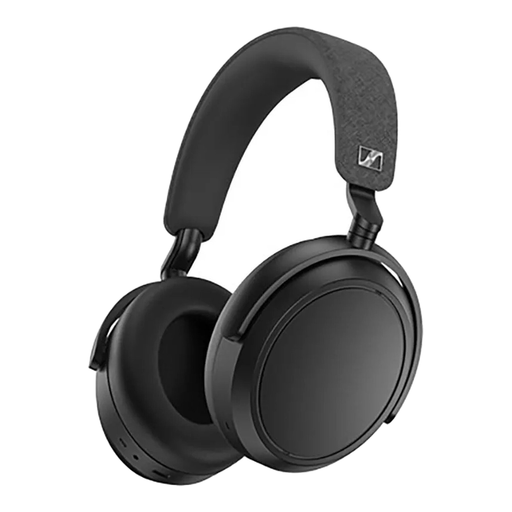
A wireless option if you’d like to move around during the lecture; check beforehand which microphone your meeting app is using.
The product name lists noise cancellation, four microphones, fast charging and up to 60 hours of playback time.
 No image available
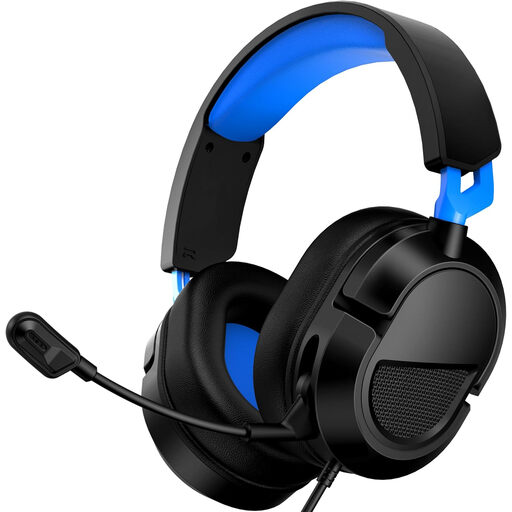
A wired choice if you’ll be taking part from one place; check that the connector on this version works with your computer.
The product name lists support for PS5, Xbox Series X|S, Xbox One and PC, and includes the Clear Mic designation. Test the microphone in your meeting app before the lecture.
 No image available
For this version, check that the connector and microphone controls suit the way you’ll be taking part in the lecture.
Before the lecture starts, check in your meeting app that the audio input and output you want are selected.
 No image available
Check that the connector and microphone controls on this version suit your device and the way you’ll be taking part.
Test the selected microphone and speaker in your meeting app before the lecture.
 No image available
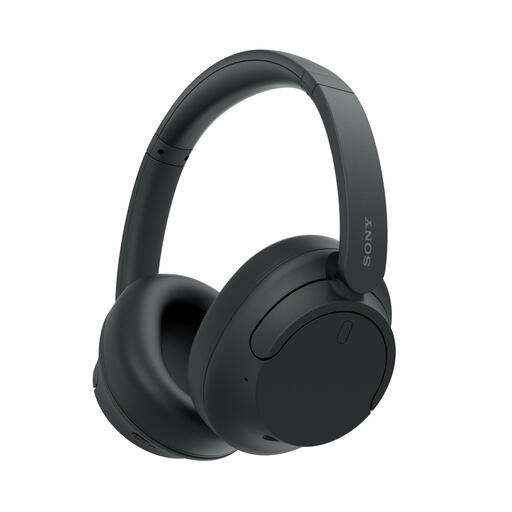
A wireless Bluetooth option if you’d like to move around during the lecture; check beforehand that the microphone is selected correctly in the app.
The product name lists noise cancellation and up to 35 hours of battery life with noise cancellation switched on.
No, treat picture and sound separately. Check your camera preview and, if needed, adjust the light coming in or your position relative to the window; Zoom Support describes how daylight and window reflections affect the camera image.
Test both the selected speaker and microphone in your meeting app before the lecture. In Zoom, you can listen back to a microphone test and select a different input device if needed.
No, check the connector and any adapter for the exact version. Logitech lists USB-A and USB-C versions of the H390; Jabra documents different connector options for the Evolve2 30 SE.
Online purchases generally come with a 14-day cooling-off period after delivery, subject to legal exceptions. Faulty products are also covered by statutory rights; according to ACM ConsuWijzer, how long these last depends on what you can reasonably expect from the product.