
Active language learner
If you practise your pronunciation or often take the lead, look for an adjustable microphone and an easy-to-reach mute button. Logitech lists these features for the H390 version reviewed.


For an online language lesson by a bright window, choose a headset based on how it connects to your device, how it fits and how well you can hear both the lesson and your own voice. A headset won’t correct backlighting on your webcam. If you’re staying at your computer, a wired headset means you won’t need to manage a battery; if you want to move around, check the Bluetooth connection and battery life. Test the microphone and speakers separately before your lesson.
If you practise your pronunciation or often take the lead, look for an adjustable microphone and an easy-to-reach mute button. Logitech lists these features for the H390 version reviewed.
If you want to follow spoken instructions and pronunciation clearly, consider the fit and sound isolation, rather than assuming that turning up the volume is the answer. Lenovo Netherlands highlights sound isolation as something to consider for online learning.
If you have several lesson sessions, compare the fit, ear cushions and controls. Lenovo Netherlands highlights comfort during extended use as something to consider.
First, check how the headset connects to your device and how you want to hear the lesson. Then test audio in both directions in the lesson app. The Dutch Authority for Digital Infrastructure says electrical and electronic equipment must carry the applicable CE marking, so check this for the exact version you’re buying.
| What to consider | What to look for when buying | Who is this important for? |
|---|---|---|
| Being easy to understand | Check the microphone boom, mute controls and a test recording in the lesson app. | If I practise pronunciation a lot, I want to position my microphone properly and mute it quickly. Around 33% of consumers put speaking clearly at the top of their list when buying. |
| Hearing the teacher clearly | Consider mono versus stereo and check the fit; test at a comfortable volume. | During listening exercises, I want to follow the teacher and their pronunciation clearly. Around 27% of consumers prioritise hearing the lesson. |
| Connection and compatibility | Compare the connection on the exact version with the port on your device; if it’s Bluetooth, check pairing and battery information too. | I don’t want to be caught without an adapter or choose a connection that doesn’t suit my lesson device. This is the top priority for around 20% of consumers who are mainly looking for compatibility. |
| Comfort | Check adjustability, ear cushion material and fit; a stated weight is no substitute for trying it on. | When I have several lesson sessions, what matters most is whether the headset stays comfortable and is easy to adjust. Around 20% of consumers base their choice primarily on comfort for extended wear. |
A microphone noise-reduction feature affects the voice signal sent to other people. It doesn’t prove that you’ll hear the teacher more clearly.
Assess the microphone, fit and listening experience separately, and test audio in both directions in the lesson app.
Connections and fit can vary between versions in the same range. A headset with the wrong plug may not connect directly to your lesson device.
Compare the full model or product number with your device, and check which accessories come with the version you’ve chosen.
A headset handles audio, not the light coming into your webcam. Zoom Support points out that daylight can affect the camera image.
Check your video preview separately and adjust your position or the window covering if needed.
According to the Dutch government, a manufacturer’s warranty is separate from your statutory right to a product that is fit for purpose. The Netherlands has no fixed statutory warranty period.
Keep your proof of purchase and product information, and contact the seller if the product is faulty.
The wired H390 is an option for a fixed computer setup; check the USB-A and USB-C versions separately.
The Ayda USB-ENC is an on-ear option for online calls, with mute controls on the microphone boom.
The Blackwire 3200 series includes wired business headsets in mono and stereo versions.
The IMPACT 100 UC Stereo USB-C+A is a wired stereo option for which the manufacturer lists a USB-A adapter.
The Evolve2 30 is available in separate USB, mono and stereo versions for online calls.
This selection of Joybuy products includes wired headsets and Bluetooth models. For each version, check that the connection suits your lesson device and that the listed features meet your needs during lessons.
 No image available
A wireless option if you want to move around during lessons; check that Bluetooth is compatible with your lesson device.
The product description lists four beamforming microphones for calls, adaptive noise cancelling, up to 60 hours of battery life, a padded headband and deep ear cushions.
 No image available
A wired option for taking turns speaking and listening; compare the connection with the port on your lesson device.
The product description lists USB-A with a USB-C adapter cable, on-ear volume controls, a noise-cancelling microphone and a flip-up mute function. It also mentions an adjustable headband and breathable ear cushions.
 No image available
The listed connections may be useful if you use different devices; check in advance which connection your lesson device needs.
The product description lists 3,5mm, USB-A and USB-C connections, on-earcup volume controls, a detachable noise-cancelling microphone and a mute function. The headband and ear cushions are described as having memory foam.
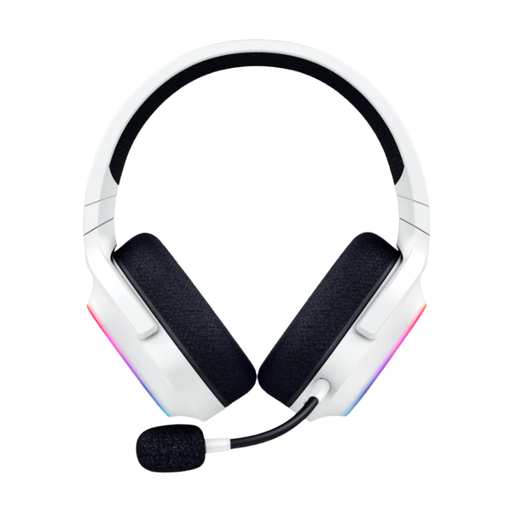 No image available
A wireless option if you want to move around during lessons; check that your device supports the connection on this version.
The product description lists Bluetooth and Razer HyperSpeed via a USB transmitter, a detachable cardioid microphone and breathable memory foam ear cushions.
 No image available
The mono version leaves one ear free, which may suit you if you want to hear sounds in the room as well as your lesson.
The product description lists USB, in-line volume controls, a 2,9 m cable and an adjustable microphone boom. It’s a mono version.
No. A headset handles audio, not the lighting on your webcam. Zoom Support points out that daylight can affect the camera image; check your video preview and adjust your position or window covering if needed.
Select the right speaker and microphone in the lesson app, then make a test recording. Zoom lets you test both before joining; also check that your headset isn’t muted.
For ordinary Bluetooth frequency use, the Dutch Authority for Digital Infrastructure does not require a licence, notification or registration. The applicable European product requirements for radio equipment still apply; this doesn’t guarantee that you won’t experience interference.
According to the Dutch government, you’re entitled to a product that is fit for purpose, and the seller must provide a solution if the product is faulty. The Netherlands has no fixed statutory warranty period; a manufacturer’s warranty is separate from these statutory rights.
According to the Dutch government, in many cases you have a 14-day cooling-off period when buying remotely from a business. Check the terms and any applicable exceptions when you buy; this is separate from your rights if the product is faulty.