
Speaker in an open-plan office
Your mentor needs to hear your answers clearly while colleagues are talking nearby. So pay particular attention to the microphone and test it in the room where you’ll have the conversation.


If your mentor needs to hear your answers clearly, start by considering the microphone and test it at your workplace with the usual background noise. A wired USB headset suits a fixed workstation and means you won’t need to charge it; a wireless model gives you more freedom to move, but you’ll need to check the connection, adapter and battery life. Consider earcup isolation and ANC separately, based on how clearly you need to hear your mentor.
Your mentor needs to hear your answers clearly while colleagues are talking nearby. So pay particular attention to the microphone and test it in the room where you’ll have the conversation.
You want to follow your mentor’s explanations clearly. Compare the earcups and any ANC for listening comfort, and don’t confuse these features with noise cancellation in the microphone.
If you move around during conversations or switch devices, the connection, any adapter and battery life are important details to check for each version.
Start with what your mentor hears through your microphone. Then consider separately how clearly you can follow the conversation and which connection suits your workplace.
| What to consider | What to look for | Who is this important for? |
|---|---|---|
| How clearly your voice comes through | Check the microphone boom, microphone noise cancellation and mute controls; make a test call at your workplace. | If I want my mentor to hear my answers clearly despite conversations around me, I put the microphone first; around 36% of consumers say voice clarity is their main concern. |
| Hearing your mentor clearly | Compare passive isolation and ANC for your ears. Also consider whether you need to hear your colleagues during the session. | If I want to follow the explanations over office noise, I focus on what the headset does for my ears; around 29% of consumers prioritise hearing their mentor. |
| Connection and freedom to move | Check your computer’s connection, whether an adapter is included and which microphone your meeting app uses. A wireless headset needs charging. | If I want to connect to my work device or move around during the conversation, I check the connection and practical requirements first; around 21% of consumers make connection or freedom to move their top priority. |
| Comfort | Check whether the headband is adjustable and whether mono or stereo suits the way you use it; assess the fit for the expected length of the conversation. | If I want to wear the headset comfortably during the session, I pay attention to the fit and ear cushions; around 14% of consumers prioritise comfort. |
ANC in the earcups helps reduce noise for the wearer; microphone filtering affects what the other person hears. They are different features.
Check both features separately and test the microphone where you’ll be having the conversation.
Connections, included accessories and stated battery life can vary by version or settings.
Compare the full model name and package contents with your computer and the way you work. Check that you have any adapter you need and a way to charge the headset.
A place in a supplier’s selection doesn’t prove that a model is the best fit for your office or that its product identity matches another version.
Assess the features and full model name separately, and test the microphone where you plan to use the headset.
The wired Evolve2 40 SE is an option for a fixed workstation. Jabra describes versions with three microphones and passive isolation.
According to Logitech, the Zone Wired 2 is a wired USB headset with microphone noise cancellation and ANC for the wearer.
The Blackwire 3200 series includes wired versions; Voyager Focus 2 is a wireless product line with a microphone boom.
According to EPOS, the IMPACT 1000 line is designed for wireless conversations in open-plan offices; versions and bundles may vary.
This selection includes wired headsets for computer use and wireless models for conversations. Check that the connection and features of each version suit your workplace.
 No image available
Suitable for a wireless session where you want to move around during the conversation; check that it connects to your work device. The product listing mentions Bluetooth, connection to two devices, eight beamforming microphones and adjustable ANC.
 No image available
Suitable for a fixed computer setup where you want to be able to mute the microphone. The product listing mentions a USB connection, an adjustable boom, a noise-cancelling microphone and an in-line mute control with an indicator light.
 No image available
Suitable for a wired session if you prefer stereo sound. The product listing mentions a 3.5 mm connection and a USB controller; the stated cable length is 0.95 m, so bear in mind how far you sit from your computer.
 No image available
Suitable for online meetings on a computer where you want to mute the microphone during the call. The product listing mentions a noise-cancelling microphone, a flip-up mute microphone, volume control and a USB-C adapter alongside USB-A.
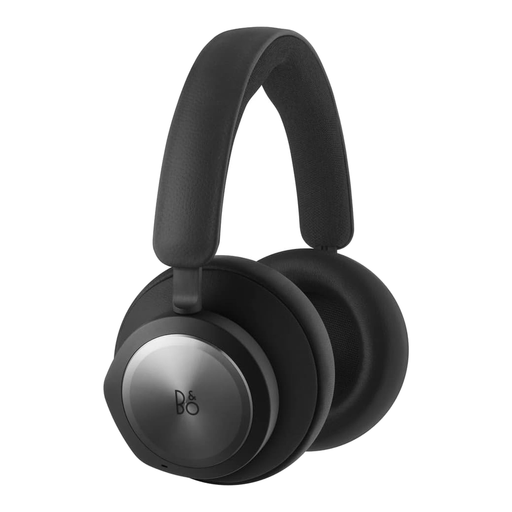 No image available
Suitable for a conversation where you want to connect wirelessly or via a 3.5 mm connection; check which option works with your work device. The product listing mentions Bluetooth 5.1, six MEMS microphones and noise cancellation.
In your meeting app, select both the speaker you want to use and the headset microphone, then make a test call. Microsoft Support explains that in Teams you can choose the connected microphone in the audio settings; the options available may depend on the app or your IT settings.
Not for that reason alone: ANC in the earcups and noise cancellation in the microphone serve different purposes. Test what your mentor can actually hear from your noisy workplace.
For a wireless version, check how it charges and how long the battery lasts with the settings you use. If the model has replaceable parts, check whether compatible ear cushions are available and don’t assume they’ll fit other models.
ACM ConsuWijzer states that online consumer purchases generally come with a 14-day cooling-off period from the day after delivery, although there are exceptions you should check before buying. Statutory warranty is separate from any manufacturer’s warranty; if a product breaks too soon under normal use, contact the seller.