
Chairing the meeting alone
You’re leading the discussion from a noisy office and mainly want remote participants to hear your voice clearly. Logitech describes the Zone Wired as having a noise-cancelling microphone.


If you’re the only person speaking from a computer, choose a personal headset with a suitable connection and a microphone that suits your meeting setup. ANC helps reduce the background noise you hear, but it isn’t the same as microphone noise cancellation. If remote participants also need to hear other people in the room, choose room audio with a room microphone; Microsoft Support explains that Teams uses the room’s audio equipment in meeting room mode.
You’re leading the discussion from a noisy office and mainly want remote participants to hear your voice clearly. Logitech describes the Zone Wired as having a noise-cancelling microphone.
If other people in the room also need to speak, consider whether the audio setup needs to pick up the whole group. Microsoft Support describes room audio for other people in the room; Zoom warns that multiple computers with active audio in the same room can cause echo.
You stand up or move around while chairing the meeting, and need to weigh freedom of movement against charging and wireless connectivity. Jabra and HP Poly list talk times that depend on the features and settings in use.
Choose this if: you’re the only person speaking from a desktop computer and don’t want to rely on a headset battery.
Bear in mind: the cable limits how far you can move; check that the connection is compatible with your computer.
Choose this if: you want to move around while chairing the meeting or hear less background noise yourself.
Bear in mind: charging and connectivity; talk time may depend on ANC and other features being switched on.
Choose this if: remote participants need to hear several club members in the same room.
Bear in mind: the setup needs to pick up voices in the room; multiple devices with active audio can cause echo.
| What to consider | What should you check? | Who does this matter to? |
|---|---|---|
| How clearly your voice comes through | Check the microphone features, mute controls and which microphone the meeting app is using. | When I’m chairing a meeting amid background conversations, I want remote participants to be able to follow what I’m saying. Around 36% of consumers prioritise clear voice quality. |
| Other people speaking in the room | Check whether you need a room microphone and select the right audio equipment in the meeting app. | When club members speak alongside me, I want remote participants to be able to hear them. Around 29% of consumers prioritise making sure several people in the room can be heard. |
| Fewer distractions for the chair | Check whether the exact model has ANC; ANC for you and microphone noise cancellation are different features. | When office noise distracts me while I’m chairing a meeting, I want to reduce the noise reaching my ears. Around 21% of consumers prioritise a quieter listening experience. |
| Connectivity and freedom of movement | Check the USB type or supplied adapter; for a wireless headset, compare the talk time with your intended settings. | When I move around or use a desktop computer, I want a connection that suits the way I chair meetings. Around 14% of consumers prioritise connectivity or freedom of movement. |
ANC reduces the noise you hear; microphone noise cancellation affects the sound remote participants receive. One feature doesn’t prove that the other is present.
Check both features separately for the exact model and test the microphone in a similarly noisy environment.
A headset for the meeting chair isn’t the same as audio equipment that picks up the voices of other people in the room.
Before you buy, decide who will be speaking in the room and choose suitable room audio if several people need to be heard. Don’t have several nearby computers join with active audio, as this can cause echo.
The stated talk time can change depending on ANC and indicator settings. With the Jabra Evolve2 65 Flex, features such as the wireless charging pad and bundle vary by model.
Check the full variant number, what’s included in the box and the talk time with the settings you plan to use.
The Zone Wired is a wired USB headset for use at a desktop computer in a busy workspace.
The wired IMPACT 800 series has USB-C with a USB-A adapter; ANC models are also designed to reduce noise for the wearer.
The Voyager Focus 2 is a wireless stereo headset with microphone noise cancellation and adjustable ANC.
The Evolve2 65 Flex combines wireless use and a foldable design with microphone technology and hybrid ANC.
These Joybuy products are personal headsets for meeting chairs speaking from a computer; the selection includes both wired and wireless models.
 No image available
Suitable if you want to chair meetings wirelessly and are considering both ANC for the wearer and microphones for calls.
Wireless with Bluetooth; ANC; 60u battery; 4 microphones.
 No image available
Suitable if you chair meetings from a desktop computer and want to be able to mute the microphone during the meeting.
Wired USB headset with adjustable microphone and in-line mute control.
 No image available
Suitable if you’re looking for a wired USB headset for calls from a computer.
Wired USB model with adjustable microphone.
 No image available
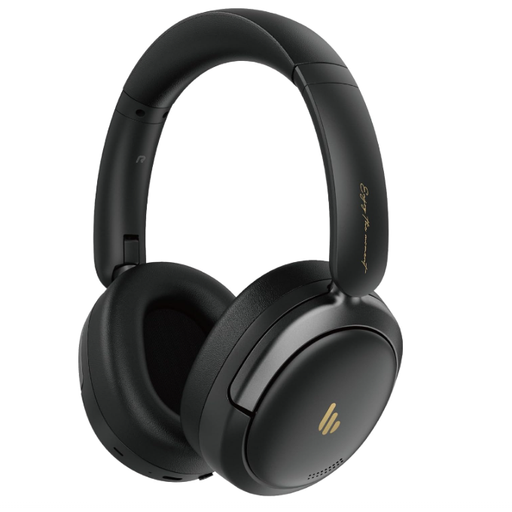
Suitable if you’re looking for a wireless headset with ANC that can be folded away.
Bluetooth 5.4; ANC; built-in microphone; stated playback time 45H.
 No image available
Suitable if you want to use a wired headset with mute control during online meetings.
USB Type-A; wired headband headset.
Select the microphone and speaker you intend to use in the meeting app, then make a test call from the spot where you’ll be speaking. If several people are joining from one room, select the room audio; Zoom warns that multiple computers with active audio in the same room can cause echo.
Before a longer meeting, check the charge and, for a wireless headset, the stated talk time with your ANC setting. For a wired model, check that the cable and connection are compatible with your computer, keep the microphone unobstructed and test the mute control.
When you buy online from a business, you usually have a 14-day cooling-off period, with some exceptions. According to the Dutch government, you’re also entitled to a product that works properly. There is no fixed statutory guarantee period for all products in the Netherlands, and the retailer is your point of contact if something is faulty.
Business.gov.nl lists the European rules for radio equipment and the related conformity obligations for manufacturers. Check the product and EU conformity information for the specific model; a mention of ANC or meeting app certification doesn’t replace this.
Choosing a headset doesn’t determine whether you can record. If the recording involves processing personal data, the Dutch Data Protection Authority says you need a lawful basis under the GDPR. Consent is one possible basis and must meet specific requirements. Assess your recording plan separately before recording participants.