What should you look for when choosing?
First decide whether being heard clearly or listening comfortably matters more. Then choose between a fixed wired connection and wireless use, and check that the headset works with your computer and meeting app.
| What to consider |
What to look for |
Who it’s relevant to |
| Being heard clearly |
Check whether noise cancellation is specifically listed for the microphone, whether the microphone can be positioned easily and how quickly you can mute it. |
If I’m giving feedback in an open-plan office, I want the group to follow my comments despite conversations or typing. Around 33% of consumers put being heard clearly first. |
| Hearing instructions |
Look for ANC specifically listed for the ear cups, and check the microphone features separately. |
If conversations around me drown out instructions and feedback, I want to be able to follow the workshop clearly. Around 27% of consumers give listening top priority. |
| Comfort |
Consider the fit, headband and ear cushions. A design feature doesn’t prove that a headset will be comfortable for everyone. |
If I’m listening and speaking for a long time during the session, I want the fit to remain comfortable for me. Around 20% of consumers choose comfort as their main consideration. |
| Connection and freedom of movement |
Check whether it uses USB-A or USB-C, whether a wireless adapter is included, and whether the app can use the headset as both a microphone and a speaker. |
If I move between workspaces or don’t know my computer’s ports very well, I want a connection that suits my equipment. Around 20% of consumers prioritise connection or freedom of movement. |
Headsets for a fixed workspace
These Joybuy products are wired headsets for anyone who wants to speak from a fixed workspace during a workshop. For each version, check that the connection and controls suit your equipment and how you plan to use it.
 No image available
Logitech H540 wired USB headset
Worth considering if you’re looking for a wired headset for a fixed workspace. Check that this version is compatible with the connection and meeting app you use.
A cable can limit your freedom of movement.
Joybuy
 No image available
Logitech PC 960 wired USB headset
A wired option to compare if you’ll be joining the workshop from one computer. Check which microphone controls you need before you buy.
A cable can limit your freedom of movement.
Joybuy
 No image available
Kingston USB Hi-Fi headphones with microphone
Worth considering if you want to join via USB and need a microphone. Check that the connection is suitable for your computer.
A wired connection can limit your freedom of movement during the session.
Joybuy
 No image available
Trust Ayda wired headset with USB Type-A, black
A wired headset to compare if USB Type-A suits your workspace. Check that the connection and controls are right for your workshop.
A cable can limit your freedom of movement.
Joybuy
 No image available
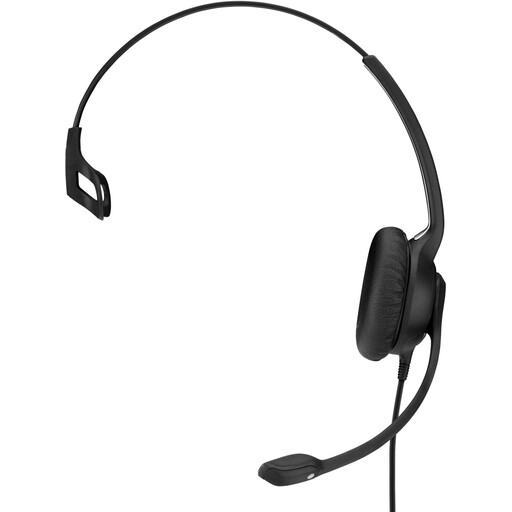
EPOS | SENNHEISER IMPACT SC 230 USB MS II, wired on-ear headset, black
A wired option to compare if you want to speak via USB during the workshop. Check that this version works with your meeting app and suits the way you work.
The cable can limit your freedom of movement.
Joybuy
Frequently asked questions
Do I need ANC to be heard clearly?
Not necessarily. To reduce what the group hears from your end, check specifically for microphone noise cancellation. ANC in the ear cups focuses on what you hear from your surroundings; some versions have both features.
How do I set up my headset before the writing workshop starts?
In Teams, select the connected headset as both your microphone and speaker, then test the connection before the session. Zoom offers a speaker and microphone test; use it to check that the right microphone is selected.
Will every Bluetooth headset work directly with all Teams features?
You can’t tell from the word Bluetooth alone. Microsoft says that many Bluetooth headsets certified for Teams on PC or Mac are designed to be used with a USB dongle. Check the certification, connection method and bundle for the specific version.
What are my rights when I buy a headset online in the Netherlands?
ACM ConsuWijzer generally states that you have a 14-day statutory cooling-off period after delivery for an online purchase, although exceptions may apply, including for certain hygiene products that have been taken out of their packaging. You also have statutory rights through the seller if a product breaks sooner than you could reasonably expect under normal use. In the Netherlands, there is no general fixed two-year period for this. Check whether an exception to the cooling-off period applies to your purchase.


