What should you look for when choosing?
Start with what your audience hears through the microphone and what you need to hear yourself. Then decide between a fixed wired set-up and the freedom to move wirelessly, and check that the connection and version work with your computer and meeting app.
| What to consider |
What should you check? |
Who should pay particular attention? |
| How clearly people can hear your voice |
Look for a boom microphone and model-specific information about use in an open office. For the Jabra Evolve2 75, Jabra links Open Office performance mode to having the boom arm lowered. |
If I’m presenting next to colleagues who are talking, I want people to hear mainly my voice. Around 36% of consumers give voice clarity top priority. |
| Being able to follow questions |
Compare ANC or passive noise isolation for your ears separately from the microphone function; try the fit too, if possible. |
I want to follow responses without background noise constantly distracting me. Around 29% of consumers prioritise being able to hear clearly themselves. |
| Connection and freedom to move |
Check which USB ports are available, whether a dongle is included, which meeting app you use and whether the features are available on the version you’ve chosen. |
If I’m presenting from a desktop computer or moving around during the update, the connection needs to suit my workstation. Around 21% of consumers prioritise connectivity or freedom to move. |
| A straightforward fixed set-up |
Decide whether a wired USB set-up will do, then check the specific microphone function and CE marking. |
I want a headset for a fixed workstation, without features I don’t need. Around 14% of consumers give a straightforward set-up top priority. |
Joybuy product picks
This selection includes wired and wireless headsets and earbuds for calls or presentations from a workstation. For each product, check that the connection, microphone function and any sound controls suit your needs.
 No image available
Sennheiser MOMENTUM 4 Wireless, white
A wireless over-ear option if you’re looking for ANC and a microphone for calls.
The product information lists Bluetooth, ANC, four beamforming microphones, wind-noise reduction and 60 hours of battery life. The title also mentions fast charging.
Before your presentation, check the connection and compatibility with your meeting app.
View at Joybuy
 No image available
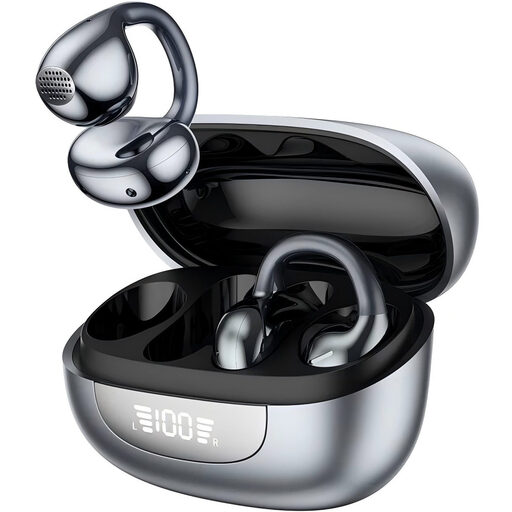
Open-ear Bluetooth headphones with ENC microphone
An open-ear option if you want to stay aware of your surroundings during calls; check that the microphone function suits your meeting environment.
The product title lists Bluetooth 6.0, ENC, an HD microphone, a stated playback time of 60 hours and IPX7.
Check the CE marking for the specific version.
View at Joybuy
 No image available
Logitech USB Headset H540 Wired
A wired headset for a fixed workstation with a USB-A connection.
The product information lists plug-and-play, on-ear controls, an adjustable headband and a noise-cancelling microphone.
Check that USB-A is available and that the specific version has the correct CE marking.
View at Joybuy
 No image available
Jabra Evolve2 75 USB-A MS Teams, black
A wireless Teams headset for anyone who wants to move around during calls and consider ANC for themselves.
The product information lists Bluetooth, ANC, connection to two devices and up to 36 hours of battery life. According to Jabra, Open Office performance mode applies when the boom arm is lowered.
Check that the USB-A version suits your computer and that the specific version has the correct CE marking.
View at Joybuy
 No image available
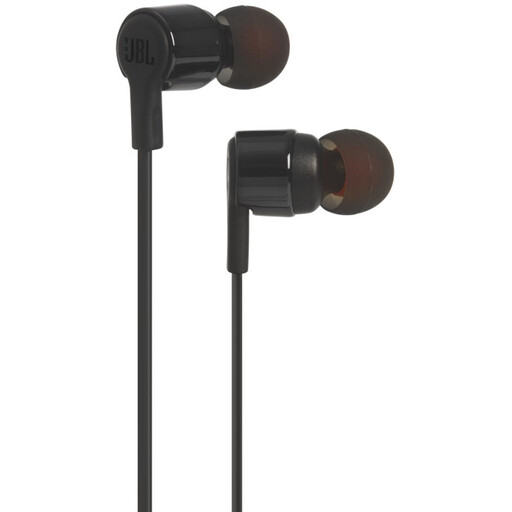
JBL Tune 210 wired in-ear headphones with microphone, black
A wired in-ear option for a fixed workstation if your computer has a 3.5mm connection.
The product information lists a built-in microphone. The specifications don’t mention noise control, so don’t assume it offers sound control for the wearer.
Check the connection and CE marking for the specific version.
View at Joybuy
Frequently asked questions
Is ANC the same as a noise-cancelling microphone?
No. ANC affects what you hear through the earcups; the microphone function determines what other people hear. Microsoft describes the Open Office designation as being designed to pick up your voice without transmitting nearby colleagues’ voices.
Can I always connect a wireless Teams headset directly via Bluetooth?
No, don’t assume that’s the case. Microsoft says that many certified Bluetooth headsets are designed for use with computers via a USB dongle, and that direct connections may have separate requirements. Check the version you’ve chosen and test the microphone and mute controls before your presentation.
How should I set up the microphone for an update with colleagues?
Before your presentation, select the correct microphone as the input device in your meeting app and make a test call. For the Jabra Evolve2 75, Jabra’s Open Office performance mode applies when the boom arm is lowered; Yealink recommends bringing the UH37’s boom arm closer to your mouth.
What should I check for maintenance and warranty?
Check whether replacement ear cushions are available for your version; Yealink describes replacements for the UH37. According to the Dutch government, the retailer is your point of contact under the statutory guarantee if a product is faulty. The Netherlands does not have a fixed statutory guarantee period.
What legal product checks apply to a headset in the Netherlands?
The Dutch Authority for Digital Infrastructure says that electrical and electronic equipment must have the correct CE marking. Check the marking on the specific version and contact the retailer if it’s missing or incorrect. A declaration for a model family doesn’t automatically show which version you’ll receive.


