
Creator making long weather recordings
You record several long takes and want the headband, ear cushions and microphone boom to feel comfortable and stay in place. The fit is a personal matter, so try it on if you can.


If you mainly record on a computer, a wired USB headset is a straightforward option. A broadcast headset is suitable when your recorder or audio interface supports separate microphone and headphone connections. Choose a lightweight headworn microphone if you want to move freely or present on camera, but arrange monitoring separately and check the input and power requirements. Product specifications alone cannot tell you how your voice will sound in your recording space.
You record several long takes and want the headband, ear cushions and microphone boom to feel comfortable and stay in place. The fit is a personal matter, so try it on if you can.
You want to monitor your audio while recording and can connect a broadcast headset’s microphone and headphone plugs to your recording equipment.
You move around or present on camera and are looking for a lightweight, discreet headworn microphone. Arrange monitoring separately and make sure you have a suitable input with the required power.
For long weather recordings, fit, speech clarity, connections and freedom of movement all matter in different ways. First decide how you’ll record and monitor your audio, then compare the microphone and wearing style.
When to choose it: you record directly to a computer and a USB connection suits your setup.
What to consider: check the port and make a test recording. Logitech positions the 960 for calls and webinars.
When to choose it: you want to monitor your audio during long takes and your recorder or interface has separate microphone and headphone connections.
What to consider: the plugs won’t connect directly to a standard USB port. Check the fit and cable version, too.
When to choose it: you present standing up or on camera and want a discreet microphone.
What to consider: it doesn’t have built-in headphones. Check the microphone input and any power requirements, and test the ambient noise in your setup.
| What to consider | What should you check? | Who is this important for? |
|---|---|---|
| Comfort and fit | Compare the headband, ear cushions and adjustability. If possible, try the headset during a take of your usual length. | For a long recording, I want the headband and microphone boom to stay comfortably in place. Consumers who put wearing comfort first make up around 31% of consumers with this buying question. |
| Clear speech | Check the microphone’s pickup pattern and boom position. Make a test recording with the background noise you actually have. | If my recording space isn’t quiet, I want to hear how my voice sounds in it. Consumers who prioritise speech clarity make up around 25% of consumers with this buying question. |
| Connection and monitoring | Check the inputs on your computer, recorder or interface, along with any power requirements and the connection for your headphones. | Before recording, I want to know whether my microphone and headphones will connect to my existing equipment. Consumers who prioritise connection and monitoring make up around 25% of consumers with this buying question. |
| Freedom of movement | Consider where you’ll stand or walk and whether a cable will be practical. If you’re going wireless, check the frequency band and recording location. | If I move around during a presentation or appear on camera, I want a setup that suits the way I work. Consumers who prioritise freedom of movement or a discreet microphone make up around 19% of consumers with this buying question. |
The Audio-Technica BPHS1 has separate microphone and headphone connections. The Logitech 960 uses USB-A; these connections aren’t interchangeable without more.
Before choosing, compare the plugs with your computer, recorder or interface. A wired USB headset may be a better fit for a direct-to-computer setup.
The XLR option may require compatible recording equipment, such as a recorder or audio interface.
The RØDE HS2 is a microphone without headphones and requires a compatible 3.5 mm input with plug-in power. The BPHS1 has earcups, but its connections must be compatible with your recording equipment.
Decide whether you want to monitor your audio during the take, then check the complete signal chain, including the microphone input and any power requirements.
According to the Netherlands Authority for Digital Infrastructure (RDI), the available frequency spectrum varies by location, and some bands require a licence.
If you’re considering a specific radio system, check its frequency band and recording location using the RDI’s information.
The BPHS1 is a broadcast headset for setups with separate recording and headphone connections.
The HMD 26 is a broadcast headset for production setups, indoors or outdoors.
The WH20 is a headworn microphone for speech when you don’t need built-in headphones.
The HS2 is a lightweight headworn microphone for uses including presenting and broadcasting. It doesn’t have built-in headphones.
The wired 960 is a computer headset for recording speech via USB-A.
Joybuy products related to this topic. For each version, check that the microphone, connection and monitoring features suit your recording setup.
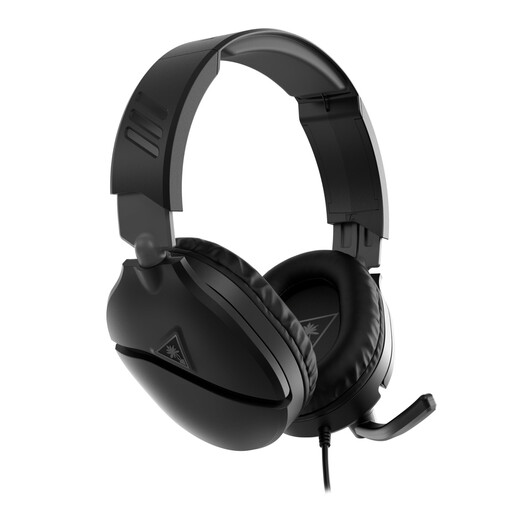 No image available
A wired headset for monitoring may suit a fixed recording setup. The product name lists a 3.5 mm connection and a flip-to-mute microphone.
Older PCs with separate audio and microphone connections may need a splitter; according to the product description, one isn’t included.
 No image available
This headset may suit you if you want to monitor your audio during a long recording. Before buying, check how this version connects to your computer, recorder or interface.
 No image available
This wireless stereo headset may suit a setup where you don’t want to be tethered by a headset cable. Check which connection and any accessories your recording equipment requires.
 No image available
This wired USB headset may suit a fixed computer setup. Check that this version’s microphone and controls work for the way you record.
The product name lists Dolby Audio 7.1 Surround Sound; also check that the connection is compatible with your computer.
 No image available
The product name describes USB headphones with a microphone, which may suit computer recording while monitoring your audio. Check that the USB connection works with your recording equipment.
It depends on the headset and the computer. The Logitech 960 uses USB-A; the Audio-Technica BPHS1 has an XLR microphone connection and a separate 6.3 mm headphone connection, so your recorder or interface must support both.
It depends on the type of microphone and your recording chain. The RØDE HS2 is a headworn microphone without headphones and requires a suitable 3.5 mm input with plug-in power. The BPHS1 has headphones, but both its microphone and headphone connections must be compatible with your equipment.
First adjust the headband and microphone boom, then make a test recording while speaking at your usual presentation volume. Shure describes how to adjust the headband and boom for the WH20; this guidance is specific to that model and isn’t a fixed positioning measurement for every headset.
Make a test recording using the background noise and equipment you’ll have during the actual recording. A manufacturer’s description of a microphone’s pickup pattern alone can’t tell you how your voice will sound in your recording space.
Not always. According to the Netherlands Authority for Digital Infrastructure, some frequency bands do require a licence. Available frequencies vary by location, so check your system’s band and where you’ll be recording.