What should you look for when buying?
For a software tutorial recorded with the microphone close to your mouth, the boom position, the sound in your recording and the connection are important considerations. Listen back to a test recording before drawing conclusions about how it will sound in your room.
| What to consider |
What to look for |
Who is this important for? |
| Close-miked voice recording |
Check that the microphone boom can be positioned by your mouth, and listen for any audible breath noise. For the SM35, Shure recommends positioning it at the corner of the mouth rather than directly in front; check the manual for the model you choose. |
I want a stable position while recording and a clear voice, without distracting breath noise. Around 36% of consumers give recorded voice the highest priority. |
| Background noise |
Test the microphone signal in the room where you record. Passive isolation from the earcups is not the same as reducing background noise in the recording. |
If there’s noise in my workspace, I want to know how much of it will make it into the tutorial recording. Around 29% of consumers focus mainly on managing background noise. |
| Connection |
Check the exact USB, 3.5mm or XLR version and the inputs on your computer or recording device. For certain XLR connections with the NTH-100M, RØDE specifies an adapter that provides plug-in power. |
I want to get started without an incompatible plug or a missing recording input. Around 21% of consumers prioritise having the right connection. |
| Comfort and monitoring |
Check the fit and adjustability for the length of time you plan to wear the headset. According to RØDE, the microphone on the NTH-100M is detachable. |
For longer recordings, I want a comfortable headset that lets me listen back to my voice. Around 14% of consumers give comfort and monitoring the highest priority. |
Joybuy products
These Joybuy products are wired and wireless headsets with microphones for recording and monitoring; check the connection and version for each model.
 No image available
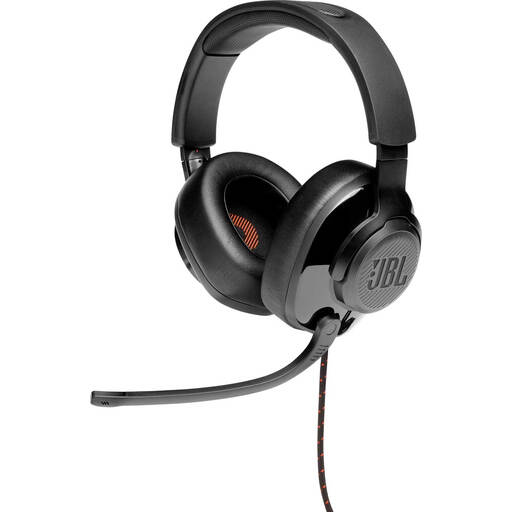
JBL Quantum 300 wired gaming headset, black
The flip-up directional microphone and included microphone foam are useful features to consider when making a test recording.
Wired over-ear headset; connects via 3.5 mm or the included USB audio adapter; memory foam ear cushions.
View at Joybuy
 No image available
Logitech PC 960 USB headset
The USB connection and adjustable microphone boom are useful if you want to connect directly to a computer and adjust the microphone position.
Wired with a USB connection; in-line volume and mute controls; adjustable headband and soft ear cushions.
View at Joybuy
 No image available
Logitech H340 USB headset, black
The adjustable microphone and USB connection are useful if you want to position the microphone while recording and connect directly to a computer.
Wired; USB plug and play; lightweight adjustable headband and soft ear cushions.
View at Joybuy
 No image available
Jabra Evolve2 55 wireless stereo headset
The flexible microphone boom is useful if you want to position the microphone close to your mouth; check that the wireless connection is compatible with your recording computer.
Wireless stereo headset; two microphones; included USB-C Bluetooth adapter; padded headband and rotating earcups.
View at Joybuy
 No image available
Razer BlackShark V2 X 7.1 wired gaming headset
The cardioid microphone and wired connection may be useful for close-miked recording and monitoring; make a test recording to assess the positioning in your set-up.
3.5 mm connection; included splitter for computers with separate microphone and headphone connections; memory foam ear cushions.
View at Joybuy
Frequently asked questions
Where should I position the microphone for close-miked recording?
Position the microphone so it picks up your voice without sitting directly in the airflow, then make a short test recording. For the SM35, Shure specifically recommends positioning it at the corner of the mouth and mentions using a windscreen; the right position may vary from one headset to another.
Do I need an audio interface for every headset designed for recording?
No, it depends on the connections on the headset and your recording device. The Logitech H390 uses USB, while the standard Audio-Technica BPHS1 has an XLR microphone plug and a separate headphone plug. RØDE describes a splitter for the NTH-100M and specifies an adapter that provides plug-in power for certain XLR connections.
What can I do if my headset develops a fault?
If there’s a fault, contact the seller and explain what has happened. According to ACM ConsuWijzer, statutory guarantee applies if a product breaks sooner than you could reasonably expect under normal use; the seller must then provide an appropriate solution at no cost.
Can I return a headset bought online?
For online consumer purchases, ACM ConsuWijzer says you will generally have up to 14 days after delivery to change your mind, but there are exceptions, including certain hygiene products that have been removed from their packaging. Check how the rules apply to your order.
Can I publish a tutorial that shows or captures other people’s information?
If you publish other people’s personal data, the Dutch Data Protection Authority says you need a valid legal basis under the GDPR; consent is one possible basis. Whether this applies depends on what can be identified in the picture or sound. The regulator notes an exception for purely personal or household use, subject to specific conditions.


