
Creators who want to assess their own voice
You switch between calm explanations and emphatic passages during a software tutorial. A test recording and microphone placement help you judge how your voice sounds in your own recording.


A headset that lets you speak and monitor your audio needs a different connection from a broadcast headset with separate microphone and headphone plugs. Choose based on your computer or audio interface, and listen to a test recording with both calm and emphatic delivery. Noise cancellation designed for calls doesn’t, by itself, prove that a headset is right for your voice-over.
You switch between calm explanations and emphatic passages during a software tutorial. A test recording and microphone placement help you judge how your voice sounds in your own recording.
You want to connect the headset to your recording setup. Check that the microphone, headphones, cables and inputs are all compatible.
You wear the headset for longer periods and want to monitor your audio as you go. Fit and the choice between a wired and wireless model can both be important.
A good fit if: you want to record and monitor audio with one headset, and your device has a compatible microphone input.
Keep in mind: for separate microphone and headphone ports, RØDE specifies using the supplied splitter with the NTH-100M.
A good fit if: you already have suitable equipment and want to connect the microphone and headphones separately.
Keep in mind: the standard Audio-Technica BPHS1 has an XLR microphone connection and a 6,3 mm headphone connection; the beyerdynamic DT 297 PV MK II is supplied without a connection cable.
A good fit if: you also use the headset for online calls and value freedom of movement.
Keep in mind: Jabra positions the Evolve2 65 Flex for calls and hybrid working; that alone doesn’t tell you how it sounds for expressive voice-over.
A good fit if: you already have a separate way to monitor audio and a suitable microphone connection.
Keep in mind: the Shure SM35 is a headworn microphone without built-in headphones.
Compare the connections with your entire recording chain, and test the sound of your voice in the room where you plan to record.
| What to consider | What to check before buying | Who it matters to |
|---|---|---|
| Voice quality when speaking emphatically | Check the microphone placement and make a test recording with calm speech, emphatic delivery, and p and b sounds. | If vocal nuance matters to you, you’ll want to hear how the microphone responds to different speaking volumes. Around 36% of consumers put voice quality first. |
| Connections and recording sources | Check the exact headset model, the available inputs, and whether your recording software sends voice and system audio to the tracks you want. | If you first want to make sure everything works with your computer or interface, check the entire signal path before buying. Around 29% of consumers make connectivity their top priority. |
| Comfort and monitoring | Consider fit and adjustability; for wireless models, weigh the need to charge the battery against using a cable. | For longer recording sessions, you’ll want to monitor your audio without the headset becoming uncomfortable. Around 21% of consumers put comfort and monitoring first. |
| Noise from your surroundings | Test in the room you plan to use and compare a short clip with and without recording filters. | If background noise affects your recording, you’ll want to know what the microphone position and settings do in your room. Around 14% of consumers make background noise their top priority. |
Processing designed for calls doesn’t prove that your voice will sound natural when delivered emphatically. OBS describes noise suppression as suitable for light background noise, such as fan noise, not as a solution for a noisy room.
Record a short passage using the settings you plan to use, then listen back before recording a longer tutorial.
If the processing doesn’t suit your voice, you may need to record it again.
The standard Audio-Technica BPHS1 has separate XLR and 6,3mm plugs. According to the manufacturer, the beyerdynamic DT 297 PV MK II is supplied without a connection cable.
Before buying, work out how both the microphone and headphones will connect to your computer, interface or mixer.
Depending on your setup, you may need a compatible cable, adapter or audio interface.
The Shure SM35 is a headworn microphone, not a complete headset with built-in headphones.
Choose this option only if you’ve already sorted out monitoring and the necessary connection.
You may also need separate headphones and connection equipment.
The NTH-100M is an over-ear headset for uses including content creation, with a detachable microphone. RØDE describes a splitter for computers with separate 3,5mm microphone and headphone ports.
The BPHS1 is a wired broadcast headset for setups with separate microphone and headphone connections.
The DT 297 PV MK II is a closed-back broadcast headset with a condenser microphone, designed for use in a custom recording setup.
Jabra positions the Evolve2 65 Flex as a business headset for calls and hybrid working.
The SM35 is a standalone headworn microphone for use with a separate monitoring solution.
These Joybuy products are headsets with microphones for anyone who wants to monitor their audio while recording. Before buying, check that the connection is compatible with your recording device.
 No image available
A wired headset with a microphone may suit you if you want to monitor your audio as you record.
The product name specifies a 3,5mm connection and a flip-to-mute microphone. Check that your device’s connection also supports microphone input.
 No image available
A wired over-ear headset may suit you if you want to record your voice and listen through the headset at the same time.
Check which connection the model uses and whether it provides microphone input on your recording device.
 No image available
A wireless headset with a detachable boom microphone may suit you if you want to record and monitor audio without being tied to a cable.
The product name specifies a detachable boom microphone. The description associates the best microphone performance with 2,4GHz or Bluetooth use; check that this connection works with your recording setup.
 No image available
A wired headset may suit you if you want to record your voice and monitor audio during a tutorial.
Check that the connection on the exact model is compatible with your computer or audio interface.
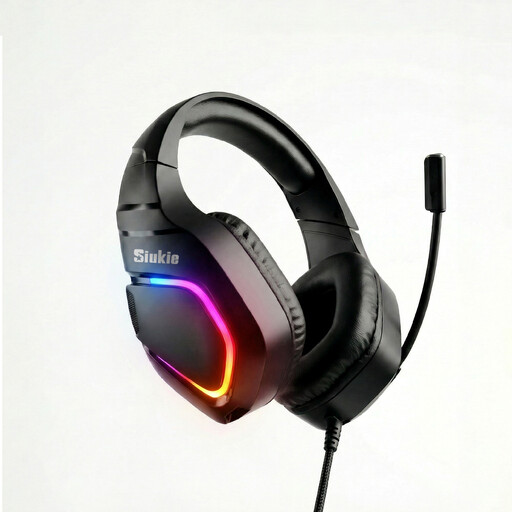 No image available
This wired headset may suit you if you want to record your voice and monitor audio through a headset at the same time.
The product name specifies USB and 3,5mm plugs. Check which connection your recording device supports.
Position an adjustable microphone boom beside the corner of your mouth rather than directly in front of it, and make a test recording. Shure gives this positioning advice for the SM35; check the position with the headset you use, too.
In OBS, you can assign audio sources to separate recording tracks. Not all recording formats support multiple tracks; OBS recommends MKV as a suitable option. Then check the recorded tracks in your editing software.
Check whether you need a suitable cable or interface. According to beyerdynamic, the DT 297 series is supplied without a connection cable; the standard Audio-Technica BPHS1 has separate XLR and 6,3mm plugs. Compare these connections with the inputs on your own setup.
Not automatically: according to the Dutch Data Protection Authority, an organisation must have a valid legal basis to process personal data. Consent is required in many cases, and there is a limited exception for purely personal or household use. Before publishing, check whether names, messages or other identifiable material appear, and which legal basis applies to your situation. This is not a general statement about publication rights for the software shown.
For a consumer purchase in the Netherlands, you’re covered by the legal guarantee if a product doesn’t meet what you could reasonably expect under normal use; the seller must put this right. Online purchases often come with a 14-day cooling-off period after delivery, subject to exceptions. These are different rights, so check the terms that apply to your purchase.