
Narrator with a small desk
If you want to record and listen back without a separate microphone stand on your desk, check the connection and make a test recording in the room where you’ll be working.


At a small desk, a wired USB headset is a straightforward choice if you want to record without a separate microphone stand and its connection is compatible with your computer. A broadcast headset such as the Audio-Technica BPHS1 needs a compatible audio interface and separate connections. Whichever option you choose, make a test recording: specifications for calls don’t tell you how a longer narration will sound.
If you want to record and listen back without a separate microphone stand on your desk, check the connection and make a test recording in the room where you’ll be working.
Pay attention to how clearly your voice comes through, the position of the microphone and whether you can listen back to the recording properly. Shure advises positioning the microphone to one side of your mouth, rather than directly in front of it, to reduce plosive sounds.
To avoid finding that a microphone plug, power supply or headphone connection isn’t compatible with your existing equipment, check the connections in advance. The Audacity Manual explains that an XLR microphone cannot be connected to a computer on its own.
Suitable if: you want to record on a computer without a separate microphone stand, and the USB version is compatible with your device.
Bear in mind: manufacturers describe these models mainly for calls, so judge the recording sound for yourself.
Suitable if: you want a speech microphone and closed-back headphones in one set-up, and have compatible connection equipment.
Bear in mind: the Audio-Technica BPHS1 has an XLR microphone connection and a separate 6.3 mm headphone connection.
Suitable if: you already have suitable recording and monitoring equipment and only want to wear a microphone.
Bear in mind: the RØDE HS2 is a microphone, not a complete headset; the microphone input must provide plug-in power.
When recording a travel guide at a small desk, space, voice recording, connectivity and comfort each play a different part.
| What to consider | What to look for when buying | Who is this important to? |
|---|---|---|
| Desk space | Check whether it’s a complete headset or just a head-worn microphone, and look at the connections required. | If I want to record without using up space for a separate microphone stand, a compact set-up matters a lot. Around 33% of consumers say saving space is their main buying concern. |
| Clear voice recording | Make a test recording with both quiet and louder sentences, then listen for plosive sounds and background noise. | When I record a travel guide, I want the words to be easy to follow and my voice to sound clear when I listen back. Around 27% of consumers give voice recording the highest priority. |
| Connection | Check the ports on your computer or recorder, and whether you need an interface or microphone power. | If I want to use my existing recording equipment, I want to know in advance that the plug, input and any power supply will work together. Around 20% of consumers say compatibility is their main buying concern. |
| Comfort and monitoring | Consider how the headset is worn and check that you can listen to a test recording through the headphones you plan to use. | If I’m recording longer pieces, I want a comfortable fit and to be able to check my recordings properly. Around 20% of consumers prioritise comfort while wearing and listening back. |
The manufacturers of the USB headsets mentioned describe them mainly for calls. That doesn’t tell you how a longer travel-guide narration will sound in your room.
Before a long session, record a short test with both quiet and louder sentences and listen back to it.
If you’re not happy with the sound of your voice, you may need to spend extra time making test recordings.
The BPHS1 has separate microphone and headphone connections. The HS2 is a head-worn microphone only and needs an input with plug-in power.
Before buying, check the full set-up, including the microphone, power supply, interface and monitoring equipment.
The BPHS1 may need a compatible audio interface; with the HS2, you’ll also need a suitable microphone input and separate headphones.
The Jabra Evolve2 30 SE comes in different versions, including mono and stereo models with different USB connections.
Compare the full version and manufacturer’s code, not just the model range.
The H390 is a wired USB computer headset for a straightforward computer set-up. Check whether you’re looking at the USB-A or USB-C version.
The PC 8 USB is a stereo headset for PC and Mac, with in-line controls.
The Evolve2 30 SE is available in different mono and stereo versions and USB configurations, so it’s important to check the exact model.
According to Audio-Technica, the BPHS1 combines a broadcast headset with separate connections.
The HS2 is a head-worn microphone for anyone who already has a suitable microphone input and a separate monitoring solution.
This selection features wired headsets with microphones for anyone who wants to record without a separate microphone stand. Check that each model’s connection is compatible with your recording device.
 No image available
A wired USB headset for anyone who wants to record on a computer without a separate microphone stand. Check that the USB connection is compatible with your recording device.
 No image available
A wired stereo headset for recording and listening back. Before buying, check that the connection is suitable for your recording device.
 No image available
A wired USB headset for a straightforward computer set-up without a separate microphone stand. Check that the USB connection matches your device.
 No image available
A wired headset for anyone who wants to use a head-worn microphone. Check that your recording device has a compatible 3.5 mm connection.
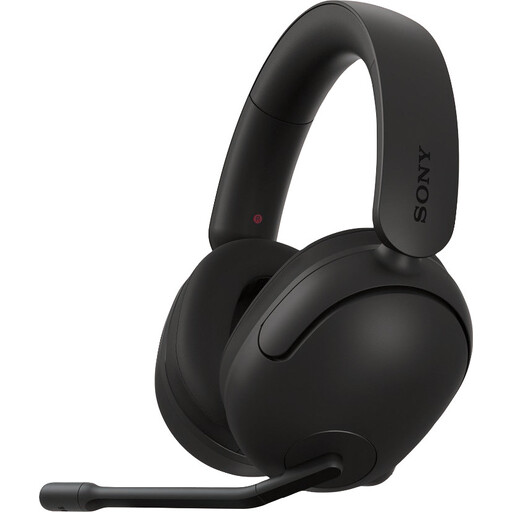 No image available
A wired headset listed in the product name for PC and PS5. Check which connection you need to record on your computer.
Position the microphone beside your mouth rather than directly in front of your breath, and make a test recording of your loudest passage. Lower the recording level if the meter reaches its upper limit; according to the Audacity Manual, clipping can’t be undone afterwards.
Not with the XLR microphone plug alone: you need a suitable audio interface to record on a computer. With the Audio-Technica BPHS1, also check the separate 6.3 mm headphone connection. The Audacity Manual explains that an XLR microphone cannot be connected to a computer on its own.
Check that both your Windows PC and headset support the features you need. According to Microsoft, stereo playback while the Bluetooth microphone is active requires, among other things, compatible Bluetooth LE Audio hardware, drivers and Windows 11 version 24H2 or later. Without this support, playback may be mono. This alone doesn’t tell you how good the voice recording will sound.
For an online consumer purchase, you generally have a 14-day cooling-off period after delivery, subject to applicable exceptions. You’re also entitled to a product that meets the required standard; according to the Dutch government, there’s no fixed statutory warranty period in the Netherlands. Contact the seller if there’s a problem.
No, a CE mark isn’t a quality mark for how a voice sounds. Business.gov.nl explains the CE mark in relation to applicable product regulations; the requirements depend on the product.