
Audience member in the room
You want to hear the speaker in person, so first find out whether audio will be sent to your own headset.


A headset with a microphone will only help you hear a talk if the audio comes through a connected device or a suitable listening system; the speaker’s voice won’t automatically be sent to your headset if they’re simply speaking in the room. If you’re joining in online, a wired headset can be practical as long as the connection is compatible. A mono headset leaves one ear free, while stereo focuses on listening through your device. If you’re sharing an online meeting with others in the room, agree which device will handle the room audio to prevent echo from multiple active audio connections.
You want to hear the speaker in person, so first find out whether audio will be sent to your own headset.
You use your own device to ask questions and want to be heard clearly without the shared room audio feeding back.
The talk comes through your laptop; a compatible connection, listening comfort and controls will all help determine what suits you.
First, work out how the audio from the talk will reach you. Then choose a connection, fit and microphone controls to suit your needs.
| What to consider | What to look for | Who is this important for? |
|---|---|---|
| Access to room audio | Ask whether a stream, compatible connection or listening system is available, and whether it works with your device. | If I’m sitting in the room, I first want to know how the speaker’s voice will reach my headset. Around 31% of consumers prioritise access to room audio. |
| Joining in online without echo | Agree which device will handle the room audio, then test the microphone selection and mute function before the talk. | When I ask questions online from the room, I want to be heard clearly without multiple active audio connections. Around 31% of consumers give this their highest priority. |
| Connection to your device | Check your device’s port and the headset’s exact connector. Also check whether an adapter is included. | If I’m listening on my laptop, I want a headset that connects to an available port. Around 23% of consumers make this their most important selection criterion. |
| Comfort and background noise | Choose mono or stereo based on the audio source and how much you want your ears covered. If you’ll be listening for a long time, pay attention to the volume. | For me, it matters that I can listen comfortably and still follow what’s happening in the room when needed. Around 15% of consumers prioritise comfort and being able to hear their surroundings. |
A computer headset plays audio from the connected device; it won’t automatically pick up a speaker’s voice in the room.
Before buying, ask the organiser what listening system or audio connection is available.
Zoom warns that multiple devices with active audio in the same meeting room can cause echo.
Agree which device will handle the room audio and test your own connection in the room.
Headsets in the same series can differ in their connection, fit and features. The series name alone doesn’t tell you which version you’re buying.
Compare the full model name and check the connection, controls and documentation for the specific version on offer.
The IMPACT SC 30 USB ML is a documented wired mono option for computer-based communication.
The Evolve2 30 SE range includes wired communication headsets. Check the connection, fit and platform version for each model.
The H390 is a wired computer headset for anyone looking for in-line controls.
The Ayda 25088 is a wired USB option with a fold-away, muting microphone.
The Voyager 4300 UC series offers wireless options when you need freedom of movement.
These products are options when the talk comes through your own device. Check that the connection is compatible with your device, and confirm the CE marking and conformity information for the specific version before buying.
 Image unavailable
This wired over-ear headset is only suitable if the talk audio comes through a device with a 3.5 mm connection.
The product information lists a detachable microphone and 50 mm drivers.
 Image unavailable
A wireless option if the talk comes through your own device; check that your device supports the connection.
The product title lists Bluetooth, 60-hour battery life, active noise cancellation, four microphones, fast charging and an included 3.5 mm audio cable.
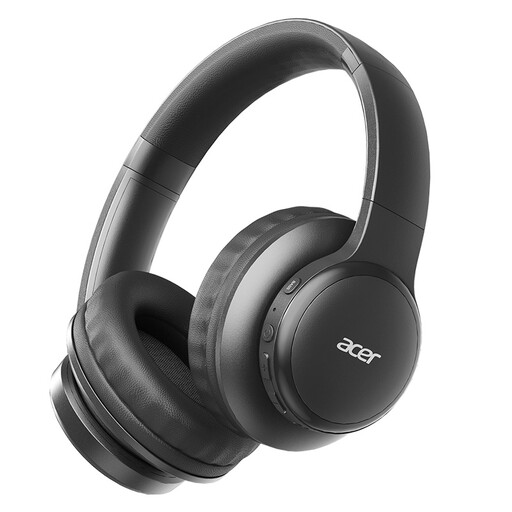 Image unavailable
These wireless headphones are an option if the talk comes through your own device and the connection is compatible.
The product title lists Bluetooth 5.3, a Type-C charging port and HD Voice Calls.
 Image unavailable
These wireless in-ear headphones are suitable if the talk comes through your own device and your device supports the connection.
The product information lists Bluetooth, active noise cancellation and six microphones.
 Image unavailable
A wired option if the talk comes through your computer and it has a compatible USB-A port.
The product information lists two earcups, integrated microphones and memory foam ear cushions.
Only if the speaker’s audio reaches your headset through a suitable audio source. If you can only hear the speaker directly in the room, ask what listening system the organiser provides; a computer headset won’t establish that connection by itself.
Agree on the audio sources with the organiser. Microsoft Teams lets you choose an audio source before joining; Zoom warns that multiple devices with active audio in one room can cause echo, and muting only the microphone may not always be enough.
Check that the connection is compatible, then select the intended speaker and microphone in the meeting app. Test listening and speaking with the actual setup in the room.
According to ACM ConsuWijzer, online purchases often come with a cooling-off period of up to 14 days after delivery, subject to exceptions and conditions. Your statutory guarantee isn’t automatically limited to two years: what you can expect depends, among other things, on the product and the circumstances. Contact the seller if there’s a fault.
The Dutch Authority for Digital Infrastructure states that electrical, electronic and radio equipment placed on the market must comply with the applicable European directives and carry the required CE marking. Check the product and conformity information for the specific version; a series description alone is not enough.