
Reporter pitchside
You want to remain easy to understand with the crowd and match noise in the background, while still being able to monitor the audio feed.


When there’s an audible crowd, a closed-back broadcast headset with a directional boom microphone is a sensible place to start, provided the microphone and headphone connections are compatible with your recording equipment. In a quiet recording space, a headset with a 3.5mm connection may be more practical; a standalone head-worn microphone is best suited to situations where you handle monitoring separately. Always make a test recording of a loud section, too.
You want to remain easy to understand with the crowd and match noise in the background, while still being able to monitor the audio feed.
Your voice can go from quiet to loud during a broadcast. You want to position the microphone accurately and use a test recording to check for peaks and plosive sounds.
Your choice starts with the inputs, power and monitoring options on the recorder, mixer or computer you already use.
| What to consider | What to look for when buying | Who is this important for? |
|---|---|---|
| Crowd and match noise | Check the microphone’s directional pattern, the earcups and the position of the boom. Assess the result with a test recording at your intended location. | When I’m reporting pitchside, I want to monitor my commentary without shutting out all the surrounding sound. Around 36% of consumers prioritise clear speech amid crowd and match noise. |
| Vocal peaks and plosive sounds | Check whether the boom is adjustable and whether a windscreen is available. Test a loud shout, too, and position the capsule beside your mouth rather than directly in the airflow. | For expressive commentary, I want both quiet sentences and loud shouts to be recorded clearly. Around 29% of consumers prioritise managing vocal peaks and plosive sounds. |
| Connections and power | Check the microphone input, headphone output, power requirements and supplied cables for your recorder or mixer. Allow for any adapters you might need. | If I want to use my existing recorder or mixer, every part of the recording chain needs to work together. Around 21% of consumers consider equipment compatibility their main buying concern. |
| Wearing comfort and maintenance | Consider an on-ear or over-ear fit, and check whether the ear cushions and cable are replaceable for the exact version. A product description can’t predict how the headset will fit you. | For a long broadcast, I want to be able to wear and maintain a headset without finding the fit uncomfortable after a short time. Around 14% of consumers prioritise wearing comfort and maintenance. |
The Audio-Technica BPHS1 has separate microphone and headphone connections. The beyerdynamic DT 297 PV MK II is supplied without a connection cable. For an XLR microphone input, RØDE specifies an adapter for the NTH-100M that provides plug-in power.
Before buying, check both signal paths, the power required and the cables supplied with the exact version.
The Shure SM35 is a head-worn microphone, not a complete microphone and headphone combination.
Choose a broadcast headset if you need both functions in one wearable device. With the SM35, remember that you’ll need to arrange headphones separately; the wired XLR setup also requires a suitable preamp with phantom power.
The Dutch Authority for Digital Infrastructure (RDI) distinguishes between frequency bands that are licence-exempt under certain conditions and bands that require a licence. Available UHF frequencies can vary by location.
Before choosing a wireless setup, check the frequency, transmission power and intended location with the RDI.
A licence may be required for certain frequency bands. The system you choose must also meet the conditions at the location where you’ll use it.
On its European product page, Audio-Technica describes the BPHS1 as a broadcast headset for uses including sports broadcasting.
beyerdynamic describes the DT 297 PV MK II as a broadcast headset with a condenser microphone, including a 250-ohm version.
The RØDE NTH-100M is designed for uses including media, podcasting and recording spaces with a suitable 3.5mm connection.
Sennheiser positions the HMD 26 for indoor and outdoor broadcast work.
The Shure SM35 is a standalone head-worn microphone for hands-free speech, not a headset with built-in headphones.
The Joybuy options shown are wired headsets; some product names indicate gaming use. Check the connection and make a test recording at your intended volume before using one for sports commentary.
 No image available
Could suit you if you’re looking for a wired headset with a microphone and want to use the flip-to-mute control; test that the connection works with your recording equipment.
The product name specifies a 3.5mm connection and a flip-to-mute microphone.
 No image available
A possible option if you want a wired headset with both a microphone and headphones; use a test recording to see if the microphone suits loud commentary.
The product name specifies a 3.5mm connection and a flip-to-mute microphone.
 No image available
Could suit you if you’re looking for a stereo headset with a microphone; before recording, check how the exact version connects to your recorder and monitoring setup.
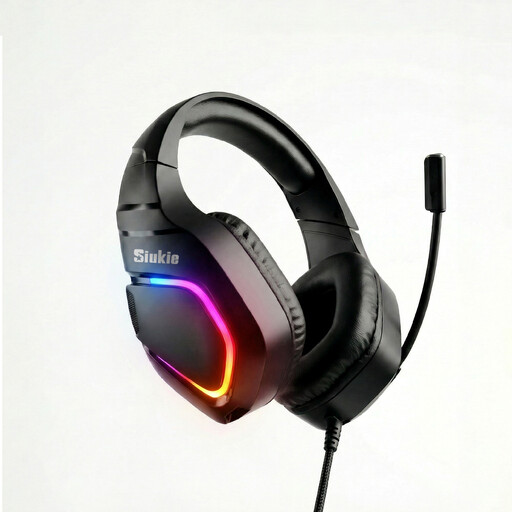 No image available
Could suit you if you’re looking for a headset with a microphone and the connection matches your recording equipment; check the microphone with a test recording.
The product name specifies wired USB and 3.5mm connections.
Position an adjustable boom beside your mouth, not directly in the airflow. Shure recommends this for the SM35 to reduce plosive sounds; use the windscreen and make a test recording of your loudest shout, too.
Yes, as long as you set up the connection correctly. For an XLR microphone input, RØDE specifies a suitable adapter that provides the required plug-in power; connect the headphone lead separately for monitoring.
In OBS, you can assign separate audio sources to separate recording tracks, according to the OBS Project’s guide. Make a short test recording and check that the microphone and other audio are captured separately.
Not always. The RDI lists frequency bands in which wireless microphones can be used licence-free under certain conditions, and warns that available UHF frequencies vary by location. Some bands do require a licence; check the frequency, transmission power and location for the specific system.
According to ACM ConsuWijzer, consumer purchases come with a statutory guarantee in addition to any retailer’s guarantee. If the product breaks sooner than you could reasonably expect with normal use, the retailer must put it right free of charge. In the Netherlands, there is no single fixed statutory guarantee period that applies to every product.