
Reporter at a noisy sporting venue
You want to record your own voice while monitoring an audio feed amid the crowd and match noise. Audio-Technica and Sennheiser describe models with closed-back earcups for monitoring.


Choose a closed-back broadcast headset if you want to monitor your voice and a monitor feed during a long recording; a single-ear model is a better fit if you also need to hear instructions on site. A standalone headset microphone may be enough if you already have a separate monitoring solution. Before buying, check the exact connector configuration, the power required and whether you need to buy a cable separately. The product features mentioned are manufacturers’ specifications, not the result of a hands-on comparison.
You want to record your own voice while monitoring an audio feed amid the crowd and match noise. Audio-Technica and Sennheiser describe models with closed-back earcups for monitoring.
If you’ll be wearing a headset for a long time, consider the fit, ear cushions and headband pressure. Audio-Technica and Sennheiser describe adjustments to their models designed with these factors in mind.
You want to keep hearing instructions from colleagues or what’s happening on site. A single-ear headset or a microphone without headphones leaves one ear free; Shure and RØDE describe options of this kind.
A good fit if: you’re recording speech at a loud sporting event and listening to a monitor feed through the headset. Audio-Technica and Sennheiser describe closed-back models with a dynamic boom microphone.
Trade-off: two earcups help screen out your surroundings; check the microphone and monitoring connections separately.
A good fit if: you want to keep hearing instructions or sounds around you while speaking. Shure describes the BRH31M as a single-ear model.
Trade-off: your free ear won’t have the listening isolation of a closed-back headset with two earcups; check the connector type and cabling.
A good fit if: you already monitor audio separately or don’t need built-in headphones while recording. RØDE describes the HS2 as a wearable headset microphone.
Trade-off: the HS2 doesn’t provide headphone monitoring and requires a compatible 3.5 mm microphone input with plug-in power.
| What to consider | What should you check? | Who is this important for? |
|---|---|---|
| Clear speech | Check the microphone’s polar pattern and boom position; test the monitor feed at the intended location. | If I want to record clear speech amid the crowd and match noise, I prioritise microphone placement and monitoring. Around 36% of consumers put clear speech first. |
| Comfort during long takes | Check the adjustability and type of ear cushions, and whether they’re replaceable; wear the headset for an extended period if possible. | If I wear a headset for a long time, I want to know how the fit and pressure feel to me. Around 29% of consumers prioritise comfort over long periods of wear. |
| Connecting to your equipment | Compare the full model and cable configuration with the inputs on your recorder, mixer or intercom; if you’re using a standalone condenser microphone, check what power it requires. | If I want to connect the headset to my existing recording setup, I first check all the connectors and any power requirements. Around 21% of consumers put compatibility first. |
| Hearing what’s happening around you | Decide whether you need monitoring in one or both ears, or no built-in headphones; also consider the cable routing when moving around. | If I want to hear instructions on site while reporting, or speak hands-free without headphones, I look for a free ear and room to move. Around 14% of consumers prioritise these needs. |
A microphone worn on your head doesn’t automatically include headphones for monitoring. The RØDE HS2 is a headset microphone; according to the manufacturer, the Audio-Technica BPHS1 combines a microphone with headphone monitoring.
Before you buy, decide whether you need to hear a return or monitor feed through the headset while recording.
If you choose a microphone without headphones, you may need a separate monitoring solution to listen while recording.
The BPHS1 comes with different cable configurations. According to the manufacturer, the Beyerdynamic DT 290 MK II is supplied without a connection cable.
Before ordering, compare the full model and cable configuration with the connections on your recorder, mixer or intercom.
For the DT 290 MK II, you’ll need to choose and order a suitable connection cable separately.
A polar pattern describes a microphone’s sensitivity to sound from different directions; closed-back earcups are for listening. Neither feature guarantees a noise-free recording in every location.
Test the microphone position and monitor feed at the intended location before starting a long recording.
Audio-Technica describes the BPHS1 as a headset for uses including news and sports broadcasting, with recording and stereo monitoring.
Sennheiser positions the HMD 300 as a broadcast headset for monitoring and communication in noisy production environments.
beyerdynamic describes the DT 290 MK II as a model for uses including commentary, sports reporting and intercom communication.
According to Shure, the single-ear BRH31M is designed for broadcasting and media production when you need to keep hearing sounds around you.
According to RØDE, the HS2 is a wearable headset microphone for hands-free speech when you don’t need headphones built into the same product.
This Joybuy selection includes headsets with microphones for speaking and listening. Before using one for a sports broadcast, check that its connection and monitoring features suit your recorder, mixer or intercom.
 No image available
May suit speaking and listening through a single headset; the product description lists two integrated microphones and two stereo earcups.
USB-A connection, adjustable headband and memory foam ear cushions.
 No image available
May suit hands-free communication; check that the connection is compatible with your recording equipment.
The product description lists Bluetooth, eight beamforming microphones and up to 36 hours of audio playback.
 No image available
The mono version may suit you if you want to listen through one earcup; check that this listening setup works for your recording.
The product description lists Bluetooth 5.0 and memory foam ear cushions; it also mentions a three-microphone system.
 No image available
May suit you if you’re looking for a wired headset with a microphone and stereo earcups; check that it connects to your recording equipment.
The product description lists a 3.5 mm connection and an included USB controller.
 No image available
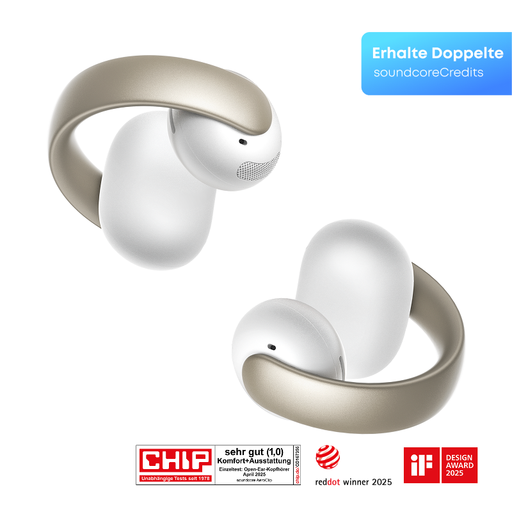
May suit you if you’re looking for an open-ear headset for speech; check that this design offers the monitoring you need during a sports broadcast.
The product description lists Bluetooth 5.4, four microphones and up to 8 hours of audio playback.
Position the microphone boom beside the corner of your mouth, then check the result with a test recording at speaking volume, including breath and wind noise. Audio-Technica says that the distance from your mouth affects the sound of the BPHS1; this is manufacturer guidance for that specific model.
That depends on the exact connection and the power required. The standard BPHS1 has separate microphone and headphone connections; according to RØDE, the HS2 requires a suitable 3.5 mm microphone input with plug-in power. Compare the full product configuration with your recorder’s specifications.
You may, depending on the model. According to the manufacturer, the Beyerdynamic DT 290 MK II is supplied without a connection cable, so choose one that’s compatible with your equipment. Check the exact cable configuration for other models too.
No, that isn’t automatically allowed just because you’ve chosen a particular headset. The Dutch Data Protection Authority outlines exceptions for genuine journalistic activities; whether they apply depends on the specific use. If people are identifiable, also consider how you’ll publish the recording and the conditions set by the venue or organiser.