Headsets at Joybuy
These products include wired USB headsets and other headsets with microphones for a fixed recording setup. For each model, check that the connection works with your recording device and test how your voice sounds for yourself.
 No image available
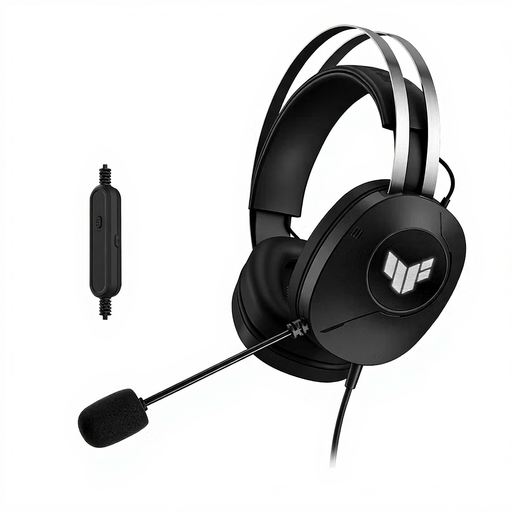
ASUS TUF Gaming H1 Gen II, wired, USB Type-A, black
The product information lists a boom microphone; make a test recording to check whether its position works for recording while seated.
The product name specifies a wired USB Type-A connection, so your recording device needs a compatible port.
Joybuy
 No image available
Jabra Evolve2 55 Wireless Stereo Headset
The product information describes a wireless headset with a microphone boom; check that this setup suits the way you record and monitor audio.
The connection described uses a USB-C Bluetooth adapter. This isn’t a standard wired USB headset.
Joybuy
 No image available
Jabra Evolve 30 II MS Stereo
This wired headset is worth comparing if you want stereo monitoring and have a compatible connection.
The product information lists a 3.5 mm connection and a USB controller; for USB use, you’ll need the specified LINK MS controller.
Joybuy
 No image available
Razer BlackShark V2 X 7.1, wired
The product information lists a microphone and stereo playback; listen for yourself to see whether the voice recording meets your needs.
The product name specifies a 3.5 mm connection. Check that your recording device supports it.
Joybuy
 No image available
Edifier G2II USB Gaming Headset, 7.1 Surround Sound
The product information lists a detachable microphone; check that its position and your test recording work for your commentary.
The product name specifies a wired USB connection. Your recording device needs a compatible USB port.
Joybuy
Frequently asked questions
Can I connect a broadcast headset directly to my laptop?
Don’t assume so from the name alone. The standard Audio-Technica BPHS1 has separate XLR and 6.3 mm connections; check whether your recording device or audio interface has compatible inputs. A USB headset, such as the H390 version described, uses a different connection setup.
How should I position the microphone boom for a test recording?
Position the boom according to the instructions for the exact model, then record both soft and emphatic passages. Logitech recommends positioning the H390 boom level with your mouth; this is guidance for that model, not a universal measurement.
What extra equipment might an XLR or TRRS connection need?
If your computer doesn’t have a compatible microphone input, an XLR setup may need an audio interface. For the NTH-100M microphone connected to an XLR input, RØDE also specifies an adapter that supplies plug-in power. Check the full connection chain before choosing a headset.
What cooling-off period and warranty apply to an online purchase in the Netherlands?
According to the Dutch government, a 14-day cooling-off period generally applies to eligible distance purchases. The Netherlands has no fixed statutory warranty period; you’re entitled to a product that meets reasonable expectations, and the seller is your point of contact if there’s a problem. Check the terms of your specific purchase.
Do I need a licence for a wireless headset microphone?
It depends on the wireless technology and, for a radio microphone system, the frequency used. The Dutch Authority for Digital Infrastructure states that Bluetooth operates on licence-exempt frequencies, while some frequency bands for wireless microphones require a licence. Availability can also vary by location, so check the exact system and where you’ll be using it.


