
Soft-spoken narrator
Wants to make an intelligible trailer recording and can position the microphone close to their mouth. The quietness and echo of the recording room still matter, as Shure explains in its information about microphone placement.


If you’re recording the trailer while the narrator stays mostly in one place, choose a headset microphone that can sit steadily close to the mouth, and make a test recording in the room you intend to use. Choose between a complete headset and a standalone microphone based on the connections on your recording device. A directional microphone can help reduce sound from outside its main pickup area, but it won’t fix a noisy or echoey room.
Wants to make an intelligible trailer recording and can position the microphone close to their mouth. The quietness and echo of the recording room still matter, as Shure explains in its information about microphone placement.
Wants to record their voice and listen back through the same headset. To do this, check that the microphone and headphone connections are compatible with your recorder, mixer or computer; RØDE and Audio-Technica describe different connection setups.
Can benefit from a microphone boom that keeps the microphone close to the mouth when they move their head or body. If you want to record wirelessly, also check which frequencies are suitable at the recording location; the Dutch Authority for Digital Infrastructure says this can vary from one location to another.
Choose this option: if the narrator also wants to listen through the same headset while recording, and the connections are compatible.
Bear in mind: according to RØDE, the NTH-100M has a detachable microphone; for XLR use, the manufacturer describes a suitable adapter and plug-in power.
Choose this option: if you already have suitable separate inputs for the microphone and headphones.
Bear in mind: the standard Audio-Technica BPHS1 has an XLR microphone connection and a 6.3 mm headphone connection; check the exact version.
Choose this option: if you already have suitable headphones or want to wear the microphone separately.
Bear in mind: the Shure WH20 is a standalone microphone, so it doesn’t include integrated headphones; check the connection type and recording input.
Choose this option: mainly if the narrator needs to move around without a cable during the take.
Bear in mind: check which frequencies are available at the specific recording location; some frequency bands require a licence, according to the Dutch Authority for Digital Infrastructure.
| What to consider | What should you check? | Who is this important for? |
|---|---|---|
| Intelligible, soft speech | Can the microphone boom sit steadily close to the mouth? Make a test recording with the narrator in the room you intend to use. | I want to record a softly spoken voice clearly without too much room noise. Consumers who prioritise intelligibility make up around 36% of consumers in this decision-making context. |
| Natural-sounding voice | Compare short takes using the same settings and listen for the tone of the voice, breaths and plosives, and echo. | I want the voice to suit the mood of the trailer, not just be easy to understand. Consumers who prioritise a natural-sounding voice make up around 29% of consumers in this decision-making context. |
| Connection and monitoring | Check the exact headset version against the ports and any microphone power requirements of your recorder, mixer or computer. | I want to record and listen back without connection problems during the take. Consumers who prioritise compatible recording equipment make up around 21% of consumers in this decision-making context. |
| Freedom of movement | Decide whether you need to move around without a cable; for wireless use, check the system and available frequencies at the location. | I want to move around while recording without a cable getting in the way. Consumers who prioritise freedom of movement make up around 14% of consumers in this decision-making context. |
Even with the microphone close to the mouth, background noise and echo can affect the recording. Shure notes that a microphone can’t improve the room’s acoustics.
Start with a voice test at the location you plan to use. If possible, choose a quieter spot and listen to the recording before making the final trailer recording.
Headsets can have different microphone and headphone connections. For the NTH-100M, RØDE describes a suitable adapter with plug-in power for use with an XLR microphone input; the standard Audio-Technica BPHS1 has separate XLR and 6.3 mm connections.
Note down the ports and any microphone power requirements of your recording device, then check them against the exact headset version and the accessories included.
Wireless recording means checking which frequencies are available at the location. The Dutch Authority for Digital Infrastructure states that some frequency bands require a licence.
First, decide whether the narrator really needs to move around without a cable during the take. If they do, check the system and available frequencies at the recording location.
RØDE positions the NTH-100M as an over-ear headset for uses including media and broadcasting. It may be a good fit if you want one headset for recording and listening back.
According to Audio-Technica, the BPHS1 is a broadcast headset with closed-back earcups and a moveable microphone boom, designed for a setup with compatible separate audio connections.
According to Shure, the WH20 is a standalone dynamic headset microphone, designed for situations where you use separate headphones.
The HMD 26 is a broadcast headset. Bax Music lists a version available in the Netherlands without a cable; this model is most relevant if it’s compatible with the rest of your recording setup.
These Joybuy products are wired headsets with microphones. Before recording, check that the connection is compatible with your recording device and that you can position the microphone steadily close to the mouth.
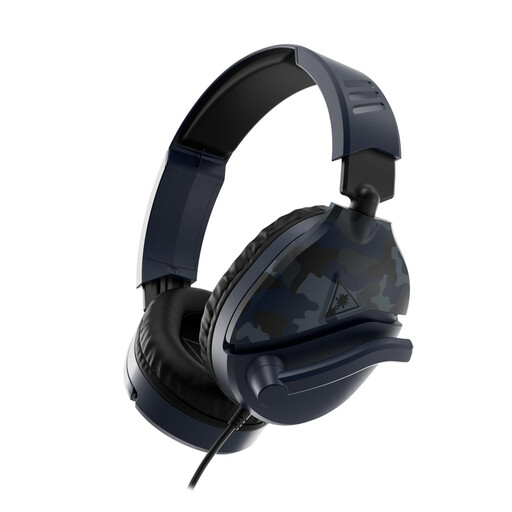 No image available
The adjustable microphone boom can help position the microphone near the mouth; make a test recording to assess how it sounds in your room.
Wired headset with a 3.5 mm connection and a microphone that can be flipped up to mute. Older PCs with separate audio connections may need a splitter, which isn’t included.
 No image available
This wired headset may suit a fixed recording setup if the microphone position and headphone connection work with your equipment.
The title lists a 3.5 mm connection and a microphone that can be flipped up to mute. The description says it connects via a device’s headphone port.
 No image available
The adjustable microphone may suit a fixed computer setup; check that recording via USB works for the way you work.
Wired USB headset. The product description says it connects to a computer via USB.
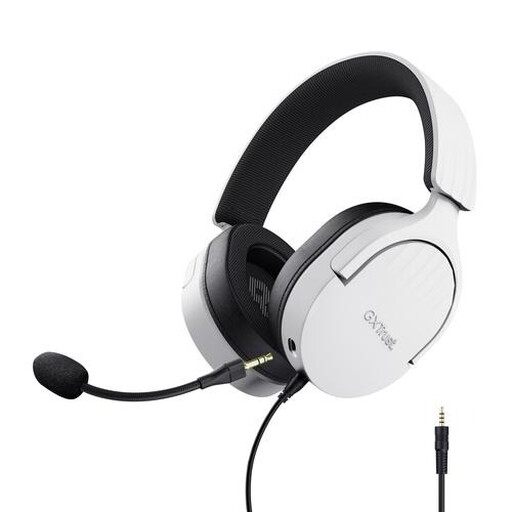 No image available
The flexible microphone can help you adjust its position near the mouth; make a test recording to see if that position works for the narrator.
Wired headset with a 3.5 mm connection and detachable microphone. For PC use, the description lists an extension cable in the box.
 No image available
The flexible microphone boom may be useful if you want to adjust the microphone position in a fixed computer setup.
Wired headset with a USB connection; the description says it can be used via a computer’s USB port.
Position the microphone boom steadily close to the mouth and make a test recording at the narrator’s actual speaking volume in the room you intend to use. Listen for breaths and plosives too; a microphone can’t fix the room’s acoustics.
Check the connection and power requirements: for XLR use, RØDE describes a suitable VXLR PRO or VXLR+ adapter that supplies the required plug-in power. The included splitter separates the microphone and headphones into two 3.5 mm plugs.
A licence usually isn’t needed for wireless microphones, but you must use the correct frequencies. According to the Dutch Authority for Digital Infrastructure, the available frequencies can vary by location, and some frequency bands do require a licence. Check the system and recording location before recording wirelessly.
Check which parts can be replaced for the exact version and where you can get replacement parts. Audio-Technica says the BPHS1 has a user-replaceable cable and ear pads. In the Netherlands, consumer purchases are also covered by a legal guarantee if a product doesn’t meet the standards you could reasonably expect with normal use; this doesn’t mean every headset has a fixed guarantee period.