
Soft-spoken home narrator
Wants to record a calm film narration and check that their voice is clear enough against room noise at a normal speaking volume. Audacity warns that amplifying a recording afterwards will also make room noise louder.


Start with a headset microphone whose boom arm is easy to position and whose connection is compatible with your recording device. A 3.5mm headset can keep your setup simple; a broadcast headset with XLR requires a suitable audio interface. Test it at your normal speaking volume: Audacity warns that turning up the volume afterwards will also amplify room noise.
Wants to record a calm film narration and check that their voice is clear enough against room noise at a normal speaking volume. Audacity warns that amplifying a recording afterwards will also make room noise louder.
Wants to monitor their voice while recording without first putting together an XLR recording chain. The available headset port and the right cable determine whether both the microphone and headphones will work.
Already has recording equipment and is considering a broadcast headset. Check that the microphone input, headphone output and any required power supply are compatible with the model you choose.
First, make a short test recording at your normal speaking volume. Then check that the microphone is easy to position and that all the connections are compatible with your recording device.
| What to consider | What should you check? | Who should pay particular attention? |
|---|---|---|
| Voice and room noise | Check how adjustable the microphone boom is and listen to a test recording made at your usual speaking volume. | Consumers who want to record an intelligible, soft-spoken narration without overlooking room noise should prioritise voice clarity; around 40% of consumers say this is their main consideration. |
| Connections | Compare your device’s microphone input and headphone output with the plugs on the exact headset model. | Consumers who want to record directly using their existing computer or recorder need to know in advance whether both functions will connect; around 30% give connection convenience top priority. |
| Monitoring | Check the headphone output, the fit and whether your recording software is using the correct input and output. | Consumers who want to monitor their recording while speaking benefit from a working headphone connection and a comfortable fit; around 20% prioritise monitoring. |
| Complete setup | Check what’s included and which cables or interface you already have. | Consumers who want a clear picture of the complete working setup in advance should consider the cables and equipment they’ll need, as well as the headset; around 10% make the overall setup their top priority. |
According to the Audacity manual, amplifying a quiet recording also makes room noise louder.
Make a test recording at your usual speaking volume and first check the room, microphone position and input level.
An unusable recording could mean extra time spent recording again or editing it.
A TRRS plug, two separate 3.5mm plugs, and separate XLR and headphone plugs each require different connections.
Before buying, compare both the microphone and headphone connections with your device and the cable supplied with the exact model.
beyerdynamic supplies the DT 297 models without a connection cable.
Check which cable you need for the model you’ve chosen and whether its plug configuration is compatible with your recording device.
The NTH-100M combines over-ear headphones with a detachable microphone and a 3.5mm connection.
The BPHS1 is a closed-back broadcast headset with an adjustable boom and a dynamic cardioid microphone.
The DT 297 PV MK II is a closed-back broadcast headset with a condenser microphone, designed for a carefully assembled recording chain.
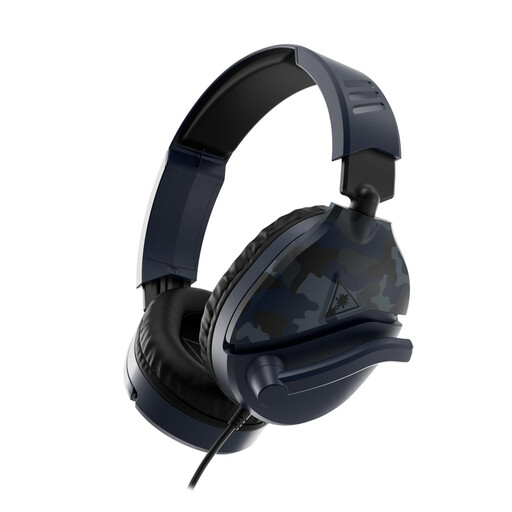
The H6PRO Closed is a gaming headset with a detachable microphone boom and cable options for 3.5mm connections.
This selection of Joybuy products includes headsets with microphones for a range of setups, including wired 3.5mm and USB connections, as well as wireless options. Always check that the connection on the model you choose is compatible with your recording device.
 No image available
Worth considering if you want to monitor your voice while recording and are looking for a wired connection.
The product name specifies a 3.5mm connection and a flip-to-mute microphone. The product description also mentions an included USB adapter.
 No image available
An option for anyone considering an adjustable microphone boom and a wired connection for a compatible device.
The product description specifies a 4-pole 3.5mm connection and a flip-to-mute microphone. An older PC with separate ports may require a splitter, which isn’t included.
 No image available
A wired option to compare if your device has a compatible 3.5mm connection.
The product name mentions a flip-to-mute microphone and a model for use with, among other devices, Nintendo Switch, PC and mobile devices.
 No image available
Worth considering if you’re looking for a wireless headset with a detachable microphone and your recording device supports the connection.
The product name specifies a 2.4 GHz or Bluetooth connection. Check which connection your device and recording software can use.
 No image available
An option to consider if your device has a USB connection and you want to monitor your voice while recording.
The product description specifies a USB connection, a 1.8-metre cable and a microphone boom that can rotate 270 degrees. Windows, Mac and Chromebooks are also mentioned.
First, make a test recording at the volume you’ll actually be speaking. For this recording workflow, the Audacity manual recommends normal speech peaks between −18 and −6 dB; a signal at 0 dB may clip. These are recording settings, not product specifications.
Not with an XLR connection alone: according to the Audacity manual, you’ll need an audio interface. Also check separately where the headphone plug on your particular headset model connects.
For online consumer purchases in the Netherlands, ACM ConsuWijzer says you generally have a statutory cooling-off period of up to 14 days after delivery, with some exceptions. Check the terms that apply to your specific purchase.
Before buying, check whether the cable and ear pads on the model you’ve chosen can be replaced. If a product breaks sooner than you could reasonably expect under normal use, ACM ConsuWijzer says you can claim your statutory guarantee rights from the seller; a manufacturer’s warranty period does not automatically define the full duration of your statutory rights.
Recording your own voice doesn’t automatically give you permission to share protected film footage or music. The Dutch government says that using copyright-protected films and music generally requires the creator’s permission, and that a private copy for personal use must not be made public. Whether a specific exception applies to your publication depends on the circumstances.