
Practising in a shared space
You want to listen back to your own voice while other people are talking nearby. An adjustable microphone boom and a test recording in your own space can help you assess what gets picked up.


Start with a headset that has an adjustable microphone boom, then make a test recording in the space where you practise. A manufacturer's claim about noise reduction doesn't guarantee that other people's voices will be kept out of your recording. Then choose between wired, which avoids battery management but comes with a cable, and wireless, if you want to practise while moving around and your device supports the connection.
You want to listen back to your own voice while other people are talking nearby. An adjustable microphone boom and a test recording in your own space can help you assess what gets picked up.
You practise or record on different computers. Check that the connection is compatible and that your recording app is using the headset microphone.
You want to be able to walk around while speaking. A wireless headset may suit you if your recording device supports the connection; remember to factor in pairing and charging, too.
First, check that the microphone captures your voice clearly enough in a shared space. Then consider the connection, fit and controls that suit your practice sessions.
| What to consider | What should you check? | Who is this important for? |
|---|---|---|
| Clarity | Positionable microphone boom; listen back to a test recording with normal background conversation. | If you want to assess your pronunciation and pace while other people are talking in the same room, clarity comes first. Around 29% of consumers rank it as their top buying priority. |
| Connection and recording input | Check that USB-A, USB-C or another specified connection is compatible, and select the headset microphone in your recording app. | If you switch between devices, you’ll want to avoid finding that the plug doesn’t fit or that the built-in microphone is being used. For around 23% of consumers, device connectivity is their top buying priority. |
| Comfort | Check the adjustability and whether the headset is mono or stereo; fit is a matter of personal preference. | If you want to record and listen back to your presentation several times, fit and ear coverage matter. Around 18% of consumers put comfort at the top of their list. |
| Affordability | Compare the features you need, such as mute controls and the right connection. A higher price doesn’t prove that your recording will sound better. | If you mainly have one regular place to practise, you’ll want to pay for useful features, not options you don’t need. For around 18% of consumers, affordability is their top buying priority. |
| Freedom of movement | Check that your device supports the wireless connection and test the recording in the places where you plan to stand. | If you want to practise while walking around, a cable can get in the way. You’ll also need to consider pairing and battery charge. Around 12% of consumers give freedom of movement top priority. |
A manufacturer may list noise reduction as a product feature, but that doesn’t tell you how much of your classmates’ voices will end up in your recording.
Before your presentation, make a test recording while other people talk at a normal volume, then listen back to it.
Connections and wearing styles can vary between models and versions in the same series.
Check the full model name and compare its connection with the port on your recording device.
The Dutch government states that the Netherlands has no fixed statutory warranty period. What you can expect from a product depends, among other things, on the product and the fault.
Keep your proof of purchase and contact the seller if something is wrong.
The H390 is a wired USB-A option for a fixed set-up; the Zone Wired is a separate model that Logitech positions for noisy open-plan workspaces.
The Ayda range includes a wired USB ENC version and a separate wireless ENC version for different practice set-ups.
Within the Blackwire 3200 series, mono and stereo versions and connections vary by model.
EPOS positions the wired IMPACT 100 series for voice calls and offers versions for different meeting platforms.
This selection includes wired headsets with microphones for practising and listening back. Check the connection and controls listed for each model.
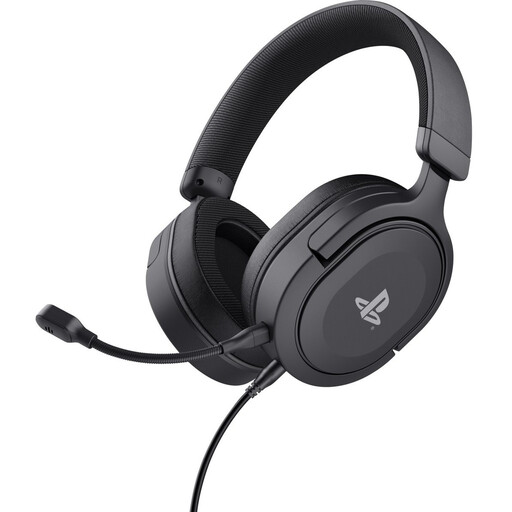 No image available
The flexible, detachable microphone and on-earcup controls may suit practice sessions with breaks.
Wired with a 3.5 mm connection; stereo sound. Check that your recording device has a compatible connection.
 No image available
The wired USB-A connection and two integrated microphones suit a fixed recording spot, if your device has a USB-A port.
The product information lists stereo sound and mute controls.
 No image available
This wired headset may suit a fixed practice spot where you want volume and mute controls on the earcup.
The specified connection is USB Type-A; the product information lists stereo sound and an adjustable headband.
 No image available
This wired USB headset with microphone may suit a computer-based practice set-up with a compatible USB connection.
The product information lists stereo sound and PC use. Check that the connection and compatibility suit your recording device.
 No image available
The positionable microphone boom and volume and mute controls may be useful when practising repeatedly and taking breaks.
The product information describes a wired USB headset; check that USB is compatible with your recording device.
Select the headset as the input device and make a short test recording to listen back to. Microsoft describes this test for Windows 10 and 11; also check which microphone is selected in your own recording software.
No. Microphone noise reduction relates to the sound that’s transmitted or recorded. How much surrounding noise you hear depends, among other things, on the earcups and whether the headphones have separate noise cancellation. Test both while practising in the shared space.
Limit what you record and share, and check your education provider’s policy if the recording is being made or kept for school. The Dutch Data Protection Authority says education providers must set out arrangements for making and keeping recordings, and for informing pupils or students. This doesn’t mean that the same consent requirements automatically apply to every private practice recording.
When you buy online from a business, you’ll often have a 14-day cooling-off period; check which terms apply to your purchase. The Dutch government states that the Netherlands has no fixed statutory warranty period: you can expect a product to meet what is reasonable for it, and the seller is your point of contact if there’s a fault.