What should you look for?
Start by checking the connection on your recording device. Then make a test recording in the room where you plan to record the safety announcement, including both calm and emphatic passages.
| What to consider |
What should you check? |
Who is this important for? |
| Voice clarity |
Record softly, normally and emphatically spoken lines. Listen for consonants, plosives and possible distortion; also check that the microphone boom can stay beside your mouth. |
If you want warnings and emphasis to come across clearly, pay attention to positioning and the recording level. Around 36% of consumers say clarity is their main concern. |
| Background noise and room acoustics |
Compare test recordings in the intended room and at a quieter time. Judge whether the words remain intelligible, not just how loud the voice sounds. |
If you record in a noisy or echoey room, you’ll want to know whether the message remains easy to follow. Around 29% of consumers prioritise clarity in the recording environment. |
| Connection and recording setup |
Check the inputs on your computer or recorder, the exact product version, and any cables, power supplies or extra equipment you may need. |
If you want to record using the equipment you already have, a compatible connection is essential. Around 21% of consumers prefer a straightforward recording setup that works with their equipment. |
| Freedom of movement and comfort |
Check that the headset fits well and the microphone boom stays in place as you move. For wireless use, also check the complete transmitter setup and the frequency available in your location. |
If you move while speaking, you’ll want the microphone to stay correctly positioned without unnecessarily restricting your movement. Around 14% of consumers prioritise movement or comfort. |
Headsets with microphones at Joybuy
These Joybuy product picks are headsets with a microphone and headphone monitoring. Before buying, check that the connection and version work with your recording device. Make a test recording to see how clearly your voice and emphasis come across.
 No image available
Turtle Beach Airlite Fit, wired, black/white
A relevant option if you want to listen through a headset while speaking and your recording device has a compatible connection.
Wired with a 3.5 mm connection; flip the microphone boom up to mute it.
The product name mentions Nintendo Switch, Switch Lite and Switch OLED; check your recording device’s connection separately.
View at Joybuy
 No image available
Turtle Beach Recon 70, green camouflage
Could be a good fit if you’re looking for a wired headset with a microphone boom and headphone monitoring for a recording device with a compatible connection.
Wired with a 3.5 mm connection; flip the microphone boom up to mute it.
The product name mentions PC, PS5, Switch 2 and Xbox Series X|S. Check that the connection works with your recorder or computer.
View at Joybuy
 No image available
Turtle Beach Stealth 500 Xbox, black
Could be a good fit if you want to listen and speak wirelessly; check that the connection is suitable for your recording device.
The product information mentions 2.4 GHz and Bluetooth connectivity, and an omnidirectional microphone with a flip-to-mute function.
The product name mentions Xbox Series X|S, Xbox One, PC, Switch 2 and mobile devices. Make a test recording using the connection you plan to use.
View at Joybuy
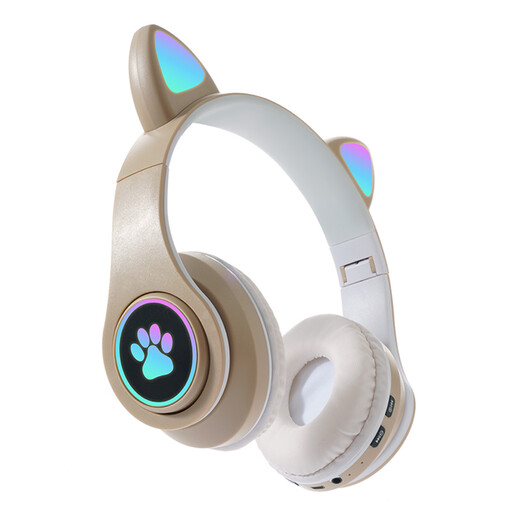 No image available
KINSI RGB Cat Ear headset, gold
Could be a good fit if you’re looking for a headset with a microphone and both wireless and wired listening options; check that the microphone connection is suitable for your recording setup.
The product information mentions Bluetooth, a wired AUX mode, a built-in microphone and a foldable design.
The product name mentions three modes and LED lighting. Check which mode works with your recording device.
View at Joybuy
 No image available
Razer Kraken V3 X, black
Could be a good fit for a PC setup with USB if you want a headset with a microphone and headphone monitoring; assess how your voice sounds with a test recording.
The product information mentions a wired USB connection and a cardioid microphone.
The product information lists a weight of 285 g; this figure alone says nothing about recording quality.
View at Joybuy
Frequently asked questions
How should you position the microphone when recording emphatic lines?
Position the microphone boom securely beside the corner of your mouth rather than directly in front of it. Shure recommends this for the SM35 to help reduce plosives. Then make a test recording of your quietest and loudest passages, and set the recording level to suit your equipment.
Can you connect a broadcast headset directly to any laptop?
No, it depends on the connections available on the laptop and headset. The standard Audio-Technica BPHS1 has separate XLR and 6.3 mm plugs. The Jabra Evolve2 40 SE is available in USB versions; check the exact version and whether it works with your recording app.
What extra components might a standalone headworn microphone need?
That depends on the version and the equipment you already have. A Shure SM35 with TA4F is designed for use with a compatible bodypack; for wired XLR use, Shure describes a suitable preamp and phantom power. Check the complete recording setup.
Can you use a wireless headworn microphone on the same frequency throughout the Netherlands?
No. According to the Dutch Authority for Digital Infrastructure, the available frequency spectrum varies by location, and some frequency bands require a licence. Check the frequency of the specific transmitter and your intended recording location before using the set.
Is consent always the only legal basis for recording someone’s voice?
Not always; consent is one possible legal basis. According to the Dutch Data Protection Authority, an identifiable audio recording may be personal data, and processing it requires a legal basis under the GDPR. The appropriate legal basis depends on who is being recorded and how the recording will be used.


