What should you look for when buying?
Start by checking the microphone position and connection to your computer, then listen to a complete test recording. Shure stresses that a microphone cannot improve a room’s acoustics, so don’t expect noise cancellation to eliminate room reverberation on its own.
| What to consider |
What should you check? |
Who is this important for? |
| Room reverberation |
Check that the boom microphone is adjustable. Position it beside your mouth and listen back to a complete test sentence, checking for reverberation and plosive sounds. |
If I’m recording a single safety announcement in a reverberant room, I want the words to be clear. Around 42% of consumers say reducing audible room reverberation is their main concern when buying. |
| Connection and controls |
Check the USB port, any adapter, the microphone input in your recording app and the mute function. |
When I’m recording on a work computer, I want the headset and app to work together, and I want to be able to check the recording controls. Around 25% of consumers prioritise connection and controls. |
| Other background noise |
Test it with the background noise you’ll actually hear and check that every word remains clear. |
If there are conversations or other sounds as well as reverberation, I want to know how my voice will sound in the recording. Around 17% of consumers say other background noise is their main concern when buying. |
| Use in a system |
Check which system and building regulations apply, and how the announcement will be assessed before use. |
If my announcement is going to be used in a voice alarm system, I want the intended use and system requirements to be taken into account. Around 16% of consumers prioritise the intended use of the safety announcement. |
Headsets for computer recordings at Joybuy
These wired headsets are options for recording on a computer. Check the connection for each model and test your recorded announcement. A headset is no substitute for assessing the room’s acoustics.
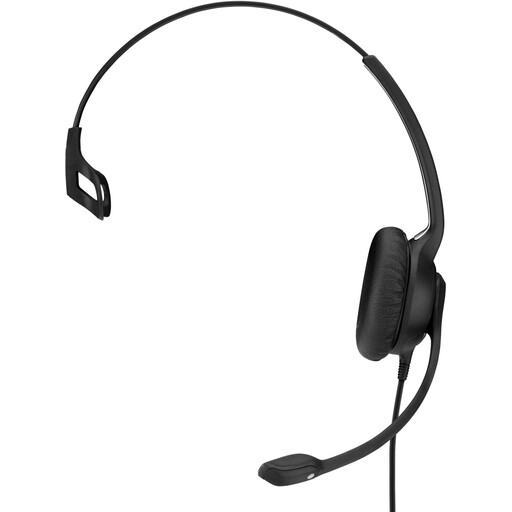 No image available
EPOS | SENNHEISER IMPACT SC 230 USB MS II OE headset
The adjustable boom microphone makes this model an option if you want to change the microphone position when recording on a computer. Always listen back to the recording.
Wired headset with USB connection.
View at Joybuy
 No image available
Logitech PC 960 USB headset
The adjustable boom microphone and in-line controls make this model worth considering if you want to position and mute the microphone while recording on a computer.
Wired headset with USB connection.
View at Joybuy
 No image available
Trust Ayda wired headset, USB Type-A
The fold-up microphone may make it easier to check the mute function during a test recording. Listen for yourself to how your voice sounds in the recording.
The product name specifies a wired headset with USB Type-A. A noise-cancellation claim doesn’t prove that it will reduce room reverberation.
View at Joybuy
 No image available
Logitech H340 USB headset, black, wired
This model is worth considering for computer recordings. Check the microphone position and mute controls in a complete test recording.
Wired USB headset.
View at Joybuy
 No image available
Jabra Evolve2 30 SE headset
Consider this model for computer recordings, and check in advance that the connection and recording app are compatible with your device.
Make a complete test recording and listen back to check that the speech remains clear in the reverberant room.
View at Joybuy
Frequently asked questions
Will a noise-cancelling headset microphone remove room reverberation from my recording?
Don’t assume it will. Shure explains that a microphone cannot improve a room’s acoustics or effectively separate direct speech from reflected speech. Position the microphone close to your mouth and assess a test recording.
How should I position and test the boom microphone?
Position the microphone close to your mouth, but not directly in front of your breath. Record the whole announcement and play the file back. Check the opening words, plosive sounds, mute function and clarity too.
Will every USB-C headset work with my device and recording app?
No, that isn’t guaranteed. Check the exact version and test the app. The Jabra Evolve2 40 SE manual states that not all USB-C devices or apps support an audio connection.
What guarantee do I have as a consumer buying in the Netherlands?
As well as any commercial guarantee, you have a legal guarantee: a product must meet what you can reasonably expect from it under normal use. ACM ConsuWijzer explains that if a product is faulty, the seller must provide an appropriate solution.
Is a NEN 2575 system required for every safety announcement?
No, the word ‘safety announcement’ alone doesn’t determine this. Whether a voice alarm system is required depends, among other things, on the building and its use. Informatiepunt Leefomgeving explains that where such a system is required under the Bbl, the relevant system requirements apply; a headset alone does not demonstrate compliance.


