
Recording safety instructions
You want one seated speaker to be easy to understand, and you can listen back to a test recording before using it. Logitech recommends positioning the microphone boom at mouth level.


If you’re recording one speaker sitting directly into a computer, a wired USB headset with an adjustable microphone boom is a practical starting point, provided the connection is compatible with your computer. If you already have an audio interface, or want to connect the microphone and headphones separately, choose a broadcast headset that matches your inputs and any power requirements. Always listen back to a test recording before using the safety announcement.
You want one seated speaker to be easy to understand, and you can listen back to a test recording before using it. Logitech recommends positioning the microphone boom at mouth level.
You record directly to a computer and want a suitable USB connection rather than separate microphone and monitoring cables. Check which type of USB port your computer has.
You already have a recorder, mixer or audio interface and want to connect a microphone and headphones while recording. Check that the connectors and any power requirements are compatible with your equipment.
Choose this option: if you want to record one speaker directly to a computer and a straightforward connection is important to you.
Keep in mind: check that the USB version is compatible with your computer; being designed for video calls does not, by itself, tell you how it will record in your space.
Choose this option: if you have compatible recording equipment and want to connect the microphone and headphones separately.
Keep in mind: check the microphone and headphone inputs. The Audio-Technica BPHS1, in the version described, has a three-pin XLR microphone plug and a 6.3 mm headphone plug.
Choose this option: if you want to connect the microphone and headphone signals separately using a suitable splitter.
Keep in mind: RØDE states that the NTH-100M microphone requires a suitable plug-in power solution when connected to XLR.
Choose this option: only if you already have a separate way to listen back to your recording and don’t need headphones built into the headset.
Keep in mind: the RØDE HS2 doesn’t have built-in headphones; also check whether the microphone input provides plug-in power.
| What to consider | What should you check? | Who is this relevant to? |
|---|---|---|
| Clarity | Record a test sentence and listen to see whether quiet words and consonants are easy to hear. | When recording a safety announcement, I want to listen back to the text in my own space. Around 36% of consumers prioritise clarity. |
| Connection | Check which USB, XLR, TRRS or 3.5 mm input is available, and whether you need an adapter or power supply. | I want to record on the computer I already use, without a separate interface. Around 29% of consumers prioritise a simple, compatible connection. |
| Monitoring | Check that the headphone output is compatible and that you can listen back during or after recording. | I want to check what I’ve recorded before using the announcement. Around 21% of consumers prioritise monitoring. |
| Fit and microphone position | Adjust the boom and check that the cable stays comfortable when you move your head. | I sit while recording, but want the boom and cable to stay in place when I move my head. Around 14% of consumers prioritise fit and positioning. |
The Sennheiser HMD 26 is modular, so a version supplied without a cable can’t be connected to your equipment without the right cable.
Before buying, check everything included in the box and make sure the cable is compatible with your recorder or audio interface.
RØDE states that the NTH-100M microphone requires plug-in power when connected to an XLR input.
As well as checking the plugs, check the power requirements and the separate connection for monitoring.
A specification or manufacturer’s claim can’t tell you how your spoken words and background noise will sound in the recording.
Make a test recording in the room where you plan to record the safety announcement, then listen back to it.
The H390 is a computer headset for anyone who wants to connect headphones and a microphone via USB.
The BPHS1 is a broadcast headset for recording equipment with separate microphone input and headphone output.
The NTH-100M combines headphones with a boom microphone; the HS2 is a standalone head-worn microphone.
The PC 8 USB is a wired stereo computer headset and an option for straightforward computer recording.
The modular HMD 26 is worth considering if you have compatible professional recording equipment.
These Joybuy products are related to headsets for voice communication. Check the connections for each model and listen back to a test recording before use.
 No image available
The product description mentions connecting to a laptop via the USB adapter for communication; make a test recording before using it for a safety announcement.
The description lists Bluetooth 5.2 and connection to up to two devices.
 No image available
This model is described as being for professional voice communication; make a test recording to check whether the microphone suits your recording environment.
The product description lists Bluetooth 5.2, a USB-C cable for wired use, four microphones and a microphone sensitivity of -35 dB.
 No image available
This wired headset is designed for voice communication; assess how it records your safety announcement with a test recording.
The product description lists a cardioid microphone, a 3.5 mm connection, and mute and volume controls.
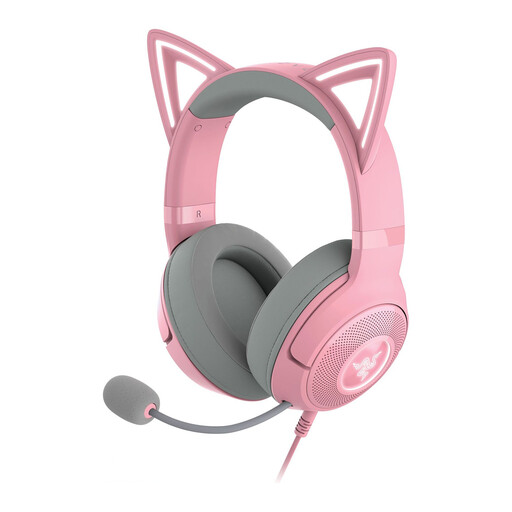 No image available
The product description mentions use for streaming and content creation; listen back to a test recording before using the headset for a safety announcement.
The description lists a detachable microphone and USB connectivity.
 No image available
The product description mentions a microphone for communication; check your chosen connection and make a test recording before recording the final announcement.
The title lists USB and 3.5 mm connections and a 50 mm driver diameter. The description mentions an adjustable headband and a microphone mute function.
Select the headset as your input device, record a test sentence and play it back. Microsoft explains this test for Windows 10 and 11; also check that mute is off in your recording software.
Not with every model. RØDE recommends positioning the HS2 close to, but beside, your mouth. Adjust the boom and use a test recording to judge how the words sound.
Not through a standard USB port. An XLR setup uses a compatible microphone input, for example on an audio interface; also check how the headphones connect. The Audio-Technica BPHS1 has separate connections.
Contact the seller. According to the Dutch Government, your statutory right to a product that works properly depends on what you could reasonably expect from it; the expiry of the manufacturer’s warranty does not automatically end that right.
A sound recording in which someone can be identified may count as personal data. The Dutch Data Protection Authority states that an organisation needs a valid GDPR legal basis to collect and use personal data; consent is one possible basis. The appropriate legal basis and arrangements depend on who makes the recording and how it is used.