What should you look for?
Start by checking where the microphone sits in relation to your mouth, then choose a pickup pattern that suits your room. Next, check the headset’s full connection and power requirements, and make a test recording in the room you plan to use.
| What to consider |
What to look for |
Who is this important for? |
| Echo and intelligibility |
Check whether the boom keeps the microphone close to your mouth and whether the capsule is cardioid or omnidirectional. Listen to a short test recording in the place where you’ll be recording. |
If I can hear echo in my explanation, I want to keep the microphone close to my mouth and assess the recording in my own room; around 36% of consumers give intelligibility and echo top priority. |
| Connection and power |
Compare the full model variant, input and power requirements with your recorder, interface or transmitter. A plug that fits isn’t enough. |
If I want to use my existing equipment, the headset needs to be compatible with both the input and power requirements of my recording setup; around 29% of consumers put this compatibility first. |
| Fit while explaining |
Look at adjustability and how it’s worn. For a wireless setup, the headset also needs to be compatible with the transmitter and receiver. |
If I want my hands free during a longer or more active explanation, I’m looking for a headset that stays securely in place; around 21% of consumers give wearing comfort and freedom of movement top priority. |
| Recording via a computer |
Check the connection on the exact model variant and make a test recording. Noise cancellation described for calls doesn’t prove that room echo will disappear. |
If I want to record directly on my computer, I want to be able to connect the headset easily and hear the result in my room; around 14% of consumers make straightforward computer recording their top priority. |
Headsets for voice recording
These Joybuy picks are headsets whose product information mentions spoken communication, computer connectivity or a wearable microphone. Before choosing, check the connection and assess a test recording in your own room; specifications for calls alone don’t prove that a headset reduces room echo.
 No image available
Jabra Evolve2 30 SE
An option for computer recording if your device is compatible with the USB-A connection; the product information lists microphones for voice communication.
USB-A connection and two integrated microphones.
View on Joybuy
 No image available
Jabra Evolve2 75 USB-A MS Teams Black
The product information lists this headset for calls. Make a recording in your own room to see whether the result suits your explanation.
The description lists Bluetooth, connection to two devices and eight microphones.
View on Joybuy
 No image available
Jabra Evolve2 65 USB-A Black MS Mono
A mono headset for anyone wanting to use the computer connection described; check that the USB-A Bluetooth adapter is compatible with your recording device.
The product information lists Bluetooth 5.0, a USB-A Bluetooth adapter and three microphones.
View on Joybuy
 No image available
Razer Blackshark V2 X 7.1 Wired
A wired option to compare if your recording device has a compatible 3.5mm input; listen to the recording in your own room.
The product information lists a cardioid microphone and recommends positioning it around 1–2 inches from your mouth.
The recording input must be compatible with the 3.5mm connection.
View on Joybuy
 No image available
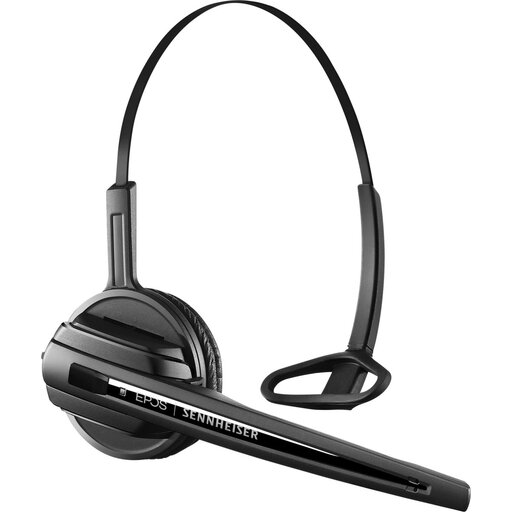
EPOS | SENNHEISER D10 DECT OE Black
A wearable headset option for use with compatible equipment; the product description lists a microphone boom for communication.
Use only with a compatible device from the D 10 DECT series.
View on Joybuy
Frequently asked questions
Can a headset microphone get rid of echo in my room?
No, a microphone doesn’t change the acoustics of your room. Keep the capsule close to your mouth, make a test recording, and also assess the recording position or the room itself.
Will any headset microphone connect directly to my laptop?
No, it depends on the connection and power requirements of the exact model variant. The Logitech H390 described uses USB-A, the RØDE HS2 uses a 3.5mm microphone input with plug-in power, and the wired Audio-Technica BP894x with AT8545 module requires 11–52 V phantom power.
How should I position the microphone for a test recording?
Keep the capsule close to your mouth and adjust the boom so you’re not blowing directly into it. Record a few sentences, then listen for speech clarity, breathing sounds and room echo in the place where you’ll be presenting.
Do I need a licence for a wireless headset microphone in the Netherlands?
Not always: according to the Dutch Authority for Digital Infrastructure, some frequency bands can be used by wireless microphones without a licence, subject to certain conditions, while other bands require a licence. Check the band, conditions and frequencies for your location; the word ‘wireless’ alone doesn’t determine whether a specific system requires a licence.
What can I do if my headset breaks sooner than expected?
When you buy as a consumer in the Netherlands, your statutory guarantee applies alongside any manufacturer’s warranty. According to ACM ConsuWijzer, if a product breaks sooner than you could reasonably expect with normal use, the seller must put it right free of charge, for example by repairing or replacing it, or giving you your money back. There isn’t one fixed time limit that applies to every headset.


