What should you look for when choosing one?
First, decide whether you mainly want to capture your own voice or the whole band. Then check the connection and power requirements of your recording setup; freedom of movement and fit are secondary considerations.
| What to consider |
What should you check? |
Who is this important for? |
| Your voice among the instruments |
Check the pickup pattern and whether the boom arm can hold the microphone beside your mouth. |
If I want to hear a vocal line or melody during a loud rehearsal, I don’t want my voice to get lost among the instruments. Around 33% of consumers give voice isolation top priority. |
| Connection and power |
Note the exact model of your recorder, mixer or interface, and check the headset’s input and power requirements. |
I want to use my existing recorder, mixer or interface, so I need to know whether it’s compatible with the headset. Around 25% of consumers prioritise compatibility with their existing recording equipment. |
| Freedom of movement |
Check whether you’re buying a standalone headset or a complete system, and compare the connector and frequency requirements. |
If I’m playing and moving around the room, I don’t want a cable to restrict me; a wireless setup does require a suitable transmitter and receiver. Around 25% of consumers give freedom of movement top priority. |
| Fit and positioning |
Check whether the headband and microphone boom are adjustable and where the capsule can be positioned. |
During a longer rehearsal, I want the headset to stay comfortable and the boom to stay in place. Around 17% of consumers prioritise a secure fit throughout the session. |
Headsets at Joybuy
These Joybuy products are headsets with microphones for hands-free speech. Before recording during a rehearsal, check that the connection and microphone suit your recorder and intended use; a headset for gaming or calls isn’t automatically designed for music recording.
 No image available
Turtle Beach Airlite Fit wired gaming headset, black/white
The flexible boom microphone is designed for hands-free speech while gaming; check that the 3.5mm connection is compatible with your recording equipment.
Wired 3.5mm connection; the cable runs between the headset and the connected device.
The product name specifies compatibility with Nintendo Switch, Switch Lite and Switch OLED.
View at Joybuy
 No image available
Turtle Beach Recon 70 wired gaming headset, Green Camo
The flip-up microphone boom can be brought close to your mouth; before recording rehearsals, check that the microphone and 3.5mm connection are compatible with your recording equipment.
Wired 3.5mm connection; the cable runs between the headset and the connected device.
The product name specifies compatibility with PC, PS5, Switch 2 and Xbox Series X|S.
View at Joybuy
 No image available
Jabra Evolve2 30 SE
This headset is described as being for hands-free speech in a computer setup; check whether it suits your rehearsal recording and recording equipment.
Two integrated microphones and a USB-A connection.
The product description mentions use in the office and working remotely.
View at Joybuy
 No image available
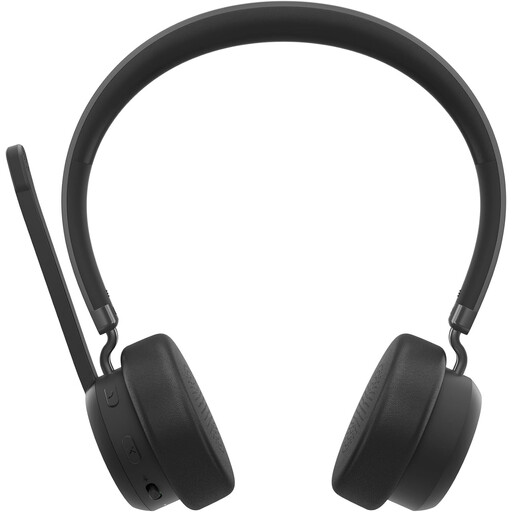
Lenovo 4XD1Q30302 wireless headset
The flip-up microphone is designed for hands-free speech. Check that your recorder or other recording equipment can connect to the headset.
The product information specifies Bluetooth 5.3 and mute controls.
The headset has a headband; the product information mentions calls and music.
View at Joybuy
 No image available
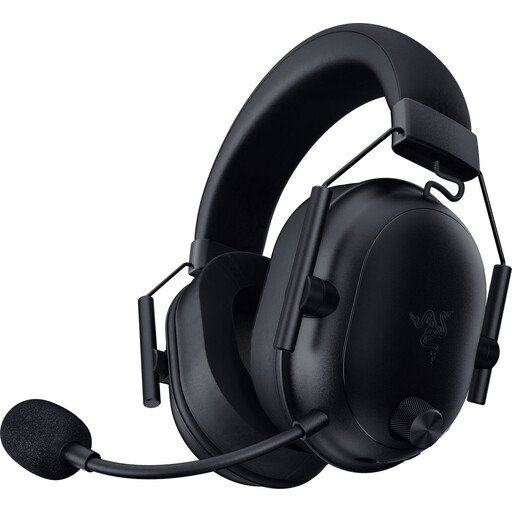
Razer BlackShark V2 wireless gaming headset, black
The headset has a microphone for voice communication during use; check that the microphone and connection are compatible with your recording equipment.
The product name specifies Bluetooth and 2.4GHz wireless connectivity; the product description mentions USB-C connectivity.
The product description mentions a lightweight design and wireless use while gaming.
View at Joybuy
Frequently asked questions
Does a headset microphone also record the whole band well?
A headset microphone is primarily suited to capturing your own voice or idea close to your mouth. The manufacturers of the directional models mentioned describe them as being for voice recording; consider separately how you want to record the rest of the band.
Can I plug a headset with a 3.5mm connector straight into my recorder?
Only if the recorder’s input and power supply are compatible with the headset. RØDE specifies a 3.5mm microphone input with plug-in power for the HS2, so check your recorder’s specifications rather than just the plug size.
How should I position and store the microphone?
Position the microphone boom beside the corner of your mouth, rather than directly in front of it, to reduce plosive sounds. Shure advises letting a used SM35 dry before storing it in an enclosed space.
Can I use a wireless headset microphone in the Netherlands without a licence?
Only if the frequency and transmission power fall within the Netherlands’ licence-exempt limits. The Dutch Authority for Digital Infrastructure notes that some other bands require a licence and that shared UHF frequency availability varies by location; check the equipment and location before use.
Can I record band members’ voices and share the recording?
The Dutch Data Protection Authority says that personal or household use alone is exempt from the GDPR. Whether a particular rehearsal recording or later publication falls within this exemption depends on how it is used; agree with the other band members before recording and sharing.


