When recording a travel guide in an echoing room, having an adjustable microphone close to your mouth matters more than a noise-cancelling claim alone: that claim doesn’t mean room echo will disappear from your recording. Choose a USB headset for a simple computer setup, a standalone microphone if you want to keep your current headphones, or a broadcast headset if you have compatible separate audio connections. Shure and RØDE both stress the importance of microphone distance and positioning.
Who is this choice relevant to?
Voice-over artist dealing with audible room echo
You’re recording a travel guide voice-over and want your voice to sound clearer than the room. Shure and RØDE stress that microphone distance and positioning matter; noise cancellation alone is no proof that room echo will disappear.
Computer user looking for a simple connection
You want to record directly on a computer. Check which port is available and whether the microphone boom can be positioned properly. Logitech and Antlion describe USB connections for the models they mention.
Creator with an existing recording setup
You already have headphones or a suitable audio interface and are comparing a detachable microphone with a broadcast headset. Antlion describes the ModMic USB 2 as a microphone for use with existing headphones; Audio-Technica lists separate connections for the BPHS1.
What should you look for when choosing?
Wired USB headset
A good fit if: you want to record directly on a computer and are looking for a complete headset.
Bear in mind: a noise-cancelling claim for calls doesn’t prove that room echo will disappear from a voice recording.
Standalone microphone for your headphones
A good fit if: you want to keep using your own headphones and need a microphone you can position separately.
Bear in mind: the Antlion ModMic USB 2 is a microphone, not a complete headset; check the attachment and USB connection.
Broadcast headset with separate connections
A good fit if: your recording equipment has a suitable microphone input and headphone output.
Bear in mind: the Audio-Technica BPHS1 uses XLR for the microphone and 6.3 mm for the headphones; check the exact version.
| What to consider |
What to check before buying |
Who should pay extra attention? |
| Clear speech |
Check whether the microphone boom is adjustable and make a test recording in the same spot. |
If you want to reduce room echo, focus on microphone distance and where you record. Around 36% of consumers in this situation put clear speech first, despite room echo. |
| Connection |
Compare the exact model version and plugs with the ports on your computer or interface. |
If you want to record without connection problems, first check which ports are available. Around 29% of consumers give direct connection top priority. |
| Listening back |
Listen back to a test recording and check separately whether live monitoring causes a delay. |
For longer voice-over sessions, you’ll want to assess what has actually been recorded. Around 21% of consumers put listening back and wearing comfort first. |
| Complete setup |
Check whether you still need headphones, an interface or a suitable cable. |
If you want to know which components you already have and which you still need, compare the complete setup. Around 14% of consumers make the components they need their top priority. |
Common buying mistakes
-
Confusing noise cancellation with an echo-free recording
Reflected speech still reaches a noise-cancelling microphone. A product claim about calls doesn’t, on its own, tell you how your recording will sound in your room.
Test the microphone position and recording location with the same spoken passage before assessing your recording setup.
An unusable recording may mean you have to record it again or change where you record.
-
Looking only at the model name
Different versions may have different connections. The Audio-Technica BPHS1 and BPHS1-XF4 differ in their connections; according to the manufacturer, the beyerdynamic DT 297 PV MK II is supplied without a connection cable.
Compare the full model version and included components with the connections on your recording equipment.
Depending on the version you choose, you may need a suitable cable or additional recording equipment.
-
Mistaking monitoring delay for room echo
Software-based live monitoring can cause a delay, even when the effect isn’t caused by the room.
Listen back to the recorded file first, then check the input monitoring setting.
Brands to compare
Audio-Technica
The BPHS1 is a broadcast headset designed for a setup with separate audio connections.
- According to the official specifications, the BPHS1 has closed-back earcups and a microphone boom that can be positioned on either the left or right.
- The BPHS1 has XLR for the microphone and 6.3 mm for the headphones; check the different connection on the BPHS1-XF4. These are specifications, not a test of room echo.
Antlion Audio
The ModMic USB 2 adds a microphone to a pair of existing headphones.
- Antlion lists a cardioid microphone, a mute button, USB-A and an included USB-C adapter.
- Headphones aren’t included. The recording quality stated by the brand isn’t an independently verified performance claim.
Logitech
The H390 is a wired USB computer headset with a microphone boom.
- Logitech lists plug-and-play connectivity, in-line controls and a positionable microphone on the left.
- The product description focuses mainly on calls; a background-noise claim doesn’t prove that room echo will disappear from a voice-over.
Jabra
The wired Evolve2 50 is an office headset for anyone who also values call quality and listening comfort.
- Jabra lists noise-cancelling microphones and ANC in mono and stereo versions.
- ANC for what the wearer hears isn’t the same as removing room echo from a recording; check which version you’re choosing.
beyerdynamic
The DT 297 PV MK II is a wired, closed-back broadcast headset for a specialist recording setup.
- According to beyerdynamic, the headset has an adjustable microphone boom.
- The versions are supplied without a connection cable. Check the impedance version, the cable you need and whether your recording equipment is compatible.
Headsets with microphones at Joybuy
These product picks are headsets with microphones for spoken audio. Match the connection and microphone position to your recording setup, and assess the sound with a test recording.
 No image available
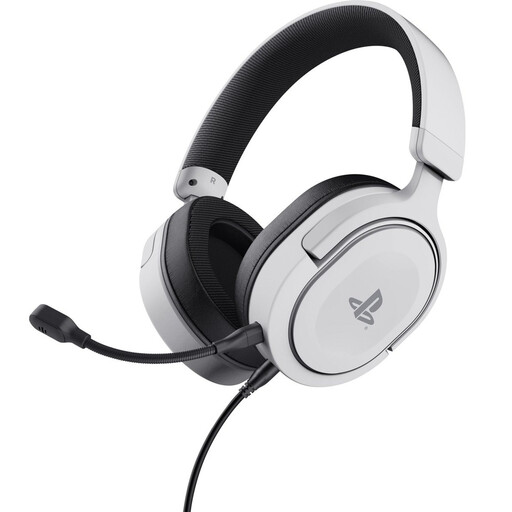
Trust GXT 498W Forta, white
A wired headset with a detachable microphone; check that the 3.5 mm connection is compatible with your recording device.
Joybuy
 No image available
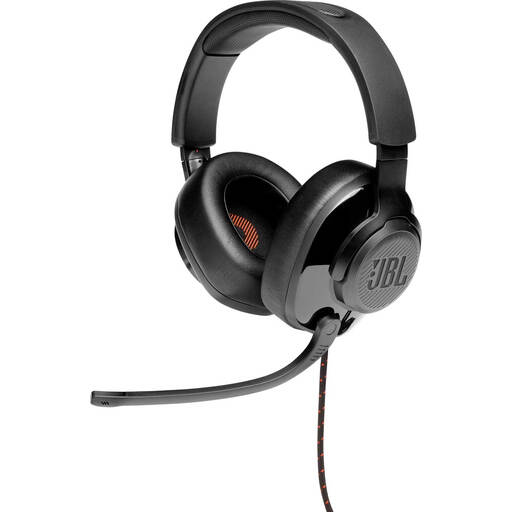
JBL Quantum 300, black
A wired headset with a microphone that can be positioned towards your mouth; check which connection or included adapter is compatible with your recording equipment.
Joybuy
 No image available
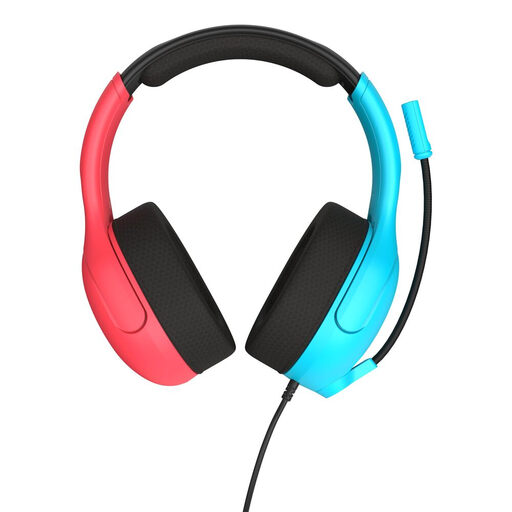
Turtle Beach Airlite Fit, blue/red
The instructions say to lower the microphone when you want to speak; check that the 3.5 mm connection is compatible with your recording device.
Joybuy
 No image available
Jabra Evolve2 75
A headset for spoken communication; check that the connection and microphone setup suit the way you record. ANC doesn’t prove that room echo will disappear from a recording.
Joybuy
 No image available
Logitech PC 960 USB
A USB headset with an adjustable microphone boom for a computer setup; check that you can position the boom at the desired distance from your mouth.
Joybuy
Frequently asked questions
Why does your recording still sound echoey with a noise-cancelling headset?
A microphone can’t completely separate direct speech from reflected speech. Position the microphone close to your mouth, try a less reflective place to record and assess a test recording. Don’t assume it will reduce room echo based on a general noise-cancelling claim.
How do you connect a broadcast headset?
First, check the exact version and compare its plugs with your audio interface. According to the manufacturer, the Audio-Technica BPHS1 has a 3-pin XLR microphone plug and a 6.3 mm headphone plug; the BPHS1-XF4 has a different connection.
Is the echo you hear while recording always room echo?
No. If you only hear a delayed voice when listening back live, check your software’s input monitoring. Audacity explains that this can cause a delay; listen back to the recorded file too, to work out the difference.
Can you use someone else’s text or music in a published travel guide recording?
Not without permission. The Dutch Government states that you need the creator’s permission to use copyright-protected text and music. Check the rights for every work you add to your recording.


