A complete headset is a good choice for an expressive station ident if you also want to monitor your voice while recording; a standalone headworn microphone is an option if you already have headphones. Check the exact connection and any power requirements, then make a test recording using your loudest delivery: specifications alone don’t guarantee a distortion-free recording.
Who is a headset microphone suitable for?
Expressive ident voice artist
You want to switch between speaking softly and delivering powerful exclamations without changes in distance from the mic or plosive sounds dominating the recording. An adjustable boom and a test recording matter more than a general claim about broadcast sound.
Home recorder using a computer
You want to record and monitor your voice, so you need to check whether your computer setup supports USB, separate XLR and headphone connections, or a compatible 3.5 mm headset input.
Creator using a radio mixer
You have a mixer or audio interface and want focused voice recording with monitoring. The connections you need and any microphone power requirements vary by model.
What should you look for when choosing?
Complete USB headset
Choose this if: you want to record directly on a computer and the ATH-M50xSTS-USB’s USB-A connection suits your setup.
Keep in mind: the USB version has a different connection from the ATH-M50xSTS, which has separate XLR microphone and headphone plugs.
Complete headset with separate connections
Choose this if: your interface or mixer has a compatible microphone input and a separate headphone output.
Keep in mind: check the plugs for each model. For XLR use with the RØDE NTH-100M, RØDE specifies a suitable adapter that provides plug-in power.
Standalone headworn microphone
Choose this if: you already have headphones for monitoring and want to wear a microphone on your head.
Keep in mind: the Shure WH20XLR is not a complete monitoring headset; Shure says this XLR version requires more mixer gain than an SM58.
| What to consider |
What should you check? |
Who does this matter most to? |
| Voice recording for expressive delivery |
Check whether the microphone boom can be adjusted to sit beside your mouth and whether a windscreen is included. Test recording levels and plosive sounds with your loudest passage. |
If I switch between a soft intro and loud exclamations, I want to know whether my voice will remain clear and plosive sounds manageable. Around 36% of consumers prioritise voice recording for expressive delivery above all else. |
| Connection and microphone power |
Compare the full model name and both signal paths with your computer, interface or mixer. For the NTH-100M, check the adapter and plug-in power needed for XLR use. |
If I want to record straight to my computer or mixer, the microphone must work with the input available. Around 29% of consumers prioritise a compatible connection and power supply. |
| Monitoring and background noise |
Check whether you already have suitable headphones and how the headphone signal connects to your recording setup. |
If I want to assess my voice during a take, I need a working monitoring connection; earcups are part of a complete headset, not a standalone headworn microphone. Around 21% of consumers put monitoring first. |
| Fit when moving |
Check whether the headband and microphone boom are adjustable, and whether parts such as the cable or ear cushions can be replaced on the version you choose. |
If I move while recording, I want the microphone to stay in place and the headset to feel comfortable. Around 14% of consumers prioritise fit and freedom of movement. |
Common buying mistakes
-
Confusing the USB and XLR versions
The Audio-Technica ATH-M50xSTS and ATH-M50xSTS-USB have different connections. So, even if two model names look almost identical, that doesn’t mean they’ll work with the same computer or mixer.
Check the full model name and both the microphone and headphone connections before choosing.
-
Assuming every 3.5 mm headset connects directly to XLR
For XLR use with the RØDE NTH-100M, RØDE specifies an adapter that provides plug-in power. So a compatible plug alone isn’t enough.
Check in advance which power method, splitter and adapter your input requires.
Allow for a suitable adapter if you don’t already have one.
-
Mistaking a standalone headworn microphone for a complete monitoring headset
The Shure WH20XLR doesn’t have built-in earcups. Shure also says that the XLR version requires more mixer gain than an SM58.
Check whether you already have headphones and whether your mixer provides enough gain.
If you don’t already have headphones, you’ll need a separate pair for monitoring.
-
Assuming a broadcast headset is always ready to connect
beyerdynamic states that DT 297 variants are supplied without a connection cable.
Check what’s included with the exact version and compare the plugs you need with your mixer.
For this range, you’ll need to source a compatible connection cable separately.
Brands to compare
Audio-Technica
The ATH-M50xSTS family includes versions for different recording connections; the BPHS1 is a complete broadcast headset.
- Audio-Technica specifies a cardioid condenser microphone for the ATH-M50xSTS versions. The BPHS1 has closed-back earcups and a replaceable cable.
- Check the exact version: USB and separate XLR and headphone plugs are not interchangeable.
RØDE
The NTH-100M combines over-ear headphones with a detachable microphone.
- RØDE describes the microphone placement as designed to help reduce plosive sounds.
- This is the manufacturer’s description, not the result of a comparative recording test. For an XLR connection, RØDE specifies a suitable adapter with plug-in power.
Shure
The WH20XLR is a dynamic headworn microphone for a setup where you connect your headphones separately.
- Shure specifies an adjustable boom and windscreen; the microphone doesn’t use phantom power.
- The WH20 isn’t a complete headset with headphones. Shure says the XLR version needs more mixer gain than an SM58.
Sennheiser
The HMD 300 X3K1 is a complete broadcast headset with a dynamic supercardioid microphone.
- Sennheiser specifies closed-back earcups, switchable ActiveGard limiting and a cable supplied with XLR microphone and 6.3 mm headphone connections.
- These model features don’t prove that voice recordings will sound better than those made with other headsets.
beyerdynamic
The DT 297 PV MK II is a broadcast headset with a cardioid condenser microphone.
- beyerdynamic specifies replaceable ear cushions and a detachable cable for the range.
- The connection cable isn’t included; check the exact version and source a cable that suits your setup.
Joybuy products
This selection from Joybuy includes wired gaming and USB headsets, as well as wireless headphones with a microphone. Check that each model’s connection suits your recording and monitoring setup.
 No image available
Turtle Beach Airlite Fit Gaming Headset, 3.5 mm, black and white
The wired connection makes this worth considering if your recording setup has a compatible headset socket.
The product information lists a bidirectional microphone boom that you lower to speak and raise to mute, along with headset volume controls.
View at Joybuy
 No image available
Turtle Beach Recon 70 Gaming Headset, 3.5 mm, Green Camo
Consider this wired headset if your equipment has a compatible 3.5 mm connection and you want to be able to adjust the microphone boom.
The product information lists a flip-up microphone that mutes when raised, along with passive noise isolation.
View at Joybuy
 No image available
Jabra Evolve2 30 SE
This headset is worth considering if your computer setup supports USB-A and you want a microphone and headphones in one headset.
The product information lists USB-A, two integrated microphones and stereo earcups.
View at Joybuy
 No image available
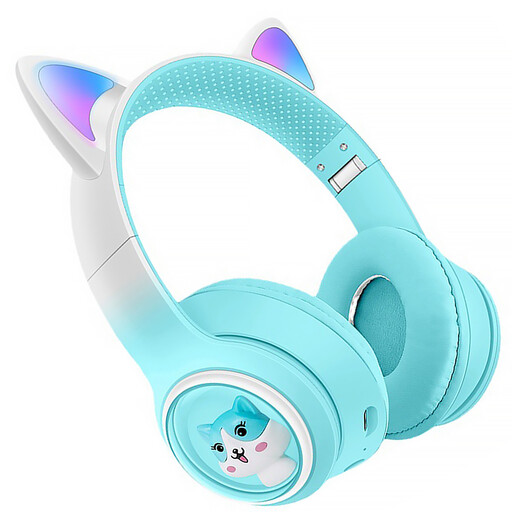
KINSI Bluetooth headphones with cat ears
These are wireless headphones with a microphone; check that your recording equipment supports Bluetooth audio recording before considering them for an ident.
The product information lists Bluetooth 5.3, a built-in microphone, on-headphone controls and a foldable design.
View at Joybuy
 No image available
Razer Kraken V3 X, black
Consider this wired USB headset if your computer has a compatible USB connection and you’re looking for a headset with a microphone.
The product information lists a cardioid microphone and a USB connection.
View at Joybuy
Frequently asked questions
Do I need USB or an audio interface for a headset microphone?
It depends on the version and your recording equipment. The Audio-Technica ATH-M50xSTS-USB uses USB-A; the ATH-M50xSTS has an XLR microphone output and a separate 3.5 mm headphone plug. Compare both connections with your computer, interface or mixer.
How should I position and check the microphone for a strongly delivered ident?
Position the boom beside your mouth and make a test recording using your most powerful words and plosive sounds. Shure describes positioning the microphone at the corner of the mouth and lists a windscreen with the WH20; assess the recording level using your own equipment.
Which cables or adapters should I check in advance?
Check which cables and adapters come with the exact version and what your setup requires. beyerdynamic states that the DT 297 PV MK II is supplied without a connection cable; for XLR use with the NTH-100M, RØDE specifies a suitable adapter with plug-in power.
Do I need a broadcasting licence just to record a station ident?
Business.gov.nl’s information about frequency licences concerns broadcasting radio programmes over a frequency, not simply recording an audio file. If you’re actually going to broadcast as a radio station, check the applicable permissions and frequency requirements.
Can I use music or a recognisable voice in the ident?
For protected music, check what permission or licence you need for your intended use. According to the Dutch Data Protection Authority, an audio recording in which someone is recognisable may constitute personal data; processing it requires a lawful basis under the GDPR, and consent is one possible basis. The rules that apply depend on the material and how you use it.


