
Speaker dealing with audible reverberation
You want to know whether a microphone close to your mouth will make your voice stand out more clearly. Assess the result with a test recording in the same room.


For a quiz introduction in a reverberant room, choose a headset microphone that stays close to your mouth and make a test recording where you plan to record. As Shure explains, a microphone cannot fix a room’s acoustics. A directional microphone may be suitable if you want to limit unwanted sound from certain directions, while a USB headset can make it easier to connect to a computer. Noise-cancelling claims for calls do not prove that room reverberation will disappear from a recording. With XLR microphones and standalone headworn microphones, also check which input you need and how you’ll monitor the recording.
You want to know whether a microphone close to your mouth will make your voice stand out more clearly. Assess the result with a test recording in the same room.
You want to record and monitor the audio directly. So check which computer port and exact USB version the headset uses.
You want to be able to move your head or hands without having to reposition the microphone constantly. Fit, connection and the option to monitor audio separately all play a part.
Shure explains that a microphone does not improve a room’s acoustics. Keep it close to your mouth and compare options based on their connection, polar pattern and how you’ll monitor the recording.
| Consideration | What should you check? | Who is this important to? |
|---|---|---|
| Clear speech in a reverberant room | Check whether the microphone boom is adjustable and look up the polar pattern of the exact model. | I mainly want to know whether my voice will remain clear in this reverberant room. Consumers who prioritise reducing reverberation above all else account for around 50%. |
| Connecting and monitoring | Check the USB version or the microphone input and power required; also check separately how you’ll monitor the audio. | If I only want to use a computer, I want to know whether it’s easy to connect and monitor the recording. Consumers who prioritise connecting directly to a computer account for around 30%. |
| Freedom of movement and fit | Check the adjustability, cable routing and whether the set includes earcups. | I want to be able to move while recording without having to reposition the microphone each time. Consumers who place the greatest importance on freedom of movement and fit account for around 20%. |
Descriptions of noise cancellation for calls don’t prove that reflections will disappear from a quiz recording. Shure explains that a microphone cannot fix a room’s acoustics.
Record with the microphone close to your mouth and listen back in the room where you plan to record your quiz introduction.
The Audio-Technica BPHS2 has separate XLR and 6.3mm connections, so it is not the same as a headset with a single USB plug.
Compare the connections on the exact version with the inputs on your recording device and your monitoring setup. You may need suitable audio inputs or additional connection equipment.
The Shure WH20 and RØDE HS2 are headworn microphones, not headsets with integrated headphones.
Decide in advance how you want to monitor the recording during or after recording, and check which connections you’ll need.
The BPHS2 is a broadcast headset for anyone who wants to combine voice recording and monitoring in one set and has the right audio inputs.
The WH20 range consists of wearable microphones without integrated headphones; the connection varies by version.
The H390 is a wired computer headset for anyone who wants to record and monitor audio using a compatible USB version.
The HS2 is a lightweight headworn microphone for hands-free use, without built-in headphones.
The Evolve2 40 SE is an office headset worth considering if computer connectivity, calls and monitoring are important alongside recording your quiz.
This selection consists of wired headsets with microphones for recording on a computer. Check each model’s connection and whether you can position the microphone boom suitably close to your mouth.
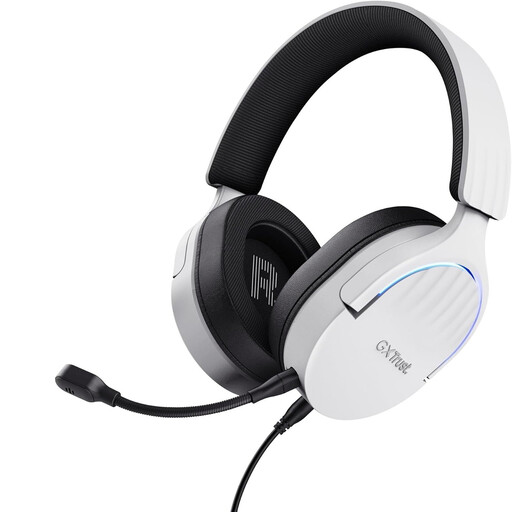 No image available
According to the product description, the flexible, detachable microphone can be positioned as needed. The headset is wired and has a USB Type-A connection.
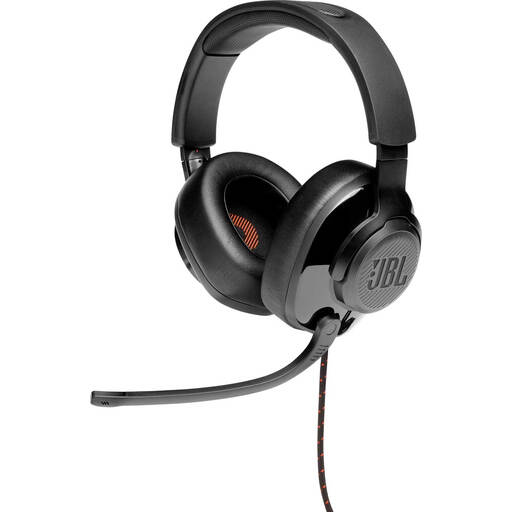 No image available
According to the product description, the microphone boom can be flipped up. The headset has a 3.5mm connection; the product description also mentions a USB audio adapter.
 No image available
According to the product description, the adjustable microphone boom can be positioned while recording. The headset connects to a computer via USB.
 No image available
The product description mentions an adjustable microphone boom. This wired headset is designed to connect to a USB port.
 No image available
The product description mentions a cardioid microphone and a 3.5mm connection. A splitter cable is mentioned for computers with separate microphone and headphone ports.
Don’t assume it will. Shure explains that a microphone does not improve a room’s acoustics. Position the microphone close to your mouth and listen to a test recording in the room you plan to use. A claim about clear calls is not a measured result for this type of recording.
No, it depends on the connection and the power required. The Shure WH20XLR has an XLR plug; according to RØDE, the HS2 requires a 3.5mm microphone input with plug-in power. Also check separately how you’ll monitor the recording.
Position the microphone close to your mouth, record a short introduction in the room you plan to use, then listen back. Check that your recording app is using the correct microphone input, and pay attention to both speech clarity and audible reflections. A microphone does not change the room’s acoustics.
When you buy from a business at a distance, the Dutch government says you have a 14-day cooling-off period in many cases; terms and exceptions may apply. You are also entitled to a product that works as it should. The Netherlands has no fixed statutory guarantee period; if a product is faulty, contact the seller.