
Quiet reader
You want to hear whether even the quietest words and word endings come through in your recording. Adjust the microphone boom so that the microphone sits in the right position by your mouth, then test your usual quiet speaking voice.


For reading aloud softly, an adjustable microphone boom, the right microphone position and a carefully controlled recording level matter more than a general promise of clear calls. A wired headset can be practical if its connector is compatible with your computer, but make a test recording at your usual speaking volume and check that quiet word endings remain audible. Shure offers positioning advice for a specific headset model, while Audacity recommends checking the recording level to prevent distortion.
You want to hear whether even the quietest words and word endings come through in your recording. Adjust the microphone boom so that the microphone sits in the right position by your mouth, then test your usual quiet speaking voice.
Perhaps you practise with a fan running in the background and want your voice to remain clear. Listen to the unedited recording first, before applying noise reduction. Audacity describes this processing as a way to reduce sounds below a set threshold.
You regularly read aloud and listen back using a laptop or PC. Check the USB type, mute controls and whether you want mono or stereo; Jabra and Poly describe different versions within their headset ranges.
Start by checking your computer’s connection and the microphone position. Then test in your own room to see whether quiet words remain clear, both with and without any audio processing.
| What to consider | What to look for | Who is this important for? |
|---|---|---|
| Quiet words | Choose an adjustable microphone boom and test its position and the recording-level meter with both quiet and louder sentences. | I mainly want to hear quiet words and word endings when I listen back; around 36% of consumers prioritise the clarity of quiet speech. |
| Background noise | Make an unedited test recording first, then compare it with an edited version if you wish. Check that quiet sounds remain audible. | If, for example, a fan can be heard, I want to manage background noise without losing my reading voice; around 29% of consumers prioritise this balance. |
| Connection and controls | Check whether your device needs USB-A, USB-C or 3.5 mm, and make sure the mute control is off before recording. | I want to use the headset without connection problems and avoid recording with the mic accidentally muted; around 21% of consumers prioritise connection and controls. |
| Comfort | Check whether it is a mono or stereo model, the ear cushions and the headband adjustment. Try it on to see how it feels. | For longer practice sessions, I want a style that feels comfortable to me; around 14% of consumers start by considering fit and comfort. |
A manufacturer’s description of call quality does not automatically tell you how well a headset records quiet reading aloud. A noise gate reduces sounds below a set threshold, so it can also weaken quiet parts of words.
Compare a short unedited recording with an edited version, if applicable, at your usual quiet speaking volume.
A range may include versions with different USB plugs, ear cushions or designs. The wrong connector may not fit the device you want to use.
Check the full model and version name, the port you need and whether you want mono or stereo.
The Dutch Government states that the Netherlands has no fixed statutory guarantee period and that you can contact the seller if a product is faulty.
Check what any additional guarantee covers, and distinguish between your statutory rights and the terms of any extra cover.
The H390 is a wired computer headset with an adjustable microphone boom and in-line controls.
The PC 8 USB is a wired stereo headset for PC and Mac, with in-line controls.
According to Jabra, the Evolve 20 range includes mono and stereo versions for computer use.
The Blackwire 3200 series consists of wired office headsets in mono and stereo designs.
These Joybuy products include wired headsets with different connections and a wireless headset for voice use. Check that each model’s connection is compatible with your recording device, and test the microphone using your own quiet speaking voice.
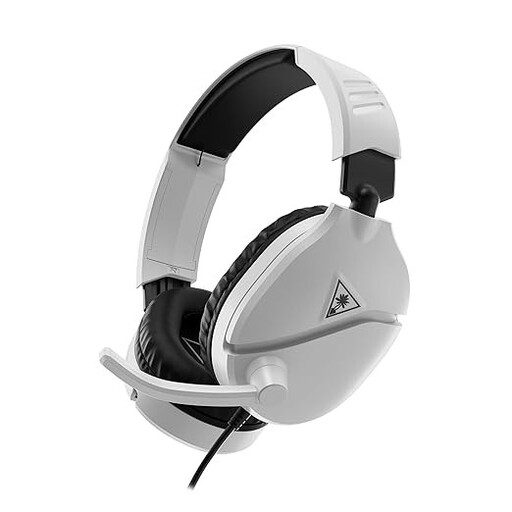 No image available
Worth considering if your recording device has a compatible 3.5 mm connection.
Wired 3.5 mm connection; product information lists an adjustable microphone boom and a flip-to-mute microphone.
 No image available
A wired USB option to consider if you want to record and listen back using a computer.
Stereo model with a USB connection; product information lists a cardioid microphone and PC compatibility.
 No image available
A wireless option to consider if you would rather not use a wired connection for voice recording.
Product information lists Bluetooth, connection to two devices and eight microphones. These microphones are described for communication.
 No image available
A wired USB option to consider if your computer has a compatible USB port.
Stereo model with an adjustable microphone boom and in-line volume and mute controls. Product information also lists a mute indicator.
 No image available
A wired stereo headset to consider if your recording device has a compatible USB port.
Product information lists a microphone that isolates background noise and an in-line volume control; this is not a test of recordings of quiet reading aloud.
Position the microphone slightly to the side of your mouth, then test the level with both a quiet and a louder sentence. Shure offers this positioning advice for a specific headset model; use it as a starting point when testing the position, not as a fixed distance for every headset. Check the meter in your recording software to avoid clipping.
Not automatically. Audacity describes a noise gate as a setting that reduces sounds below a chosen threshold. Listen to the unedited recording first, and if you use a noise gate, check that quiet sounds at the start and end of words remain audible.
According to the Dutch Government, distance purchases from a business often come with a 14-day cooling-off period, although exceptions apply. Check the terms for your specific purchase before assuming how returns will be handled.
This depends in part on who can be heard and how you use the recording. If you record identifiable people or share a recording beyond a strictly personal circle, check which privacy rules apply to your situation. The Dutch Data Protection Authority describes an exception for personal or household use of visual material; do not assume that this also applies to audio recordings.