What should you look for?
First decide whether you want to monitor through the headset while recording. Then check the microphone position, fit and complete signal path to your recording equipment.
| What to consider |
What should you check? |
Who is this for? |
| Microphone position while performing |
Check whether the boom is adjustable. Test it while saying words with p and b sounds, and adjust the position if you hear plosives. |
If you need both hands while performing, you’ll want the microphone to stay in position as you move. Around 33% of consumers prioritise keeping the microphone in a consistent position while performing. |
| Character voice and monitoring |
Check how the headphones connect to your recorder. Make a short test recording using your own voice and movements. |
If you want to assess both quiet and loud character voices, you’ll need a practical way to listen back to your recording. Around 27% of consumers prioritise voice recording and monitoring. |
| Fit during long takes |
Consider the headband, ear cushions and overall fit. If possible, try the headset during a session similar to your recording sessions. |
If you record for long periods, you’ll want a fit that stays comfortable for you. Around 27% of consumers prioritise comfort during long takes. |
| Connections and power |
Check the exact model, microphone input, headphone output and any cables, splitter, bodypack or power supply required. |
If you’re recording with existing equipment, you’ll want the microphone and monitoring to connect to it. Around 13% of consumers make compatibility with their current recording equipment their top priority. |
Headsets at Joybuy
This selection includes headsets with microphones for use with computers or other devices. Check whether each model’s connection, microphone controls and required accessories suit your recording setup.
 No image available
Jabra Evolve2 30 SE
Could suit you if you’re looking for a wired computer headset with integrated microphones; test how your character voice sounds through it.
The product description lists USB-A, two integrated microphones, an adjustable slider and memory foam ear cushions. For a device with USB-C only, the description says you’ll need a compatible adapter.
View at Joybuy
 No image available
Jabra Evolve2 75
Worth considering if you’re looking for a headset with a microphone and Bluetooth; check that the wireless connection works with your recording equipment.
The product description lists a microphone, HD Voice, Bluetooth, a USB-C cable and an adjustable headband. The stated battery life is 36 hours.
View at Joybuy
 No image available
Jabra Evolve2 55 Wireless Stereo Headset
Could suit you if you’re looking for a wireless stereo headset with an adjustable microphone boom; make a test recording to assess the microphone position and how your voice sounds.
The product description lists Bluetooth, a flexible microphone boom, two noise-cancelling microphones and a weight of 130 g. It also mentions a Link 380 USB-C adapter and a USB-A cable.
View at Joybuy
 No image available
Razer BlackShark V2 X 7.1 Wired
Worth considering if you’re looking for a wired headset with a microphone; check that the connection works with your recording equipment.
The product description lists a cardioid microphone, a 3.5 mm connection and a mute button. The stated weight is 240 g; the manual recommends positioning the microphone about 1–2 inches from your mouth. If your device has separate microphone and headphone ports, the manual specifies a splitter cable.
View at Joybuy
 No image available
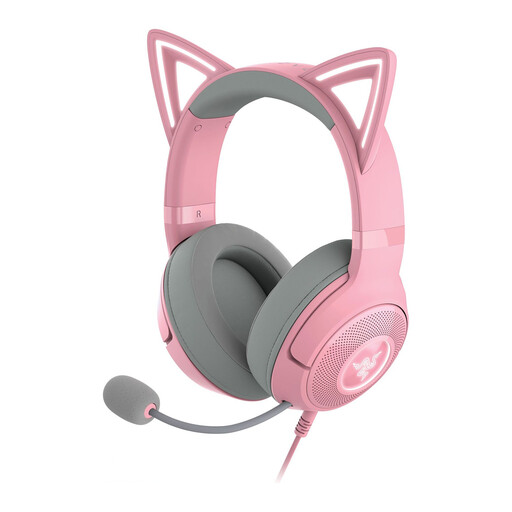
Razer Kraken Kitty Edition V2 – Quartz
Could suit you if you’re looking for a USB headset with a detachable microphone; check in advance that the connection works with your recording device.
The product description lists USB, a detachable noise-cancelling microphone, an adjustable headband and memory foam ear cushions.
View at Joybuy
Frequently asked questions
Where should you position the microphone boom before starting a long take?
Adjust the boom and make a short test recording, including movements and sounds that might cause plosives. Shure advises positioning the SM35 microphone slightly to the side of your mouth to reduce plosives; test this position with your own voice and setup, too.
Can you connect the RØDE NTH-100M microphone using a standard XLR adapter?
Not without checking the power requirements. RØDE says the microphone needs plug-in power when connected to an XLR microphone input. The included splitter first separates the microphone and headphone signals.
Are cables included with every professional headset?
No, it varies by model. Audio-Technica specifies a detachable cable with separate microphone and headphone connectors for the BPHS1. beyerdynamic says DT 297 versions are supplied without a connection cable, so you’ll need to choose one that matches the version and your equipment.
What are your rights when buying online in the Netherlands?
For a standard online consumer purchase, ACM ConsuWijzer says you generally have 14 days from delivery to change your mind, subject to statutory exceptions. Your statutory guarantee also depends on what you could reasonably expect from the product under normal use; this doesn’t mean every headset has a fixed guarantee period.
What should you know about product safety and CE marking?
According to the European Commission, CE marking applies only to product groups covered by specific harmonised EU rules. Check the product documentation and requirements that apply to the exact version; CE marking doesn’t indicate recording quality.


