If the fan needs to stay on while you record, an adjustable boom microphone that can sit close to your mouth is a sensible place to start. Ideally, look for one with a directional pickup pattern. A lightweight headset microphone gives you more freedom to move, while a complete broadcast headset also lets you monitor through the headphones. None of these options will remove fan noise on its own, so check the connection and make a test recording in your own room.
Who is this for?
Recordists with an audible fan
If you can’t turn the fan off, look for a stable position close to your mouth, check the pickup pattern and make a test recording in the room where you’ll be recording. Shure emphasises that a microphone doesn’t automatically distinguish wanted sound from unwanted noise.
Puppeteers who move around
If you change position while performing and need both hands free, consider a lightweight headset and an adjustable boom arm that can sit comfortably by your mouth. RØDE describes the HS2 as lightweight, with an adjustable boom arm.
Creators with existing recording equipment
When connecting to a computer, recorder or audio interface, the plugs, the microphone power required and whether there’s a separate headphone connection all matter. Audio-Technica, Sennheiser and RØDE describe different connections and requirements for their models.
What should you look for?
First, choose between a complete headset that lets you monitor your recording, a lightweight microphone headset without built-in headphones, and a gaming headset. Then compare the connection and consider how the microphone’s pickup pattern suits the fan and the freedom of movement you need.
Complete broadcast headset
Choose this if: you want to monitor your recording while puppeteering and are looking for a directional dynamic boom microphone.
Bear in mind: closed-back earcups won’t automatically remove fan noise from your recording. Check the connections too.
Lightweight headset microphone
Choose this if: a discreet fit and freedom to move are important, and you can listen back to the recording another way.
Bear in mind: the RØDE HS2’s omnidirectional capsule doesn’t offer the same off-axis rejection as the directional pickup patterns of the broadcast models mentioned here. It also requires plug-in power.
Analogue gaming headset
Choose this if: you’re looking for a headset with a boom arm and a connection that suits your computer or console.
Bear in mind: according to the manufacturer, the EPOS H6PRO has a bidirectional microphone. That doesn’t tell you how a puppet’s voice will sound or how much fan noise it will pick up.
| What to consider |
What to check before buying |
Who is this important for? |
| Keeping speech clear |
Check the pickup pattern and boom adjustability. Test a spoken passage and a quiet moment with the fan on. |
If the fan needs to stay on while I record, my main priority is keeping the puppet’s voice clear. Around 36% of consumers put recording speech with fan noise first. |
| Freedom of movement |
Check the fit and whether the boom stays close to your mouth when you change position. |
While puppeteering, I want both hands free and to be able to change position. Around 29% of consumers put hands-free movement first. |
| Connection and power |
Compare the plugs, microphone input, power requirements and any headphone output with your recording device. |
When using equipment I already own, I want to know in advance whether the headset and any required cables or power supply will work with it. Around 21% of consumers put compatibility first. |
| Monitoring and comfort |
Check whether you can listen back while recording and whether the headset will be comfortable for the length of your sessions. |
For longer recordings, I want to be able to listen back and wear the headset comfortably. Around 14% of consumers put monitoring and comfort first. |
Common buying mistakes
-
Assuming the earcups reduce microphone noise
Closed-back earcups can reduce the noise the wearer hears, but that doesn’t tell you how much fan noise the microphone will capture.
Check the microphone specifications separately and listen to a test recording with the fan on.
An unusable recording could mean having to record again or make changes to your recording space.
-
Choosing based on the model name alone
A headset may have separate microphone and headphone plugs, require a separate connection cable or need plug-in power.
Check the exact version against the inputs and power options on your recorder or computer.
-
Assuming a lightweight omnidirectional headset is the same as a directional broadcast microphone
According to their manufacturers, the RØDE HS2 and the broadcast headsets mentioned here have different pickup patterns. Keeping the microphone close to your mouth still matters, but the patterns pick up background noise in different ways.
Decide whether freedom of movement or a directional pickup pattern matters more to you, and compare short test recordings in your own room.
Brands to compare as a benchmark
Audio-Technica
According to Audio-Technica’s specifications, the BPHS1 combines closed-back headphones with a cardioid dynamic boom microphone.
- The boom can be worn on either the left or right. The standard version has separate XLR microphone and 6.3mm headphone connections.
- Check that your recording equipment supports these connections; a combined computer connection won’t necessarily be compatible.
Sennheiser
According to Sennheiser, the HMD 300 is a closed-back broadcast headset with a dynamic supercardioid microphone.
- The manufacturer says the boom can be worn on either the left or right.
- Check the exact version and cable. The product specifications can’t tell you how much fan noise there’ll be in your recording space.
beyerdynamic
The DT 297 PV MK II combines closed-back headphones with a cardioid condenser microphone.
- According to beyerdynamic, the cable and ear pads are replaceable.
- The 250ohm version described is supplied without a connection cable, so check which cable will suit your setup.
RØDE
According to RØDE, the HS2 is a lightweight headset microphone without built-in headphones, with an adjustable boom and an omnidirectional condenser capsule.
- The microphone has a 3.5mm connection and needs plug-in power from the microphone input.
- Its omnidirectional pickup pattern doesn’t offer the same off-axis rejection as the directional pickup patterns of the broadcast models mentioned here.
EPOS
According to EPOS, the H6PRO Closed is an analogue gaming headset with a detachable boom arm.
- The manufacturer lists a bidirectional microphone and supplied 3.5mm cables.
- EPOS recommends positioning the microphone closer to your mouth when there’s background noise. Being suitable for chat doesn’t tell you how a recorded puppet voice will sound.
Joybuy products for hands-free use
This selection includes headsets with microphones for hands-free use; the product information mentions communication and gaming among their uses. Before choosing, check that the connection and settings are right for recording speech with fan noise.
 Image unavailable
Jabra Evolve2 30 SE
Could suit hands-free recording on a computer if USB-A works with your setup; the product information lists two integrated microphones.
USB-A connection; compatibility with Windows and Mac is listed.
View at Joybuy
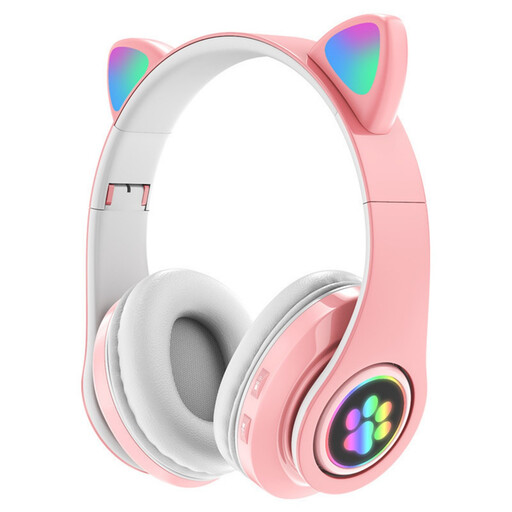 Image unavailable
KINSI RGB Cat Ear Headset, Wireless Bluetooth, Pink
Could suit you if you’re looking for a wireless headset with a microphone for hands-free use; check that the connection will work with your recording device.
The product information lists Bluetooth, a built-in microphone, a foldable design, an adjustable headband and soft ear cushions.
View at Joybuy
 Image unavailable
Jabra Evolve2 75
Could suit hands-free recording if Bluetooth or the supplied USB-C cable works with your recording setup; check before use.
The product information lists Bluetooth, HD Voice and a USB-C cable.
View at Joybuy
 Image unavailable
HyperX Cloud III S Wireless Gaming Headset, Detachable Boom Mic
The detachable boom microphone gives you a hands-free microphone setup; check that the connections suit the way you record.
The product information lists supplied USB-A and USB-C connections and memory foam ear cushions.
View at Joybuy
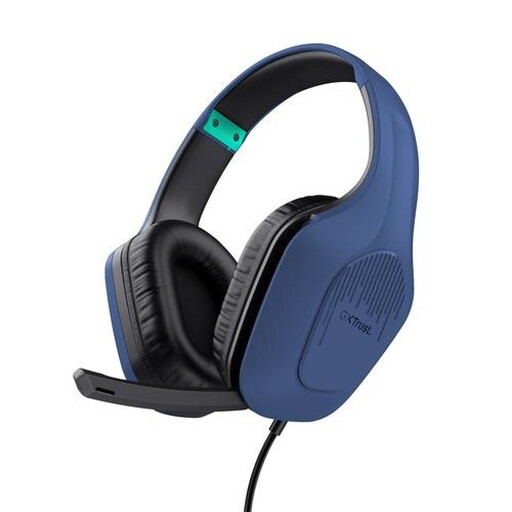 Image unavailable
Trust GXT 415B Zirox Wired Gaming Headset
Could suit hands-free recording with a device that has a compatible 3.5mm connection; the microphone can be flipped up.
The product information lists a fixed 2-metre cable, an adjustable headband and a weight of 244 grams.
View at Joybuy
Frequently asked questions
Will fan noise disappear if the headset says it has noise cancellation?
Not automatically. Check whether the feature applies to the headphones, the microphone or the processing of the microphone signal. Shure points out that a microphone can still pick up unwanted sound. Position it close to your mouth, angle it appropriately and test with the fan on.
How should I position and maintain the microphone for repeated recordings?
Adjust the boom so the capsule stays close to your mouth without sitting directly in the airflow from your breath. Check its position again if you move around a lot. Check whether parts such as the cable, windscreen or ear cushions can be replaced on your specific version; Audio-Technica lists replaceable parts for the BPHS1.
Do I need extra cover if my headset develops a fault?
Not automatically: statutory consumer protection still applies when you buy as a consumer in the Netherlands. According to the Dutch government, the seller is your point of contact if a product doesn’t meet your reasonable expectations. Check separately what any additional warranty offers.
Can I publish a recording of a puppet’s voice?
That depends on the content and how you use it; owning a headset doesn’t in itself give you the right to publish a recording. The Dutch government sets out separate copyright rules for other people’s work. According to the Dutch Data Protection Authority, a sound recording that makes someone identifiable may contain personal data. Whether you need permission for a particular character, script or recording depends on the circumstances.


