
Seated puppeteer
You move your head or hands while performing and want to be able to position the microphone boom by your mouth. Test its position while you perform.


Choose based on your recording equipment and whether you want to listen back through the same headset while performing with your puppets. A wired USB headset can provide a straightforward computer setup; a recording-focused headset or standalone headworn microphone may require a compatible interface or separate headphones. Check the exact version and make a test recording using your own voice and head movements: specifications alone can’t tell you how a recording will sound in your setup.
You move your head or hands while performing and want to be able to position the microphone boom by your mouth. Test its position while you perform.
You want to connect a headset, hear yourself and record without a separate audio interface. Check that you have the right USB version and select the headset as the input in your recording software.
You have a compatible microphone input, or want to compare a recording-focused headset or standalone headworn microphone with the additional connections they require.
Choose this if: you want to record on a computer and get started without a separate audio interface.
Bear in mind: check whether the USB-A or USB-C version is compatible with your device and whether your recording software uses the headset as a microphone input. That alone doesn’t prove a call-focused headset is suitable for recording puppet voices.
Choose this if: you want to monitor your voice while performing and are looking for a microphone and headphones in one product.
Bear in mind: connections vary by version. An XLR microphone output needs a compatible input; also check the separate headphone connection.
Choose this if: you can monitor your audio separately or don’t need headphones.
Bear in mind: a standalone microphone doesn’t replace headphones. The Shure WH20XLR needs a compatible XLR input; according to RØDE, the RØDE HS2 requires a suitable 3.5 mm microphone input with plug-in power.
Choose this if: a cable genuinely gets in the way of your movements while performing with your puppets.
Bear in mind: you’ll depend on power and a wireless connection. For a radio system, check the frequency and the applicable conditions set by the Dutch Authority for Digital Infrastructure (Rijksinspectie Digitale Infrastructuur); licence-exempt use doesn’t guarantee an interference-free connection.
| What to consider | What should you check? | Who is this important for? |
|---|---|---|
| Microphone position while performing | Check whether the boom is adjustable and make recordings with head movements, quiet dialogue and loud exclamations. | If you move while performing, you’ll want to keep the microphone by your mouth. Around 36% of consumers prioritise being able to position the microphone effectively while performing. |
| Recording and monitoring | Check whether the headset has earcups, what connection you need for monitoring and whether your software plays back audio. | If you want to review takes as you perform, you’ll need a suitable listening solution as well as a microphone. Around 29% of consumers prioritise recording and monitoring. |
| Connections and equipment required | Compare the exact version with the ports on your computer, interface or recorder; check the microphone and headphone connections separately. | If you want to record without extra connection work, the headset needs to be compatible with your existing equipment. Around 21% of consumers prioritise a straightforward connection. |
| Comfort during recording | Try the headband and ear cushions, and check the cable and controls during a session similar to the one you have planned. | If you perform for extended periods while seated, you’ll want a fit that stays comfortable throughout your session. Around 14% of consumers consider comfort their top priority. |
The Shure WH20 and RØDE HS2 are standalone headworn microphones; the Audio-Technica BPHS1 combines a microphone with earcups. With a standalone microphone, you’ll need a separate monitoring solution.
Before comparing products, decide whether you want to listen back through the same product while performing.
Versions within the same product family can have different connections. The Audio-Technica ATH-M50xSTS-USB uses USB-A; other ATH-M50xSTS versions and the BPHS1 use an XLR microphone connection.
Check the full model name and microphone plug. If you want to monitor your audio, check the headphone connection too.
Manufacturer descriptions of these products cover a range of uses and don’t provide a direct comparison of recordings featuring puppet voices.
Make a test recording with your own voice and in your own space; don’t let a product description take the place of listening for yourself.
Radio frequency conditions vary by band. Licence-exempt use doesn’t mean a wireless connection will be interference-free.
For a specific radio system, check its stated frequency and the applicable conditions set by the Dutch Authority for Digital Infrastructure (Rijksinspectie Digitale Infrastructuur).
The ATH-M50xSTS family includes recording-focused headsets for creators; connections vary by version.
The H390 is a wired computer headset with in-line controls.
The WH20 family includes standalone dynamic headworn microphones, including the WH20XLR.
The HS2 is a standalone headworn microphone with an adjustable boom; you’ll need to arrange headphones separately.
The Evolve2 40 SE is a wired office headset for calls, not a solution specifically proven for recording puppet voices.
This selection includes wired and wireless headsets with microphones. Compare the exact connection with your recording device and consider whether you want to monitor your audio through the same headset.
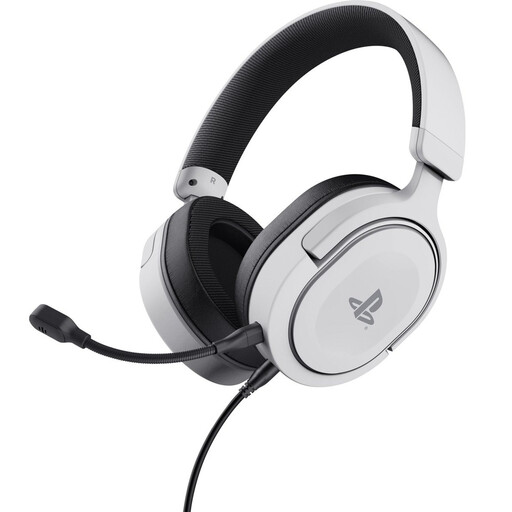 No image available
The headset design may suit you if you also want to listen through the same product while performing.
Wired; 3.5 mm connection; 50 mm drivers; over-ear.
 No image available
This wired computer headset may suit you if you’re looking for a USB connection and want to listen through the headset while performing.
USB connection; wired.
 No image available
A wireless headset may suit you if a cable gets in the way of your movements while performing; check that it connects to your recording device.
Wireless; stereo headset.
 No image available
This wired headset may suit you if you want to monitor your audio while performing. Check your device’s ports first.
3.5 mm connection. According to the product description, a splitter is required for computers with separate microphone and headphone ports; it isn’t included.
 No image available
The headset design may suit you if you also want to listen through the same headset while performing.
Wired; 7.1. Check whether your computer has a single combined connection; the product description recommends a splitter cable for separate microphone and headphone ports.
No, it depends on the version and your computer’s connections. According to Audio-Technica, the ATH-M50xSTS-USB has USB-A, while other ATH-M50xSTS versions use an XLR microphone connection and a separate headphone plug. According to RØDE, the HS2 requires a suitable 3.5 mm microphone input with plug-in power.
Adjust the boom according to the instructions for your chosen model, then test the voice levels and head movements you use while performing. Shure recommends positioning the WH20 by the corner of the mouth; this guidance isn’t automatically a distance recommendation for other microphones.
First, check that the plug fits and that the correct microphone input is selected in your recording software. With the Audio-Technica ATH-M50xSTS, the microphone is muted when you move the boom all the way up; with the Logitech H390, you can also check the in-line mute control.
When you buy online from a business, you’ll generally have 14 days to change your mind, with some exceptions. The Dutch government also states that there is no fixed statutory warranty period in the Netherlands; however, the seller remains responsible for your statutory warranty rights. Check the terms that apply to your purchase.
For a radio system, this depends on the frequency band used and the conditions that apply to it. The Dutch Authority for Digital Infrastructure (Rijksinspectie Digitale Infrastructuur) publishes which bands can be used without a licence; some other bands require a licence. So check the frequency of the specific system. Licence-exempt use doesn’t guarantee an interference-free connection.