
Product demonstrator on camera
You want to keep the microphone by your mouth while pointing things out and moving around, but may not want large headphones in shot. RØDE and Shure describe wearable microphones with an adjustable boom arm.


Choose according to what you want visible on camera and what you’re recording on: a USB headset suits a computer setup, a discreet head-worn microphone works for demonstrations where you don’t want large ear cups in shot, and a broadcast headset is a good fit if you want to monitor your audio using compatible connections. Check the exact variant, connector and any power supply or interface required. Position the microphone beside your mouth and make a test recording, as call specifications won’t tell you how a recording will sound in your space.
You want to keep the microphone by your mouth while pointing things out and moving around, but may not want large headphones in shot. RØDE and Shure describe wearable microphones with an adjustable boom arm.
You want to connect a headset directly to your computer and, if needed, monitor or mute your audio while speaking. Logitech describes the H390 as a USB model with a microphone boom and in-line controls.
You want an adjustable microphone close to your mouth, along with monitoring, and can work with separate audio connections. Audio-Technica describes the BPHS1 as having separate microphone and headphone connections.
A good fit if: you’re recording on a computer and want to connect your headset and microphone via USB.
Consider: the headset may be visible on camera; Logitech describes the H390 for calls, not as an independently tested recording headset.
A good fit if: you want your hands free during a demonstration and don’t want large ear cups in shot.
Consider: the RØDE HS2 doesn’t include headphones for monitoring; the microphone requires a compatible input that provides plug-in power.
A good fit if: you want to monitor your audio and your recording setup has compatible microphone and headphone connections.
Consider: the Audio-Technica BPHS1 has separate XLR and 6.3 mm connections and isn’t a direct USB headset.
A good fit if: you already have a compatible Shure bodypack system or are deliberately putting together a wired setup with the right preamp.
Consider: Shure specifies a separate RPM626 preamp for wired use of the SM35-TQG; check the model variant and connection.
| Consideration | What should you check? | Who is this important for? |
|---|---|---|
| Microphone position | Check whether the boom arm is adjustable and test its position beside your mouth while carrying out your demonstration. | If I want my hands free while pointing things out, the microphone needs to stay beside my mouth without large ear cups appearing in shot. Around 37% of consumers say microphone position is their main consideration. |
| Connection | Compare the exact model variant with the inputs and power options on your computer, camera, recorder or transmitter. | If I want to record on a computer without extra audio equipment, the connection needs to suit my setup. Around 27% of consumers prioritise a simple computer connection that works with their setup. |
| Background noise | Check the pickup pattern of the exact model and listen back to a test recording in the room where you’ll be filming. | If there’s distracting noise in my recording space, I want to know how my voice will be captured there. Around 18% of consumers cite reducing background noise as their top priority when choosing. |
| Monitoring and comfort | Decide whether ear cups can be visible on camera, check the monitoring connection and make a short test recording. | If I want to monitor my audio during several takes, comfort and a suitable monitoring connection matter. Around 18% of consumers give monitoring and fit their top priority. |
The RØDE HS2 requires a compatible input with plug-in power. Shure specifies a preamp for wired use of the SM35-TQG, while the Audio-Technica BPHS1 has separate microphone and headphone connections.
Note the exact model variant and check the connector, power supply and monitoring connection across your entire recording chain before buying.
Logitech and Trust describe features for calls. These product descriptions aren’t independent recording tests in the room where you’ll be filming.
Make a test recording using your own voice, background noise and the recording software you plan to use.
For the SM35, Shure warns that positioning the microphone directly in front of your mouth can cause plosive sounds.
Position the microphone beside the corner of your mouth, use the appropriate windscreen and listen back to a short test recording.
Audible plosive sounds may mean you need extra takes or post-production.
The H390 is a computer headset with a USB connection.
The Ayda USB-ENC is an on-ear computer headset with a flip-up microphone.
The HS2 is a head-worn microphone without built-in headphones.
The BPHS1 is a broadcast headset with a wearable speech microphone and closed-back ear cups.
The SM35 is a cardioid head-worn microphone for use with a compatible transmitter or a purpose-built wired setup.
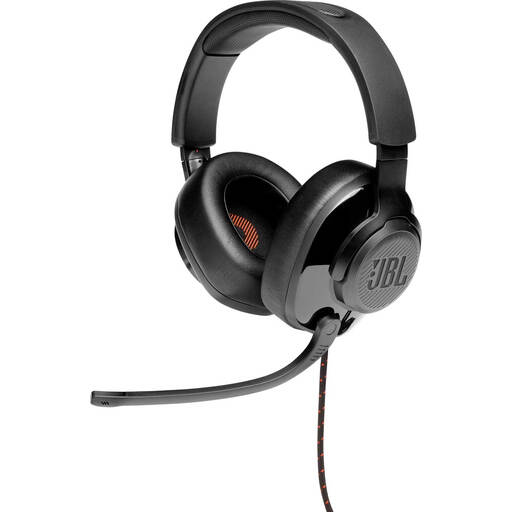
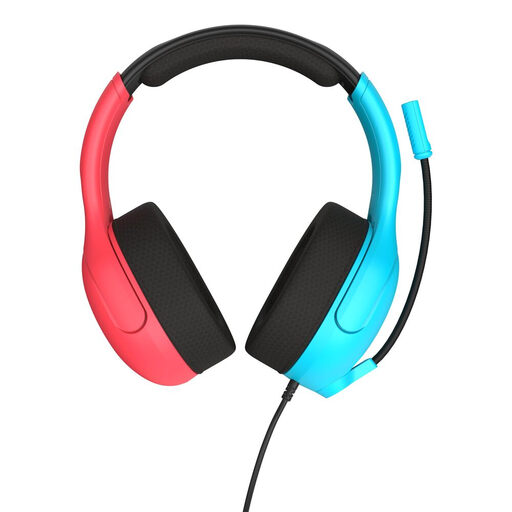
These product picks focus on wired headsets with a microphone for spoken product demonstrations. Check that each model’s connection suits your recording device and test the microphone in your recording software.
 No image available
A good fit for a wired setup if you want a microphone boom that flips up. Make a test recording to assess its position and how your voice sounds in your space.
 No image available
Worth considering if you’re looking for a wired headset with a microphone. Check that the 3.5 mm connection suits your recording device and test the microphone beforehand.
 No image available
A good fit for a computer setup if USB is the connection you need. Check the connection in your recording software and make a short test recording before recording your demonstration.
 No image available
A USB headset worth considering for recording on a computer. Check that your computer recognises the microphone as an input device and test the sound in the software you plan to use.
 No image available
A good fit for a wired setup if the connection and microphone position suit your recording chain. Make a test recording and listen back before recording the full demonstration.
Start beside the corner of your mouth, not directly in front of it. Shure recommends this position for the SM35 to reduce plosive sounds. Test the position and windscreen with your own voice before recording the full demonstration.
No. According to RØDE, the HS2 works with a compatible 3.5 mm microphone input that provides plug-in power, or with the compatible RØDELink transmitters it specifies. Check your recording device’s input and power supply.
Check the USB connection, the selected microphone input on your computer and in your recording software, and make sure the mute function is off. The Logitech H390 manual covers the connection, microphone position and mute controls.
Shure advises against storing an SM35 while it’s damp in an enclosed space; let it dry before putting it away. Check the care instructions for other models.
According to the Dutch government, in many cases you have 14 days to change your mind when buying online from a business. Exceptions may apply. In the Netherlands, there’s also no fixed statutory warranty period; what you can expect from a product depends, among other things, on the product itself.