
Student who wants to listen back
You practise with a laptop, record your Dutch presentation and want to listen back using a simple headset.


For a short practice session where you record yourself and listen back, choose a computer headset with a connection that suits your device. If you want to walk around while speaking and be heard through speakers, you’ll need a presentation microphone system that connects to the sound system; a USB computer headset won’t replace it. Test your recording and check the CE marking on the specific device.
You practise with a laptop, record your Dutch presentation and want to listen back using a simple headset.
You want to use your compact practice setup with different devices and need a connection and mute function to suit your setup.
You want to speak through an existing sound system while moving around. The receiver and usable frequencies are also important when choosing a system.
First decide whether you only want to record your voice on a computer or amplify it through speakers too. Then check the connection and controls on the version you’re considering.
| What to consider | What to look for | Who is this important for? |
|---|---|---|
| Recording and listening back | Select the correct microphone input and make a test recording at your normal speaking volume. | If you practise your presentation on a computer, you’ll want to hear how it sounds; around 33% of consumers put recording and listening back first. |
| Connection | Compare your device’s port with the plug and check whether any adapter you need is included. | If you use different devices or aren’t sure which USB port is available, the right plug is essential; around 27% of consumers prioritise the connection. |
| Amplification in the classroom | Check whether you need a sound system, what input it has and whether a wireless frequency can be used at the venue. The Dutch Authority for Digital Infrastructure notes that availability can vary by location. | If you want to walk around while presenting and speak through speakers, you’ll need a suitable signal path; around 20% of consumers prioritise amplification in the classroom. |
| Comfort and muting | Check the fit, adjustability, cable length and location of the mute or volume controls on the exact version. | If you want a simple setup and need to mute quickly while practising, comfort and controls matter; around 20% of consumers start with compactness and ease of use. |
A computer headset and a wireless presentation system use different connections and signal paths. A headset that works with a computer won’t automatically work with a sound system.
First decide whether you only want to record or also amplify the sound through the system. Then check the system’s input and the system’s connection.
Headset ranges can include USB-A, USB-C or other connection options. The accessories included may also vary between versions.
Compare the full model and variant name with the ports on your device, and check which adapter comes with that version.
The Dutch Authority for Digital Infrastructure says that available frequency space varies by location; some frequency bands require a licence.
Before use, check the frequency band of the exact set and current availability at your practice venue.
The H340 and H390 are computer headsets for a wired setup. Choose the version that suits your device’s connection.
The Ayda USB PC Headset 25088 is a computer headset with a flip-up mute microphone and a USB-C to USB-A adapter included.
The Evolve 20 range includes versions for computer use with different connections and fits.
The Blackwire 3200 series includes wired computer headsets in different fit and connection options.
The BLX14/MX53 is a wireless presentation system for use with a compatible sound system, not a USB computer headset.
These Joybuy products are wired headsets for practising with a computer. Check the connection, controls and cable length for each model.
 No image available
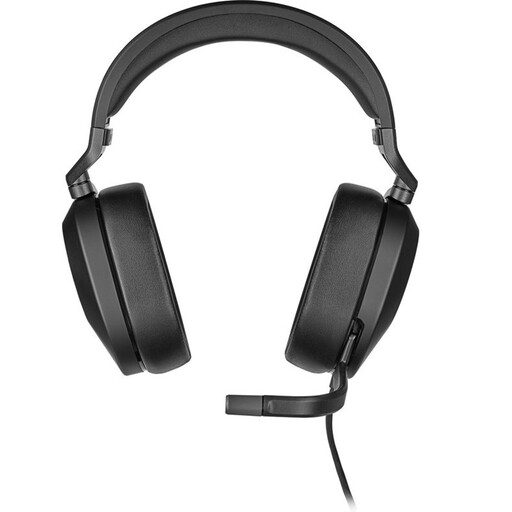
This wired headset is an option to compare for a computer setup; check that the connections suit your device.
The product details list a 3.5 mm connection, a USB adapter included, a flip-up mute microphone and a 1.50 m cable.
 No image available
This wired stereo headset is designed for a computer setup; check that the included controller suits the connection you want to use.
The product details list a 3.5 mm connection, a USB controller and a 0.95 m cable.
 No image available
This wired in-ear headset is a compact option if your device has a compatible USB Type-C connection.
The product details list a microphone, mute function and controls on the cable.
 No image available
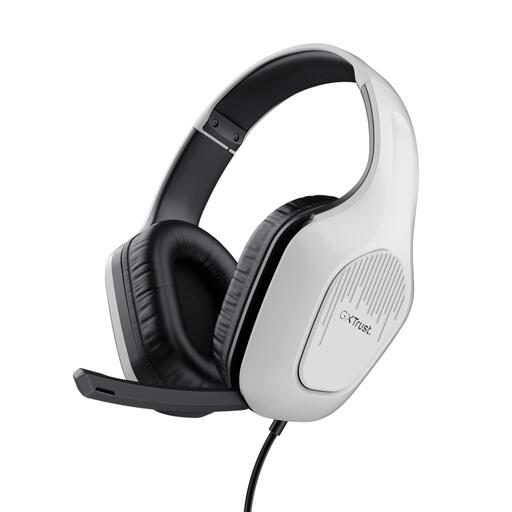
This wired headset is described as suitable for use with a PC or laptop; check that your device has a compatible 3.5 mm connection.
The product details list a flip-up microphone, mute and volume controls, and a 2 m cable.
 No image available
This wired headset is an option to compare for a PC or laptop setup with a compatible connection.
The product details list a 3.5 mm connection, a cardioid microphone, a mute button, volume control and a 1.3 m cable.
In Windows 10 or 11, select the connected microphone under Sound > Input, start a test and play back the recording. Also check that the headset isn’t muted.
Don’t assume you can: a USB computer headset such as the Logitech H340 described here is designed to connect to a computer, whereas the Shure presentation system described uses a separate receiver. Check the system’s input and signal path before choosing a system.
The Dutch Authority for Digital Infrastructure says that wireless microphones generally don’t require a licence, but you must use the correct frequency space. Availability can vary by location and some frequency bands require a licence, so check the exact set and where you’ll be using it.
The Dutch Authority for Digital Infrastructure states that electrical and electronic equipment must have the correct CE marking. Check the marking on the specific device; a mention on a product page doesn’t confirm that the item you receive has the marking.
When you buy online from a business, you’ll often have a 14-day cooling-off period; check the applicable terms and exceptions. You’re also entitled to a legal guarantee that the product is of satisfactory quality. The Dutch government says there’s no fixed statutory warranty period in the Netherlands; any manufacturer’s warranty is in addition to this.