What should you look for when choosing?
Start with the connection and a test recording. Then consider comfort and how much freedom to move around wirelessly you need.
| What to consider |
What should you check? |
Who is this important for? |
| How your voice sounds in the recording |
Check that the microphone is adjustable and listen back to a test recording. |
When I listen back to my presentation, I want to be able to assess my voice clearly; around 40% of consumers prioritise a clear voice recording. |
| Connection to your device |
Check the ports, the headset version and whether your recording app recognises the microphone as an input. |
If I practise on both a computer and a phone, I want the connection to work with both; around 30% of consumers give device connectivity top priority. |
| Fit and controls |
Check the adjustability, ear cushions and the position of the mute and volume controls. |
For several practice sessions, I want a headset that’s comfortable and easy to use; around 20% of consumers prioritise comfort and controls. |
| Freedom to move around |
Check Bluetooth support and whether the battery life will last for your practice session. |
If I sometimes stand up or switch between devices, wireless could be more practical; around 10% of consumers give freedom of movement top priority. |
Headsets on Joybuy
These products are options to compare for recording and listening back to a presentation at a computer. For each headset, check that the connection is compatible and that the specific item carries the correct CE marking, as required by the Dutch Authority for Digital Infrastructure.
 No image available
Logitech H340 USB Headset Black, Wired
A wired option for practising at a computer while seated, with a compatible connection.
USB-A connection, adjustable microphone and 180 cm cable. Check that the cable will reach from your seating position.
Joybuy
 No image available
Jabra Evolve2 65 USB-A Black MS Mono
A wireless option to compare if you want more freedom to move around while practising.
The product description mentions Bluetooth, a USB-A Bluetooth adapter for the computer, three microphones and memory foam ear cushions.
Joybuy
 No image available
Kingston USB Hi-Fi Headphones with Microphone
A USB headset to consider if you want to position the microphone close to your mouth.
The product description lists a flexible microphone boom that rotates 270 degrees, an adjustable padded headband and a 1.8-metre cable. Windows, Mac and Chromebooks are mentioned.
Joybuy
 No image available
Logitech G G432 7.1 Surround Sound Wired Gaming Headset
A wired headset to compare if you want to be able to mute the microphone during practice sessions.
The product description mentions volume controls and a flip-up microphone that mutes when raised. It says you can connect via USB-DAC or 3.5 mm.
Joybuy
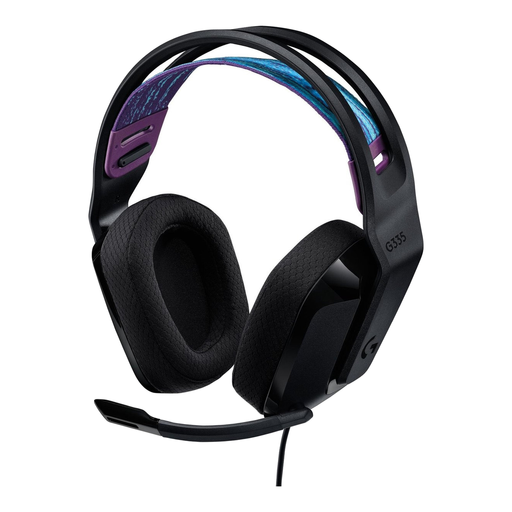 No image available
Logitech G G335 Gaming Headset
A wired option to consider if you’re looking for a 3.5 mm connection and on-headset controls.
The product description lists a flip-to-mute microphone, volume controls on the ear cup, memory foam ear cushions and a weight of 240 g.
Joybuy
Frequently asked questions
How can I check whether my computer is recording my voice through the headset?
In Windows, select the headset microphone as the input, make a test recording and play it back. Microsoft Support explains these steps; also check that the app you’re using has access to the microphone.
Do I need a licence in the Netherlands to use a standard Bluetooth headset?
No, you don’t need a frequency licence for standard Bluetooth use. The Dutch Authority for Digital Infrastructure gives Bluetooth as an example of frequency use that is licence-exempt and doesn’t require notification or registration. Don’t assume this applies to other wireless microphone systems without checking.
What should I check for product safety?
Check that the specific item carries the correct CE marking. The Dutch Authority for Digital Infrastructure says that electrical and electronic equipment sold in the Netherlands must carry the correct CE marking; a product title alone doesn’t confirm this.
What are my rights if a headset I bought online isn’t as expected?
According to the Dutch government, in many cases you have a 14-day cooling-off period when buying from a business at a distance. You can also contact the seller if a product is faulty; the Netherlands doesn’t have a fixed statutory warranty period.
How can I keep my headset working well through several practice sessions?
Before each recording, check which microphone is selected as the input and listen back to a short clip. If your version has a mute function, check how it works; Trust says you can mute the Ayda by flipping the microphone up.


