
Home recorder
You practise at a computer and want to listen back to your voice after each run-through. First, check the connection and microphone position, then make a short test recording.


For recording while seated and listening back, a wired USB computer headset with a suitable connection is a sensible choice. Start by making a test recording on your own device. If you want to practise while moving around, you can compare a wireless computer headset with a separate presentation headset microphone. The latter needs a compatible audio input and may require extra equipment. If you’ll be practising repeatedly, check the fit for yourself too: specifications can’t predict how comfortable a headset will feel to you.
You practise at a computer and want to listen back to your voice after each run-through. First, check the connection and microphone position, then make a short test recording.
You repeat your presentation over several sessions and want the headband, ear cushions and controls to remain comfortable to use. You’ll need to judge the fit for yourself; specifications can’t predict it.
You want to practise standing up or walking around. First decide whether you need a complete wireless computer headset or a separate microphone for an existing audio setup.
Start with your recording setup and connection, then compare the controls, comfort and freedom of movement that suit your practice sessions.
| What to consider | What should you check? | Who is this important for? |
|---|---|---|
| Clear recordings | Make a test recording at your normal speaking volume and listen back; check that the recording level isn’t set too high. | If I want to listen back to my presentation after every practice run, a clear recording comes first; around 36% of consumers say clarity is their main concern. |
| Comfort | Check whether the headband and ear cushions are adjustable, and try the fit for yourself. | If I practise for several runs in a row, I don’t want to be distracted by an uncomfortable headset; around 29% of consumers give comfort top priority. |
| Connection | Compare the headset connector with the ports on your recording device; USB-A, USB-C and XLR are different connections. | If I want to record directly on my computer, the connection needs to work with my device; around 21% of consumers put compatibility first. |
| Freedom of movement | Compare a wireless computer headset with a separate microphone for your existing setup; check the connection, charging and how you’ll listen back. | If I want to practise my book presentation standing up or walking around, I want freedom of movement without losing sight of my recording setup; around 14% of consumers choose this as their main consideration. |
The Shure WH20XLR has an XLR connection. It isn’t a computer headset with earcups and a USB connection. For computer recording, the entire connection setup needs to be compatible.
First decide whether you also want to listen back through the same setup. Then check the connectors and whether your recording device needs a compatible audio interface.
An XLR microphone may require extra equipment, such as a compatible audio interface; you may need separate headphones for listening back.
A brand’s noise-cancellation claim can’t predict how your voice will sound in your own practice space. Audacity warns that setting the recording level too high can cause clipping and audible distortion.
Record a short section at your normal speaking volume and listen back. Check the level in your recording software and turn it down if it’s too high.
Trust distinguishes between the Ayda USB Headset 25088 and the Ayda USB-ENC Headset 25089. The model numbers don’t necessarily refer to the same version.
Before buying, check the full product number, connection and microphone specifications for the version you’re considering.
The features below apply to the product ranges and versions mentioned. They aren’t a judgement on an entire brand or a prediction of how a recording will sound for you.
The H390 is a wired USB computer headset for recording and listening back. Logitech describes USB-A and USB-C versions.
The Ayda 25088 is a wired computer headset; the Ayda Wireless ENC 25463 is a different, wireless option.
The PC 8 USB, part number 1000432, is a wired stereo computer headset for PC and Mac.
The Blackwire 3320 version 8X220AA is a wired stereo headset with USB-C and a matching USB-A adapter.
The WH20 is a separate, head-worn dynamic microphone, not a computer headset with earcups.
This selection includes wired USB computer headsets for recording and listening back, as well as a wireless Bluetooth computer headset for anyone looking for more freedom of movement while practising.
 No image available
A wired USB computer headset for recording and listening back, with an adjustable microphone boom and in-line volume and mute controls.
The headset offers stereo audio and has soft ear cushions.
 No image available
A wired USB computer headset with a microphone for recording and listening back.
The microphone and headband are adjustable, and the headset is described as lightweight.
 No image available
A wireless Bluetooth computer headset for practising with more freedom of movement; the description mentions a USB-A Bluetooth adapter.
This is a mono headset with a rechargeable battery, so remember to charge it between sessions.
 No image available
A wired USB headset for recording and listening back on a computer, with a USB Type-A connection.
The product description lists a flip-up microphone with a mute function, volume control, an adjustable headband and ear cushions. Check the exact model number when comparing Ayda versions.
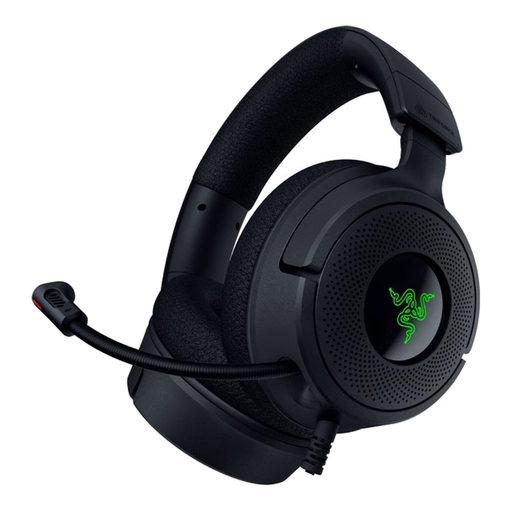 No image available
A wired headset with a microphone for computer use and listening back; the description lists USB-A and USB-C connections.
The microphone folds away and is described as cardioid. The ear cushions are made from memory foam.
Select the connected microphone in your recording software, record a short section at a normal volume and listen back. Audacity recommends checking the waveform or level meter: a level that’s too high can cause clipping and audible distortion.
No. Shure specifies a three-pin XLR connector for the WH20XLR; Audacity describes a compatible XLR-to-USB audio interface as one way to connect it for computer recording.
For a consumer purchase, the product must meet the terms of the agreement, and the seller must resolve any fault in line with the applicable rules. The Government of the Netherlands states that many online purchases from a business come with a 14-day cooling-off period; conditions and exceptions may apply. The Netherlands does not have a fixed statutory two-year guarantee period for every product.
It depends on the type of connection and, for a separate wireless microphone system, factors including the frequency band and transmission power. The Dutch Authority for Digital Infrastructure lists Bluetooth as licence-exempt frequency use, with no notification or registration requirement when the applicable conditions are met; a licence is required for some frequency bands used by wireless microphones. So check the frequency of the exact transmitter.