
Newsreader who also needs to monitor audio
You’re recording a bulletin and want to hear your voice or an audio signal at the same time. Audio-Technica and RØDE describe complete headsets with both a microphone and headphones.


Choose a complete broadcast headset if you want to listen through the same headset while recording. If you already have suitable headphones, a standalone headworn microphone may be all you need. Then check that the boom can sit outside the direct airflow and that the connectors and supplied cables are compatible with your recording equipment. Manufacturer information about positioning and connections is not a comparative recording test.
You’re recording a bulletin and want to hear your voice or an audio signal at the same time. Audio-Technica and RØDE describe complete headsets with both a microphone and headphones.
You already have monitoring covered and mainly need a microphone that moves with your head. DPA Microphones describes this as a way to keep the distance from the sound source consistent; Shure also offers a standalone headworn microphone.
You use specific microphone and headphone connections, so check the exact headset version and cable. Manufacturers list different connectors and configurations.
First decide whether you want to listen through the same headset while recording. Then compare the microphone position and connections with your recording equipment.
| What to consider | What to check before buying | Who is this important for? |
|---|---|---|
| Voice recording without plosives | Check whether the boom can sit beside the direct airflow; make a test recording with p and b sounds. | When I record a bulletin close to the microphone, I want to position it without having it directly in my breath. Around 36% of consumers give clear, consistent voice recording their highest priority. |
| Listening while recording | Choose a complete headset if you also want to listen through the same headband; check that your recording device sends the monitoring signal to the headphones. | When I need to hear my voice or the director while recording, I want to know whether the headset also includes headphones. Around 29% of consumers give monitoring audio at the same time their highest priority. |
| Connections and cables | Compare the exact plugs and supplied cables with the microphone input and headphone output on your recorder, mixer or computer. | With an existing recording setup, I want to know in advance whether the microphone and headphones can be connected and which cables I’ll need. Around 21% of consumers give compatibility with existing equipment their highest priority. |
| Comfort and maintenance | Consider how the fit will feel for the duration of your recordings and check which parts of the exact version can be replaced. | For regular recording sessions, I want to know whether the headset is comfortable and whether wear-prone parts can be replaced. Around 14% of consumers give comfort and maintenance their highest priority. |
A microphone in the path of your direct breath can pick up plosives and breathing sounds. DPA Microphones also explains that the sound can change when you position the microphone further to the side.
Adjust the boom and make a test recording with p and b sounds before recording your bulletin. Listen for any change in clarity when you move the microphone slightly.
A standalone headworn microphone, such as the Shure WH20, does not automatically include headphones. According to their manufacturers, the Audio-Technica BPHS1 and RØDE NTH-100M combine a microphone and headphones.
Decide whether you want to listen while recording, then check that the version you choose includes headphones.
The standard Audio-Technica BPHS1 has separate microphone and headphone plugs. For the Sennheiser HMD 26 version reviewed, with product number 700318, and the beyerdynamic DT 297 PV MK II, you’ll also need to check the cable separately.
Before choosing, compare the exact version and what’s included with the connections on your recording equipment.
The manufacturer positions the BPHS1 as a broadcast headset for uses including news broadcasts.
RØDE describes the NTH-100M as a headset with a microphone for uses including broadcast and content production.
Sennheiser describes the HMD 26 as a wired broadcast headset with a dynamic microphone.
According to beyerdynamic, the 250-ohm DT 297 PV MK II is a wired broadcast headset with a condenser microphone.
According to Shure, the WH20 is a standalone dynamic headworn microphone for use with separately supplied headphones.
This selection features wired headsets with microphones for anyone who also wants to listen while recording. Check that each model’s connection is compatible with your recording equipment.
 No image available
The microphone boom can be positioned towards your mouth, so you can adjust it while recording.
The product information lists a 3.5 mm connection and a flip-up microphone that mutes when raised. Compatibility is listed with PC, PS5, Switch 2 and Xbox Series X|S.
 No image available
The microphone can be moved towards your mouth, so you can adjust its position for recording.
The product information lists a 3.5 mm connection and a flip-up microphone that mutes when raised. Compatibility is listed with Nintendo Switch, PC and mobile devices.
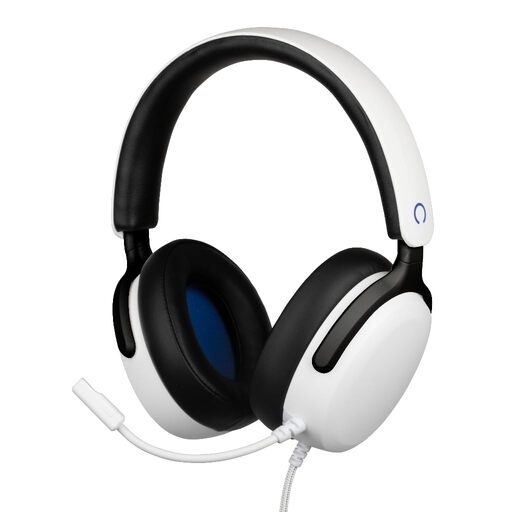 No image available
According to the product information, the flexible microphone can be positioned close to your mouth.
The listed specifications include a 3.5 mm connection, a 1.5 m cable and 40 mm drivers. Compatibility is listed with PS5, PC, laptop and mobile devices.
 No image available
The headset combines headphones with a flip-up microphone that mutes when raised.
The product information lists a 3.5 mm connection and a supplied Y-splitter for devices with separate headphone and microphone sockets. Compatibility is listed with PC, Mac, consoles and mobile devices, among others.
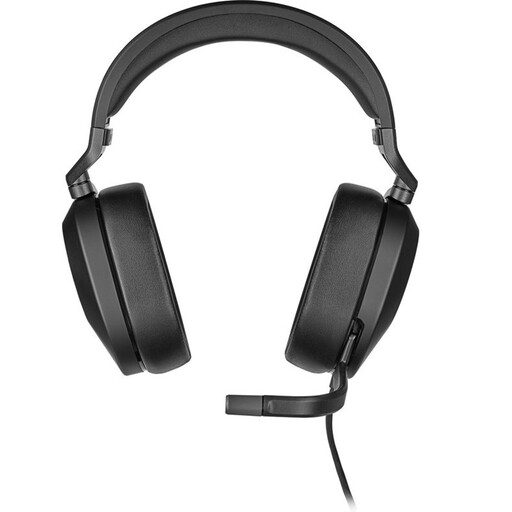 No image available
According to the product information, the microphone can be positioned by the corner of your mouth, so you can adjust it for recording.
The listed connections are 3.5 mm and a USB adapter. The product information also mentions a flip-up microphone and compatibility with PC, Mac, PS5, Nintendo Switch and mobile devices, among others.
Don’t position the microphone directly in your breath without making a test recording first. DPA Microphones explains why placing it close can pick up plosives and breathing sounds. Test the position with your own voice and listen to see whether moving it slightly to the side affects clarity.
That depends on the connections on your laptop and headset. The standard Audio-Technica BPHS1 has separate XLR and 6.3 mm plugs; RØDE specifies the supplied TRRS cable for the NTH-100M microphone. Compare these with the microphone input and headphone output on your laptop or audio interface.
Not always. The Dutch Authority for Digital Infrastructure says that a licence is usually not needed if you use the correct frequency spectrum; some frequency bands do require a licence. This is relevant if you’re choosing a wireless microphone: check the rules for the frequency band you want to use.
For a consumer purchase in the Netherlands, the product must meet the standard you’re entitled to expect; contact the seller if there’s a problem. According to the Dutch government, there is no fixed statutory two-year warranty period: what you can expect depends, among other things, on the product and how it is used. A manufacturer’s warranty is in addition to your statutory rights.