
Narrators practising long takes
You want to keep speaking without the fit or warmth becoming a distraction. Manufacturers describe features such as adjustable headbands and ear pads for specific models, but comfort is a personal matter.


Start by checking the connection on your recording device, then choose a headset you can wear comfortably for a full practice session. Make a test recording and listen for clarity, breathing sounds and microphone position. A USB headset can be convenient if your computer has a suitable port, while a broadcast headset with separate connections takes more planning.
You want to keep speaking without the fit or warmth becoming a distraction. Manufacturers describe features such as adjustable headbands and ear pads for specific models, but comfort is a personal matter.
You want to assess your pronunciation, articulation and breathing. A useful test recording will tell you more about your voice and recording environment than a general claim about call clarity.
You want to record using your existing computer, phone or recorder. USB and separate microphone and headphone connections require different ports.
Best for: practising on a computer with a suitable USB port, when a straightforward connection matters.
Bear in mind: call features and controls do not prove that your narration will sound natural in a recording.
Best for: a device with a suitable headset socket, or when you have checked in advance which adapter you need.
Bear in mind: check the connection and included cables for the exact version. Compatibility with your recorder is not guaranteed just because the plug is the right size.
Best for: a recording setup with a suitable microphone input and headphone output.
Bear in mind: the separate XLR and 6.3mm connections may require additional recording equipment.
| Consideration | What to look for | Which consumers is this important for? |
|---|---|---|
| Comfort during long takes | Fit, adjustability, ear pads and microphone boom position. | If I want to record a full practice session without pressure or warmth becoming a distraction, I pay extra attention to the fit. Around 26% of consumers make wearing comfort their top priority. |
| Voice clarity | Record the same passage and listen for consonants, quieter sections and breathing sounds. | If I want to assess my pronunciation, I want to play the recording back in my own software. Around 26% of consumers prioritise narration clarity. |
| Connection to your device | Check the available inputs and outputs, the exact headset version and the selected input in your recording software. | If I want to record using my existing computer, phone or recorder, the headset needs to connect to that equipment. Around 21% of consumers make compatibility their first priority when choosing. |
| Background noise in the recording | Make a test recording in the room you usually use and compare what you hear with what is in the file. | If I don't practise in a quiet room, I want to know how much background noise ends up in my recording. Around 16% of consumers put this first. |
| Maintenance and aftercare | Check which parts of the exact version can be replaced and who the seller is. | If I practise often, I want to know what I can do if a cable or ear pad needs replacing. Around 11% of consumers make maintenance and aftercare their top priority. |
Earcups can affect how much background noise you hear; that alone does not tell you how much noise the microphone captures in the recording.
Make a test recording with the background noise you expect during a typical practice session, then play the file back.
According to the manufacturer, a broadcast headset such as the Audio-Technica BPHS1 uses separate XLR and 6.3mm plugs. They won't automatically fit a device with USB only.
Compare the connections on the exact version with those on your computer or recorder, and check whether you need additional recording equipment.
According to the Dutch government, your statutory guarantee exists alongside any manufacturer's warranty. If a product is faulty, the seller is your point of contact.
Keep your proof of purchase and check any additional warranty terms separately.
These brands offer examples of different headset types and connections. Their inclusion is not a statement about availability or recording quality for every voice and room.
RØDE positions the NTH-100M for uses including podcasting and monitoring.
The BPHS1 is a broadcast headset for a recording setup with separate microphone and headphone connections.
Logitech describes the Zone Wired as a wired USB headset for work calls.
The Evolve2 40 SE is a range of wired office headsets, with different connection and configuration options.
The Cloud III Wired is a gaming headset to consider if you're looking for a detachable boom microphone and several connection options.
This selection includes wired headsets with a 3.5mm connection and a wireless headset with microphones. Before your recording session, check that your device and recording software recognise the microphone input you want to use, then make a test recording.
 Image unavailable
The product description mentions a padded headband and deep ear pads. Check whether the fit remains comfortable during a long practice session.
Wireless over-ear model with 60-hour battery life and fast charging, according to the product name. The name lists four microphones, and the description links beamforming to calls. Check that the microphone works as an input source in your recording software.
The description also mentions adaptive noise cancellation and a 3.5mm audio cable for wired listening.
 Image unavailable
A wired option to consider if your device has a suitable 3.5mm connection and you want a microphone with a mute control.
The product name lists a 3.5mm connection and a flip-to-mute microphone. The description mentions an included USB adapter and memory foam ear pads; check your recording device's connection.
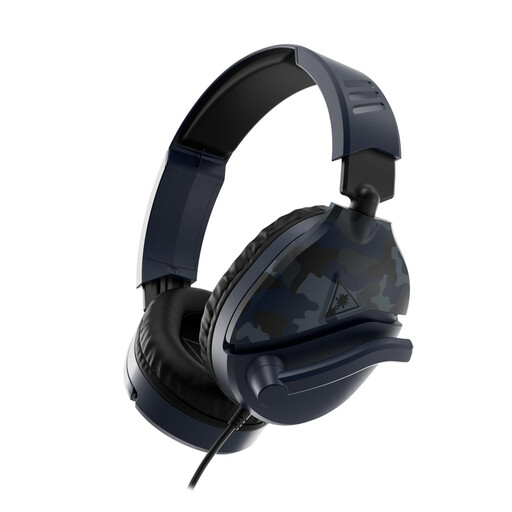 Image unavailable
This wired headset may suit a setup with a 3.5mm connection and a microphone that flips up to mute.
The product description mentions compatibility with PCs and mobile devices, among others, as well as mesh ear pads. Check that the microphone and connection work with your recording device.
 Image unavailable
A wireless headset to consider if you want a microphone that flips up to mute. First, check that it connects to your recording device.
The product description mentions 2.4GHz wireless and Bluetooth 5.2. The microphone is built in and can be flipped up to mute. The product name lists use with Xbox, PlayStation, PC, Steam Deck and mobile devices.
 Image unavailable
A wired option for a device with a suitable 3.5mm connection, with a microphone that flips up to mute.
The product description mentions a bidirectional boom microphone, a lightweight design and mesh ear pads. Check that the connection and microphone work with your recording device.
Select the intended input in your recording software, record a short passage and play the file back. Adjust the microphone boom so your voice is clear without breathing directly into the microphone. For the Evolve2 40 SE, Jabra recommends keeping the microphone close to your mouth.
Not using only the specified plugs: Audio-Technica Netherlands specifies a 3-pin XLR plug for the BPHS1 microphone and a 6.3mm plug for the headphones. Check what additional connection equipment your laptop and recording software require.
According to the Dutch government, for many applicable distance purchases from a business, you have a 14-day cooling-off period, although there are exceptions. The statutory guarantee means you are entitled to a product that meets the required standards. There is no fixed statutory guarantee period for all products, and the seller is your point of contact if there is a problem.
That depends on how the recordings are used and the circumstances. The Dutch Data Protection Authority describes an exception for purely personal or household use; this exception does not apply to public or professional use of personal data. Before publishing, establish which GDPR legal basis and other conditions apply to your situation. Consent is one possible legal basis, but it is not the only one.