
Home narrator with limited desk space
Records on a computer and doesn’t want a separate microphone stand on the desk. Check that your chosen model connects directly to your computer and that you can position the microphone arm comfortably.


A USB headset is a practical choice if you want to record directly on a computer and listen back through the same headset. A separate headset microphone with a 3.5mm connection is better suited to an existing recorder with the right input and power supply. In either case, try the fit and record a voice test in the room where you’ll be making the tour. A microphone close to your mouth won’t eliminate room echo.
Records on a computer and doesn’t want a separate microphone stand on the desk. Check that your chosen model connects directly to your computer and that you can position the microphone arm comfortably.
Wants to wear a lightweight microphone on their head and use it with their own recording equipment. Check that the recorder’s input and power supply are suitable for the microphone.
Needs a comfortable fit and a microphone arm that stays in place over multiple takes. Try the fit and listen back to a test recording before recording the full narration.
Start by checking the connection on your computer or recorder. Then consider the microphone’s position, wearing comfort and the room you’ll be recording in.
| What to consider | What should you check? | Who should pay closer attention? |
|---|---|---|
| Voice recording | Check whether you can position the microphone arm close to your mouth. Make a test recording in the room and listen for echo, plosive sounds and changes in voice volume. | If clear, consistent narration is my priority, I want to assess the sound in my own room. Around 36% of consumers in this set of choices put voice quality first. |
| Connection | Check the exact model, the available port or microphone input and, for a compatible 3.5mm microphone, whether the input supplies plug-in power. | I want to record without having to connect unexpected equipment afterwards. Around 29% of consumers prioritise a straightforward connection. |
| Wearing comfort | Consider the fit, headband, ear cushions and adjustment range. A lightweight standalone microphone isn’t the same as a complete headset with headphones. | I want to wear the headset comfortably for longer periods when recording multiple takes. Around 21% of consumers consider comfort their main priority. |
| Freedom of movement | Decide whether you’ll need to move away from your computer while recording. For a wireless setup, check the connection and that the battery life meets your needs. | If I need to change position while narrating, freedom of movement matters. Around 14% of consumers put it first. |
The Audio-Technica ATH-M50xSTS has an XLR microphone output; according to Audio-Technica, the ATH-M50xSTS-USB connects via USB-A. This means the recording equipment you need may differ between models.
Check the full model name and the microphone connection on the version you want to buy.
A microphone can’t improve the acoustics of a room. A feature described for calls doesn’t, by itself, tell you how a recorded tour will sound.
Make a short, unedited test recording in the room you plan to use and listen for echo and background noise.
The RØDE HS2 is a microphone with a 3.5mm TRS output that requires plug-in power; it doesn’t include headphones for listening back. An XLR input that only supplies phantom power requires a suitable converter.
Check the entire recording chain, including the input and power supply on your recorder or transmitter.
You’ll also need a separate pair of headphones to listen back.
The ATH-M50xSTS range combines a headset with a microphone arm. The USB version is designed to connect directly to a computer; check which connection the model you choose uses.
The H390 is a USB-A computer headset for anyone looking for a straightforward wired connection and controls on the cable.
The HS2 is a lightweight microphone worn on the head, designed for use with compatible recording equipment.
The Evolve2 40 SE is a wired office headset that you can also use for an initial narration test.
The wired Cloud III is a gaming headset for anyone who wants to use one headset for other computer tasks too.
These Joybuy products combine headphones and a microphone for use in a small workspace. The selection includes wired and wireless headsets; assess the connection and narration sound for each model.
 No image available
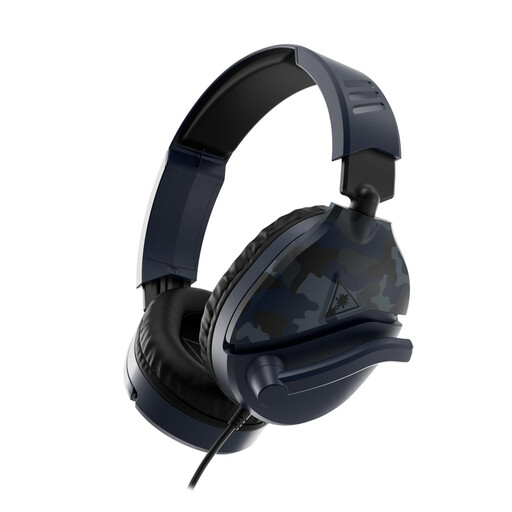
A wired headset with a microphone arm may suit you if you don’t want to use a separate desk stand. According to the product information, the microphone arm can be raised to mute it. Make a test recording to assess the narration sound.
The title lists a 3.5mm connection. Older computers with separate audio and microphone ports may need a splitter; according to the product information, one isn’t included.
 No image available
This headset combines headphones and a microphone for anyone who wants to record without a separate microphone stand. The product information lists a cardioid microphone and a weight of 285 g. Try the fit for yourself and make a narration test.
 No image available
This office headset may be worth considering if you want one device for listening and calls; check whether the microphone suits your narration with a test recording.
The product information lists Bluetooth, connection to two devices and a microphone system for calls. The title specifies the USB-A MS Teams version.
 No image available
A wireless headset with a microphone arm may suit you if you want more freedom to move while recording. Check the connection to your laptop and make a test recording before recording the full narration.
The product information lists a flexible microphone arm, a mute function and a USB Bluetooth adapter for connecting to a laptop.
 No image available
This wired headset combines headphones and a microphone in one device. Check which connection you want to use, then listen back to a test recording to decide whether the voice quality suits your tour.
The product information lists a 3.5mm connection, an included USB controller and a 0.95m cable.
Start by positioning it beside your mouth, rather than directly in front of it. Shure recommends avoiding that position to reduce plosive sounds; then listen back to a short test recording.
First check what power the microphone and input require. RØDE states that the HS2 needs plug-in power; equipment with phantom power only requires a suitable converter.
Select the headset as your recording device and make a short test to check that the microphone is actually recording. For the ATH-M50xSTS-USB, Audio-Technica describes setting it as the recording and output device in Windows or macOS.