
Quick idea recorder
You want to capture a thought straight away on your computer, and value a simple connection and mute control more than an elaborate recording setup. Logitech lists a microphone boom and in-line controls for the H390.


For capturing quick voice ideas on a computer, a USB headset with a microphone and mute control is a practical choice, provided the connection is compatible with your device. A broadcast headset is designed for people who want to monitor audio through the earcups at the same time; with a standalone headworn microphone, you’ll need to check the input and whether it requires power. Logitech describes the H390 as suitable for calls, but that alone doesn’t tell you how your voice will sound when recording in your home studio.
You want to capture a thought straight away on your computer, and value a simple connection and mute control more than an elaborate recording setup. Logitech lists a microphone boom and in-line controls for the H390.
You want to hear what your recorder is playing through headphones while you record. A headset that combines a microphone and earcups, such as the Audio-Technica BPHS1, may suit you if your equipment supports the connections.
You want to be able to speak while moving around the studio. Your choice will partly depend on your recorder or transmitter and the headworn microphone’s connection. For example, RØDE states that the HS2 requires a microphone input with plug-in power.
Start with your recording device, then decide whether you want to monitor audio as you speak or move around freely.
| What to consider | What should you check? | Who is this important for? |
|---|---|---|
| Connection and quick recording | Check that USB-A, USB-C or the analogue microphone input is compatible with your recording device. With a standalone microphone, also check whether the input provides any power it needs. | If I want to capture an idea on my computer straight away, I don’t want unnecessary connection steps. Around 40% of consumers prioritise a suitable connection that works straight out of the box. |
| Monitoring audio while recording | Check whether your headset combines headphones and a microphone, and whether your device has the required headphone and microphone connections. | If I want to hear my voice or playback audio as I speak, I need earcups as well as a microphone. Around 30% of consumers give monitoring audio their top priority. |
| Freedom of movement and pickup pattern | Check whether you need a cable or a complete wireless system. Shure describes the WH20 as cardioid, while the RØDE HS2 has an omnidirectional capsule. | If I want to move around or need to take sound from other directions into account, I look at how the microphone is worn and its pickup pattern. Around 20% of consumers prioritise freedom of movement or how sound is picked up. |
| Fit and required accessories | Check the fit, cable reach, exact connector variant and which accessories you need for your complete setup. | If I plan to wear the headset regularly, the fit and all the required accessories need to suit how I’ll use it. Around 10% of consumers start with wearing comfort and a complete setup. |
A standalone microphone won’t replace headphones if you want to monitor playback at the same time. The RØDE HS2 requires a 3.5mm microphone input with plug-in power; the Audio-Technica BPHS1 combines a microphone and headphones, but uses separate connections.
First decide whether you want to monitor audio while speaking, then check all the connections you’ll need. With a standalone microphone, you may also need a separate pair of headphones.
The Shure PGA31 is designed for compatible Shure bodypacks with a TA4F connection and isn’t a complete wireless system on its own. In the Netherlands, permitted use also depends on the frequency used.
Before buying, check the entire signal chain and the available frequency space at your location. The Dutch Authority for Digital Infrastructure states that a licence is usually not required, although some frequency bands do require one.
Logitech and Jabra describe the headset microphones mentioned here in the context of calls. That product information isn’t an independent assessment of how your voice will sound in your recording space.
Make a test recording with your own voice, room and software before choosing a headset based on its call features.
The H390 is an example of a USB computer headset for speaking on a computer.
The BPHS1 is a broadcast headset for anyone looking to combine a microphone and closed-back headphones.
The WH20 is a dynamic headworn microphone, while the PGA31 is designed for compatible bodypacks.
The HS2 is a standalone headworn microphone for use with a recorder or transmitter that has a compatible microphone input.
The Evolve2 30 SE is a communications-focused headset that you can also consider when weighing up comfort and voice recording.
This selection includes wired and wireless headsets with microphones for hands-free speaking and monitoring audio. Call and gaming features alone don’t prove that a microphone is right for the studio recording you want to make; check the connection and, if possible, make a test recording.
 No image available
A portable option for hands-free voice calls. Check that the in-ear fit suits how you want to record and monitor audio.
The product description mentions Bluetooth, six microphones and voice calls. The product name mentions Active Noise Cancelling.
 No image available
A headset for hands-free speaking and monitoring audio through the headphones. Check that the connections are compatible with your recording equipment.
The product name lists a detachable 10 mm microphone boom, USB-A and USB-C, and wireless connections via Bluetooth and 2,4 GHz.
 No image available
According to the product description, the built-in microphone is designed for calls. Check whether that suits your recording needs.
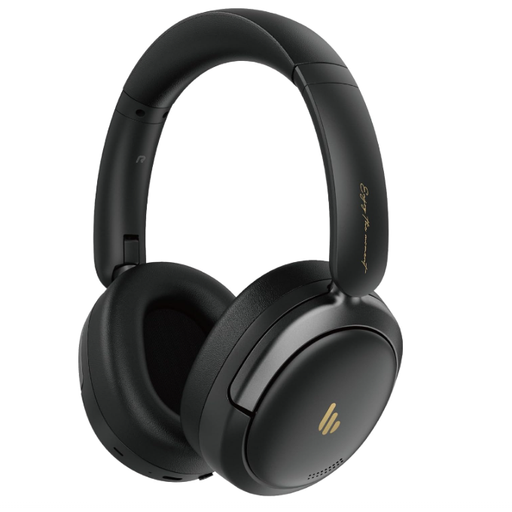
The product name lists Bluetooth 5.4, volume controls and up to 45 hours of battery life.
 No image available
A USB headset for use with a computer while monitoring audio through the headphones. Check that it’s compatible with your system.
The product description mentions a rotating microphone boom, a 1,8 m cable and compatibility with Windows, Mac and Chromebook.
 No image available
A wired in-ear headset for listening through earphones while speaking hands-free. Check that your device supports USB Type-C.
The product details list a built-in microphone, microphone mute and button controls.
No, don’t assume it will work just because the plug is the right size. RØDE states that the HS2 requires a microphone input with plug-in power, so check your recording device’s specifications and the exact plug connection.
Connect the compatible version, select it as the input in your recording software and make a short test recording. Logitech lists a USB-A connection, an adjustable microphone boom and an in-line mute control for the H390.
It depends on the radio frequency used. According to the Dutch Authority for Digital Infrastructure, wireless microphones usually don’t require a licence, but some frequency bands do, and not every frequency can be used everywhere. Check the frequency of the complete system and the location.
Check which parts are available for the exact model and what terms the seller applies. Audio-Technica lists a replaceable cable and ear pads for the BPHS1. For a faulty consumer product, ACM ConsuWijzer states that the seller is responsible for the statutory guarantee.
For an online purchase as a consumer, you generally have up to 14 days from delivery to change your mind, subject to statutory exceptions. ACM ConsuWijzer distinguishes this cooling-off period from the statutory guarantee: if a product is faulty, you should contact the seller.