
Home dictator with a fixed workstation
You dictate a report at the same computer each time and want a microphone you can position easily, with a connection that suits your computer.


For dictating at a fixed workstation, a wired USB headset is a practical choice, as long as its connection is compatible with your computer. For longer sessions, comfort and controls matter more; a dedicated wireless dictation headset is worth considering if you want to move around and its controls work with your software. No stated specification can prove on its own that speech recognition will transcribe your report more accurately: make a short test recording first.
You dictate a report at the same computer each time and want a microphone you can position easily, with a connection that suits your computer.
You dictate for extended periods and want to weigh up the wearing style, fit and controls without repeatedly interrupting your workflow.
You want to be able to get up from your workstation while dictating, so range, charging and compatibility with your software are worth considering.
Choose this if: you stay at the same computer and want to dictate without charging. Check whether you need USB-A or USB-C.
Trade-off: the cable limits your freedom to move; a microphone claim does not guarantee recording quality in your room.
Choose this if: fit, wearing style and mute controls matter when dictating longer reports.
Trade-off: check the exact connection and model variant; earcup isolation does not automatically indicate anything about microphone recording quality.
Choose this if: you want to get up while dictating or need recording controls on the headset.
Trade-off: you’ll need to charge it and check beforehand that its controls and connection work with your recording software. Philips quotes a range of 5 metres and up to 12 hours of recording time for the SpeechOne PSM6000; these figures apply to that model.
| What matters | What to look for | Which consumers? |
|---|---|---|
| Clear voice recordings | Position the microphone boom beside your mouth and make a test recording; Nuance recommends a distance of about 1 inch for Dragon. | I mainly want to be able to check that my dictated text is clear before recording a whole report. Around 40% of consumers put voice recording quality first. |
| Comfort during long sessions | Check the wearing style and adjustability; try the headset on to see if it stays comfortable during a longer session. | When I dictate for a long time, I want the fit to let me work without interruption. Around 30% of consumers prioritise comfort for extended wear. |
| Connection and controls | Check that the USB version you choose is compatible with your computer, and test the mute and recording controls in your own software. | I want to connect and control the headset easily while dictating. Around 20% of consumers put connection and controls first when choosing. |
| Freedom to move | Check the stated range and recording time, and test the connection in the places where you plan to dictate. | I want to be able to get up and move around while putting my thoughts into words. Around 10% of consumers prioritise freedom of movement. |
Passive isolation from ear cushions and a microphone’s noise reduction are two different features. One does not automatically tell you anything about the other.
Check what the microphone does and listen back to a short recording in your own space.
Listening back to a recording and making corrections can take extra time.
A model may be available with several types of connection. The model name alone does not always tell you which plug you’ll receive.
Before ordering, compare the full product variant and connection with your computer’s port.
An incompatible connection may mean you need an adapter or have to exchange the headset.
Philips states that the SpeechOne PSM6000 offers up to 12 hours of recording time. This maximum is not guaranteed in every use situation.
Plan when to charge it and test the connection in the places where you’ll actually be dictating.
If you need to charge the headset during a session, it could interrupt your dictation.
The Logitech H390 is a wired USB headset for a fixed computer workstation, with a microphone boom and in-line controls.
The Evolve2 40 SE is a wired work headset available in mono, stereo and several connection variants.
According to HP’s product specification for product number 8X231AA, the Poly Blackwire 5220 Stereo is designed for people who need several wired connection options.
Philips positions the SpeechOne PSM6000 as a wireless headset for frequent dictation and speech recognition.
The options below include wired USB headsets and wireless earbuds described as suitable for calls. For dictating reports, check that the microphone and controls work with your computer and dictation software.
 No image available
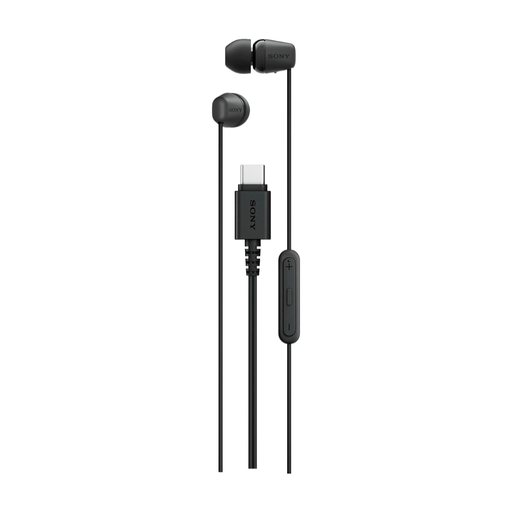
A wired option for a fixed workstation with USB-C; check the microphone and controls with your own dictation software.
Wired design, in-ear fit and USB Type-C connection.
 No image available
A wired option for dictating at a computer with USB-A; test the microphone with a short recording before dictating a long report.
Headband design and USB Type-A connection.
 No image available
This wired headset may suit a fixed workstation with USB-C; test whether the microphone works well with your recording or dictation app.
In-ear design and USB Type-C connection.
 No image available
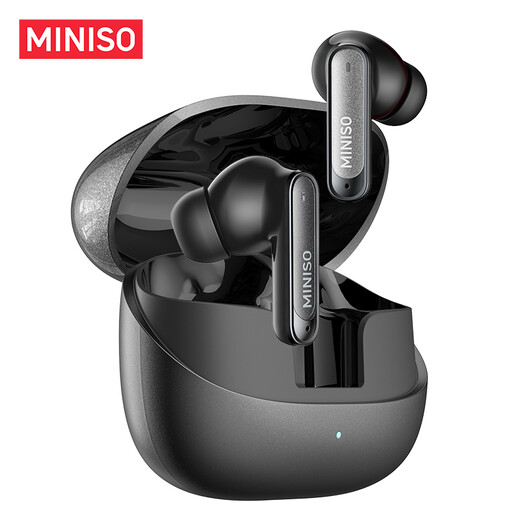
A wireless option for calls if you want more freedom to move; test the connection and microphone with your dictation software before recording a report.
Bluetooth 6.0, built-in microphone and charging case.
 No image available
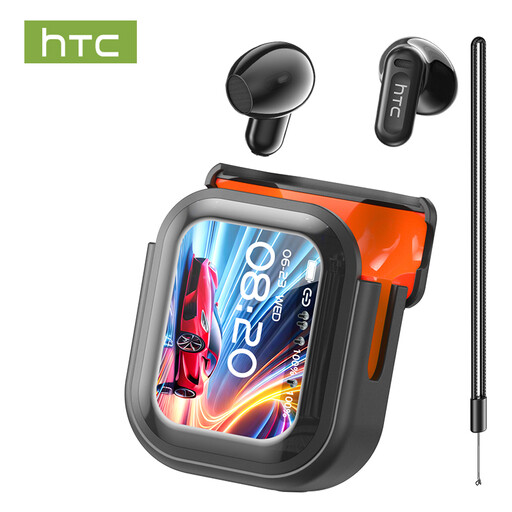
These wireless earbuds are described as suitable for calls; check the microphone and software connection before using them to dictate a report.
Bluetooth 5.4, built-in microphone and touch controls.
Position the microphone boom beside your mouth and try to keep it in the same position during future sessions. For Dragon, Nuance recommends a distance of about 1 inch, with the front of the microphone facing your mouth. Use this as a starting point and check the recording.
Check that the microphone is switched on and that the Bluetooth adapter is connected and paired. For Dragon connection problems, Nuance also recommends checking the microphone status in the software; this advice applies specifically to using Bluetooth with Dragon.
For consumer purchases in the Netherlands, your statutory guarantee applies alongside any manufacturer’s warranty. According to ACM ConsuWijzer, the seller must resolve a fault if a product breaks sooner than you could reasonably expect under normal use; the statutory period is not simply two years for every headset.
That depends on the content and the circumstances. If personal data is processed as part of your work, the responsible organisation must identify an appropriate legal basis under the GDPR in advance, according to the Dutch Data Protection Authority; consent is one possible legal basis. According to the Dutch Data Protection Authority, purely personal or household use is outside the scope of the GDPR.
Before a long session, check the charge and connection to your software. Philips lists a charging station and replaceable cushions for the SpeechOne PSM6000; follow the instructions for the version you buy when cleaning or replacing parts.