Headsets at Joybuy
This selection includes computer and gaming headsets with microphones. For each model, check that the connection and microphone setup suit your recording device and presenting style.
 Image unavailable
Turtle Beach Recon 70 wired gaming headset, 3.5 mm, Green Camo
A wired headset for anyone looking for a microphone built into their headphones; the product name specifies a flip-to-mute microphone and a 3.5mm connection.
Joybuy
 Image unavailable
Jabra Evolve2 30 SE
Could suit anyone considering a headset for recording at a computer; check the connection on your chosen version and whether your recording device recognises the microphone.
Joybuy
 Image unavailable
Razer Kraken V3 X, black
For recording with a headset at a computer, check the specific connection and microphone input before pairing it with your recording device.
Joybuy
 Image unavailable
HyperX Cloud III S wireless gaming headset, detachable boom microphone
For anyone who doesn’t want to be tethered by a cable while presenting; the product name specifies a detachable 10 mm boom microphone. Check that the wireless connection you choose is compatible with your recording device.
Joybuy
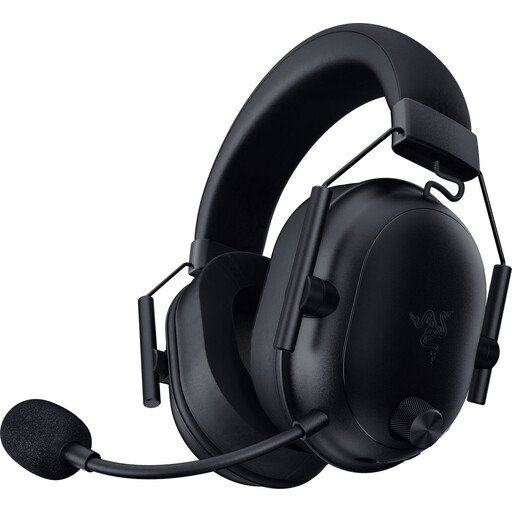 Image unavailable
Razer BlackShark V2 wireless gaming headset, black
A wireless headset to consider if you want more freedom to move while recording; the product name specifies Bluetooth and 2.4 GHz. Check which connection your recording device supports.
Joybuy
Frequently asked questions
Where should I position a microphone for emphatic speech?
First, follow the positioning instructions for your chosen model. RØDE recommends placing the HS2 close to, but to the side of, your mouth; DPA advises against positioning the 4088 directly in front of your mouth because of plosive sounds. Then test it with both soft and loud speech.
Will every headset microphone work directly with my laptop?
No, connections and power requirements vary by model. The Logitech H340 uses USB-A; RØDE specifies a 3.5mm microphone input with plug-in power for the HS2. The Shure SM35-TQG needs a compatible bodypack, or the specified preamp for wired use.
What should I check before a long recording?
Select the microphone input you want to use on your computer and in your recording software, check that mute is off, then listen back to a short test recording. If you’re using a wired headset, check that the cable doesn’t pull when you move your head.
Can I use a wireless microphone in the Netherlands without a licence?
According to the RDI, a licence is often not required for wireless microphone use if you use the correct licence-exempt frequency band and follow the relevant conditions. Not every UHF frequency is available at every location in the Netherlands; some other bands do require a licence. So check the exact frequency version, power and location.
What are my rights when buying online?
The Dutch government states that when you buy at a distance, a 14-day cooling-off period applies in many cases and the seller must tell you about it. Check the terms of the specific purchase: the cooling-off period doesn’t apply to every purchase without exception.


