What should you look for when buying?
Start with your recording setup and how much freedom to move you need. Then test whether the boom stays in a useful position during both quieter and more expressive passages.
| What to consider |
What should you check? |
Who is this important for? |
| Consistent voice capture |
Polar pattern, adjustable boom, wind or pop protection, and positioning beside your mouth. |
I want my voice to be recorded as consistently as possible when I move my head or vary my delivery; around 36% of consumers make consistent voice capture their top priority. |
| Connection and power |
Full model number, connector and the power the microphone needs. |
If I want to keep using my existing recorder, interface or transmitter, the headset needs to connect to it; around 29% of consumers prioritise compatibility and power requirements. |
| Freedom to move |
Whether you need to move beyond cable range, whether the system is complete, and which frequency version can be used at your location. |
If I want to move around during my monologue, freedom of movement matters more than a wired connection; an estimated 21% of consumers put this freedom first. |
| Fit |
Adjustment range, boom positioning, cable routing and whether any parts can be replaced. |
During a longer recording session, I want the headset to stay in place without having to keep adjusting the boom; around 14% of consumers name fit as their top buying priority. |
Wired headsets with microphones at Joybuy
These Joybuy picks are wired gaming headsets with microphones. Check that the connection and microphone input suit your recorder or interface, and test whether you can position the microphone boom comfortably for your monologue.
 Image unavailable
JBL Quantum 300 wired over-ear gaming headset, Black
The product description mentions a directional microphone; check that the recording input is compatible with your equipment.
Wired, with a 3.5mm connection and USB audio adapter according to the product description; flip the microphone up to mute it.
View at Joybuy
 Image unavailable
Turtle Beach Atlas 200 PC, 3.5mm
According to the product description, this wired headset has a flip-up microphone; check that the connection is compatible with your recording equipment.
The product name specifies a 3.5mm connection. Flip the microphone up to mute it.
View at Joybuy
 Image unavailable
Turtle Beach Airlite Fit, Nintendo Switch versions
The product description mentions a bidirectional microphone that flips up; test its position for recording your voice.
Wired, with a 3.5mm connection. The product name mentions Nintendo Switch, Switch Lite and Switch OLED; check your recorder’s connection separately.
View at Joybuy
 Image unavailable
Turtle Beach Recon 70, Green Camo
According to the product description, this wired headset has a microphone boom that flips up to mute.
The product name specifies a 3.5mm connection and compatibility with PC, PS5, Switch 2 and Xbox Series X|S. Check that your recording device supports the same connection.
View at Joybuy
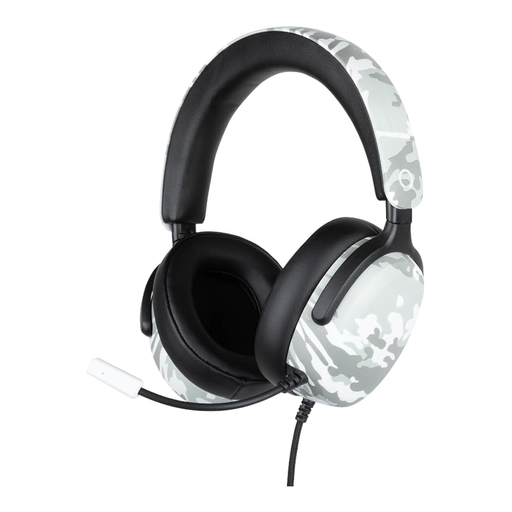 Image unavailable
Konix Nexus wired over-ear gaming headset, 1.5 m
The product description mentions a flexible microphone that can be positioned towards your mouth; check that the connection is compatible with your recorder or interface.
The product name specifies a 1.5 m cable and a 3.5mm connection.
View at Joybuy
Frequently asked questions
Should the microphone sit directly in front of my mouth?
Not necessarily. Test its position beside your mouth during both quiet and loud passages, and while moving your head. Shure and Podiumtechniek B.V. note that positioning involves balancing consistent sound, comfort and visibility; also follow the guidance for your chosen model.
Can I connect any headset microphone directly to my recorder?
No, it depends on the connection and power requirements. For example, the RØDE HS2 needs a suitable 3.5mm microphone input with plug-in power, while the Audio-Technica PRO8HEx is a wired XLR model. Compare the exact model with the connection and power specifications of your recorder or interface.
What should I check on my headset before and after recording?
Before recording, check that the boom stays in place and that the cable doesn’t pull when you turn your head. Put the headset away carefully after use; a good fit and careful handling are practical considerations if you use it regularly.
Do I need a licence for a wireless UHF headset in the Netherlands?
According to the Dutch Authority for Digital Infrastructure, wireless microphones usually don’t require a licence, but you must use the right frequency spectrum; some bands do require a licence. The frequencies available vary by location. So check the exact version of the system and your recording location before using it.
What are my rights when buying a headset online in the Netherlands?
For many distance purchases in the Netherlands, you have a 14-day cooling-off period; check whether an exception applies to your order. You’re also entitled to a product that meets required quality standards. The Dutch government states that there is no fixed statutory warranty period in the Netherlands; if a product is faulty, contact the seller.


