
Creators who want to check their voice
You’re recording the final audio for a gallery display and want to check your voice, plosive sounds and room noise by listening back to a short test.


Start by choosing a headset that suits your recording setup: a wired USB headset will only work with a compatible computer port, while a broadcast headset such as the Audio-Technica BPHS1 uses separate connections. Check both the microphone input and the headphone output, then make a test recording in the place where you plan to record. Product descriptions from Logitech, Jabra, RØDE and Audio-Technica are not independent comparisons of voice quality.
You’re recording the final audio for a gallery display and want to check your voice, plosive sounds and room noise by listening back to a short test.
You want to connect a headset without a separate recording interface. The ports on your computer and the exact headset model determine which connection will work.
You have compatible recording equipment, or plan to build a setup, and are looking for a broadcast headset with separate microphone and headphone connections.
| What to consider | What should you check? | Who is this important for? |
|---|---|---|
| Voice recording and microphone position | Check whether the microphone boom is adjustable. Record a test sentence with p and b sounds, listen back and check the level meter. | I want to be able to check that my voice sounds clear and that plosives or room noise aren’t distracting before publication; around 33% of consumers prioritise voice recording and microphone position. |
| Connection to your recording setup | Compare the ports with the exact model: USB-A or USB-C, a combined 3.5 mm TRRS connection, separate 3.5 mm ports, or XLR plus 6.3 mm. | If I want to record without a separate interface, I need to know that both the microphone and headphone output will work with my device; around 27% of consumers prioritise this connection. |
| Noise in the recording space | Test the headset where you plan to record, with the ventilation and any other usual background noise on. Listen to the voice and background in the recording. | If there’s an audible fan or other equipment, I want to know how much of it will come through in the recording; around 20% of consumers prioritise ambient noise. |
| Fit and listening back | Check the adjustment options and earcup type. Where both options are available, choose between mono and stereo deliberately. | If I’m recording several takes, I want the headset to be comfortable to wear and to be able to listen back to my recording; around 20% of consumers prioritise wearing comfort. |
Shure recommends placing the microphone beside your mouth and pointing it towards the centre of your mouth. Audacity notes that ventilation and other sounds can be picked up in a recording. A test in the actual location will help you assess this for yourself.
A claim about call quality doesn’t prove how a headset will sound in your recording space. Ventilation and other ambient sounds can come through in the recording.
Make a test in the place where you plan to record, with your usual background noise, and listen back before recording the final script.
Audible room noise may mean you have to record again or edit the recording afterwards.
USB, TRRS, and the separate XLR and 6.3 mm plugs on the Audio-Technica BPHS1 are different connection types. A compatible headphone connection doesn’t automatically mean the microphone will record too.
Before buying, check both the microphone input and headphone output on the exact device and headset you’ve chosen. Depending on your existing equipment, you may need a compatible interface or adaptor.
In its technical specification dated 7 May 2025, Jabra states that the original USB-A and USB-C SKUs will be discontinued in 2025 and replaced by USB-C/A SKUs. Mono, stereo and UC/MS models are also different variants.
Compare the full product name and manufacturer SKU with the connection and model you’re looking for.
The NTH-100M is an over-ear headset with a detachable microphone, designed for uses including media and podcasting. It could be a good fit if you want to record and listen back using a single headset.
The BPHS1 is a broadcast headset for a recording setup with compatible connections.
The H390 is a wired computer headset for a simple recording setup with one narrator and a compatible USB port.
The Evolve2 40 SE is a wired office headset available in mono and stereo models, with different USB connections.
These wired headsets with microphones are options to consider for seated voice recording via USB or 3.5 mm. Check that the microphone and headphone connections on each model are compatible with your recording device.
 Image unavailable
A good fit for a wired setup with a 3.5 mm connection if you want to be able to lift the microphone boom to mute it while recording.
The product description lists a supplied Y-splitter for computers with separate microphone and headphone ports.
 Image unavailable
A wired USB option for recording and listening back on a computer with a compatible USB port.
The product description lists USB audio and a flip-up microphone.
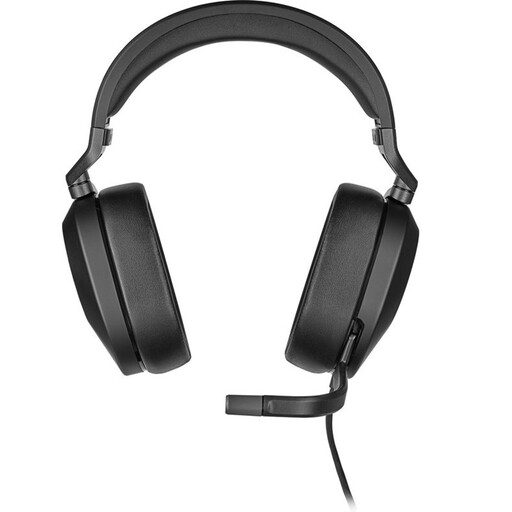 Image unavailable
This wired headset may suit a recording setup with a 3.5 mm connection or the listed USB adaptor. Check which connection your device uses.
The product description mentions a flip-up microphone with a mute function. A USB adaptor is listed for the USB connection.
 Image unavailable
A wired headset option for a recording setup where you can check the computer connection in advance.
The product description lists a 3.5 mm connection and a supplied USB controller.
 Image unavailable
A USB option if you want to be able to adjust the microphone position during a seated recording.
The product description lists a USB connection and an adjustable microphone boom.
Select the microphone you intend to use as the input, make a short test recording and listen back. Audacity recommends watching the level meter and gives around −6 dB as a guide for the maximum peak. Don’t place the microphone directly in the path of your breath.
A headphone output alone isn’t enough. RØDE specifies the supplied TRRS cable for the microphone function and describes the splitter as being for devices with separate 3.5 mm microphone and headphone ports. Check which input your recording device has.
According to the Dutch government, you’re entitled to a product that is fit for purpose, and the Netherlands has no fixed statutory warranty period. What you can expect from a product depends on factors including the product itself and the information provided by the seller. If there’s a fault, contact the seller; any manufacturer’s warranty may be in addition to this.
The gallery must assess the applicable privacy rules before collecting or using the recording. The Dutch Data Protection Authority classifies recordings of identifiable voices as personal data; processing them requires a lawful basis under the GDPR. Consent is one possible lawful basis, but it isn’t automatically the only one. Discuss with the narrator in advance how the recording will be used.